


Ehliyet Başvuru Formları
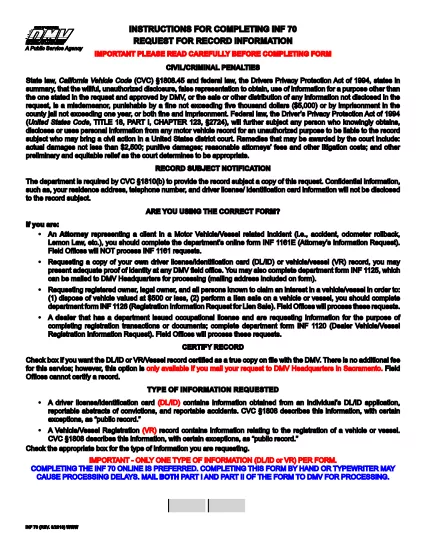
INF 70, ehliyet başvurusunda bulunmak veya ehliyetle ilgili çeşitli hizmetleri talep etmek için kullanılan belgeler olan sürücü belgesi formlarından biridir. Bu formlar genellikle Amerika Birleşik Devletleri'ndeki Motorlu Araçlar Departmanı (DMV) gibi belirli bir yargı bölgesinde sürücü ehliyeti vermekten sorumlu departman veya kurum tarafından sağlanır.
Yaygın sürücü belgesi formları şunları içerir:
Ehliyet Başvurusu: Bu form, yeni bir ehliyet başvurusunda bulunmak veya mevcut bir ehliyeti yenilemek için kullanılır. Genellikle ad, adres, doğum tarihi ve Sosyal Güvenlik numarası gibi kişisel bilgileri gerektirir.
Kimlik Belgeleri: Bazı yargı bölgelerinde, başvuru sahibinin kimliğini ve ikametgahını doğrulamak için özel kimlik belgeleri istenir. Bunlar doğum belgesi, pasaport veya sosyal güvenlik kartı gibi formları içerebilir.
Görme Muayenesi: Çoğu sürücü ehliyeti başvurusu, yetkili bir tıp uzmanının veya göz bakımı uzmanının, başvuru sahibinin araç kullanmak için minimum görme gereksinimlerini karşıladığını onayladığı bir görme muayenesi formu gerektirir.
Sürücü Eğitim Formları: Bazı durumlarda kişilerin, sürücü eğitimi tamamlama sertifikası veya eğitmen tarafından imzalanmış bir form gibi bir sürücü eğitimi kursunu tamamladıklarına dair kanıt sunmaları gerekebilir.
Tıbbi Değerlendirme: Bazı tıbbi durumlar, bir sağlık uzmanı tarafından ek formların doldurulmasını gerektirebilir. Bu formlar, başvuru sahibinin fiziksel ve zihinsel olarak araç kullanmaya uygunluğunu doğrular.
Adres Değişikliği Formu: Ehliyet sahibinin yeni bir adrese taşınması durumunda, ehliyet bilgilerini güncellemek için adres değişikliği formu doldurması gerekebilir.
Sürücü belgesi formları yerel DMV ofisinden alınabilir veya web sitesinden indirilebilir. Sorunsuz bir başvuru veya hizmet süreci sağlamak için gerekli formları destekleyici belgelerle birlikte dikkatlice doldurup göndermeniz önemlidir.