
Dil Seçin

SF3104B – Documentation & Elections for FERS Death Benefits (Fillable PDF)

  1. Dil İngilizce
  2. Ülke Amerika Birleşik Devletleri
  3. Departman Personel Yönetimi Ofisi
  4. sektör Standart Formlar
SF3104B – Documentation & Elections for FERS Death Benefits (Fillable PDF)

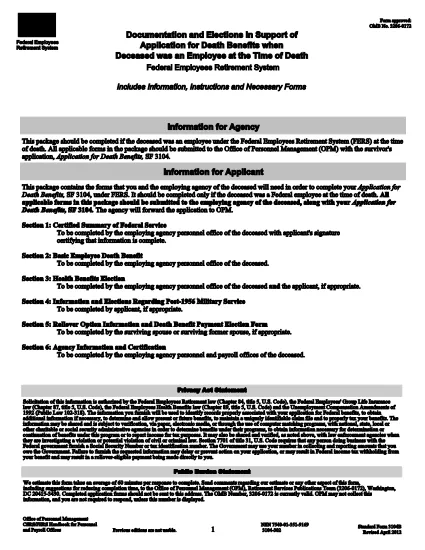
The SF3104B is the official Government form used to document elections and provide information when a Federal employee covered by the Federal Employees Retirement System (FERS) passes away. Survivors use this form to choose health‑benefit options, elect payment methods, and request any applicable deposits.

What Is the SF3104B Form?

SF3104B, Documentation and Elections in Support of Application for Death Benefits, is part of the survivor‑benefit package that must be submitted with the main SF3104 application. The form is available as a fillable PDF, allowing you to type directly into each field without printing first.

Who Must Complete SF3104B?

  • Surviving spouse, child, or other eligible beneficiary of a deceased FERS employee.
  • Anyone acting as a legal representative for the survivor.
  • Any party needing to make elections regarding health coverage, deposit of service credit, or payment method for death benefits.

How to Fill Out the Form Using Formize

Instead of downloading the PDF and opening it in a separate editor, simply click the "Fill out this form" button on this page. The Formize PDF Filler app will load in your browser, letting you complete the form instantly.

Common Mistakes to Avoid

  • Leaving required fields blank: Every field marked with an asterisk (*) must be completed.
  • Incorrect dates: Use the MM/DD/YYYY format and double‑check the date of death.
  • Mismatched signatures: The survivor’s signature must match the name entered on the form.
  • Submitting an outdated version: Use the current PDF (revision date 04/2012) linked below.

Where to Submit the Completed Form

After you’ve saved the completed SF3104B, attach it to the survivor’s application package and mail it to the Office of Personnel Management (OPM) at the address provided in the instructions, or submit electronically if your agency permits electronic filing.

Download the official fillable PDF (SF3104B)

SSS
  • Who is eligible to file SF3104B?

    The surviving spouse, children, or any other qualified beneficiary of a deceased FERS employee may complete the form.

  • Do I need to print the form to sign it?

    No. Formize allows you to add an electronic signature directly in the browser, which is accepted by OPM.

  • Can I submit the form electronically?

    If your agency’s HR system accepts electronic documents, you can upload the completed PDF. Otherwise, mail the printed copy to OPM.

  • What is the deadline for submitting SF3104B?

    Submit the form as soon as possible after the death of the employee. Delays may affect benefit elections and payments.

  • What if I make a mistake after submitting?

    Contact OPM’s Survivor Benefits office immediately. They can guide you on filing an amendment or a corrected form.

  • Is there a cost to use the Formize PDF Filler?

    No. Formize’s online filler is free for all users accessing government forms on Formize.com.

  • Do I need any additional documents with SF3104B?

    Yes. The form is submitted together with SF3104 (Application for Death Benefits) and any required supporting documentation, such as a death certificate.

NASıL

SF3104B formunu ücretsiz, çevrimiçi olarak 5 kolay adımda nasıl doldurabilirsiniz:

  1. 1
    Locate the Fillable Form Button
    Scroll down to the bright "Fill out this form" button on this page.
  2. 2
    Launch Formize PDF Filler
    Click the button. The Formize PDF Filler app loads directly in your browser—no download needed.
  3. 3
    Complete Each Section
    Enter the required information, make your benefit elections, and sign electronically where indicated.
  4. 4
    Review and Save
    Use the built‑in preview to double‑check all entries, then click "Save" to download the completed PDF.
  5. 5
    Submit to OPM
    Attach the saved PDF to your survivor benefits package and send it to the Office of Personnel Management as instructed.
PDF Filler uygulamasını biçimlendirin
HAKKıNDA

Personel Yönetimi Ofisi (OPM) Formları

SF3104B, ​​federal hükümetin kamu hizmeti işgücünü ve federal çalışanlara sağlanan sosyal hakları yönetmekten sorumlu bağımsız bir kurumu olan Amerika Birleşik Devletleri Personel Yönetimi Ofisi tarafından kullanılan resmi formlardan biridir. OPM, federal istihdamla ilgili politika ve düzenlemeleri belirler, çeşitli personel programlarını yönetir ve federal çalışanlara, emeklilere ve iş başvurusunda bulunanlara hizmet sağlar.

Personel Yönetimi Ofisi formlarından bazı örnekler:

Standart Form 86 (SF-86) : Bu form, güvenlik izni başvurusunda bulunan kişilerin geçmiş araştırma süreci için kullanılır. Kapsamlı kişisel bilgiler, istihdam, eğitim ve mali bilgilerin yanı sıra yabancı kişiler ve faaliyetlerle ilgili ayrıntıları da toplar.

Standart Form 2809 (SF-2809) : Bu form, federal çalışanlara, emeklilere ve onların uygun aile üyelerine sağlık sigortası teminatı sağlayan Federal Çalışanların Sağlık Yardımları (FEHB) Programına kaydolmak için kullanılır.

Standart Form 2817 (SF-2817): Bu form, emeklilik veya federal hizmetten ayrılma sonrasında Federal Çalışanlar Diş ve Görme Sigortası Programı (FEDVIP) kapsamının devamı için başvuruda bulunmak için kullanılır.

Standart Form 3107 (SF-3107) : Bu form, Kamu Hizmeti Emeklilik Sistemi (CSRS) kapsamında emeklilik yardımlarına başvurmak için kullanılır.

Standart Form 2801 (SF-2801) : Bu form, Federal Çalışan Emeklilik Sistemi (FERS) kapsamında emeklilik yardımlarına başvurmak için kullanılır.

Standart Form 15 (SF-15) : Bu form, gazilerin federal istihdamdaki tercihine başvurmak için kullanılır. Federal hükümette iş fırsatı arayan gaziler veya onların uygun aile üyeleri tarafından sunulur.

Bu örnekler, federal istihdam ve çalışanlara sağlanan faydalar bağlamında kullanılan bazı yaygın OPM formlarını temsil etmektedir. Ancak OPM'nin çeşitli personel programları, emeklilik, sigorta ve federal istihdamın diğer yönleriyle ilgili bir dizi başka formu da vardır. Gereken spesifik formlar, aranan işlemin, programın veya avantajın niteliğine bağlı olarak değişiklik gösterebilir. Doğru ve güncel bilgilere ulaşmak için ABD Personel Yönetimi Ofisi'nin resmi web sitesine (www.opm.gov) başvurmanız veya OPM'den veya ilgili insan kaynakları personelinden rehberlik almanız önerilir. Federal istihdamınız veya yardımlarla ilgili ihtiyaçlarınızla ilgili belirli OPM formlarına ilişkin güncel bilgiler.

ÖZELLIKLERI

PDF Doldurucu

PDF formlarını çevrimiçi doldurmanın en kolay yolu

  • SF3104B'ü hızlıca doldurun
    SF3104B çevrimiçi olarak hızlı bir şekilde doldurmanın bir yolunu mu arıyorsunuz? Çevrimiçi ücretsiz PDF form doldurucumuzla, bu pdf belgesini nasıl düzenleyeceğinizi ve dolduracağınızı bir dakikadan kısa sürede öğreneceksiniz.
  • Kullanımı kolay çevrimiçi PDF düzenleyici
    PDF dosyalarını yeniden tarayıp geri göndermeden önce düzenleyebilmek için yazdırmaktan bıktınız mı? PDF belgelerini çevrimiçi olarak ücretsiz düzenleyin. Zamandan ve kağıttan tasarruf etmek için çevrimiçi pdf editörümüzü kullanın.
  • Harika araçlar, tüm platformlar
    Bir Mac'te SF3104B'ü nasıl dolduracağınızı veya PDF doldurucuyu ücretsiz olarak nasıl kullanacağınızı mı merak ediyorsunuz? Çevrimiçi PDF araçlarımız tüm platformlarda çalışır.
  • Güvenli dosya depolama
    Tamamlanan "SF3104B" dosyaları, Amazon Cloud barındırma tarafından yönetilen güvenli bir veritabanında depolanır. Dosyalarınızı istediğiniz zaman sistemimizden silebilirsiniz. Her durumda, bu dosyalar 24 saat sonra otomatik olarak silinir.
  • SF3104B ile sohbet et
    Ücretsiz bir PDF okuyucu asistanı olan Chatize'da "SF3104B" ile sohbet edin. "SF3104B" adlı kişiden sorular sorun ve yanıtlar alın. Yukarıdaki Belgeyle Sohbet Et düğmesini tıklamanız yeterlidir.

Doldurma oturumunu sil

Seçilen doldurma oturumunu silin mi? Bu durumda, formu doldurmadaki ilerlemeniz kaybolacaktır.

Düzenleme oturumunu sil

Seçilen düzenleme oturumu silinsin mi? Bu durumda formu oluşturma ve düzenleme konusundaki ilerlemeniz kaybolacaktır.