
Dil Seçin

GU-41A Road Crossing Permit – Fillable PDF Download

  1. Dil İngilizce
  2. Ülke Amerika Birleşik Devletleri
  3. Aktivite Araç Kaydı
  4. Belirtmek, bildirmek New Jersey
GU-41A Road Crossing Permit – Fillable PDF Download

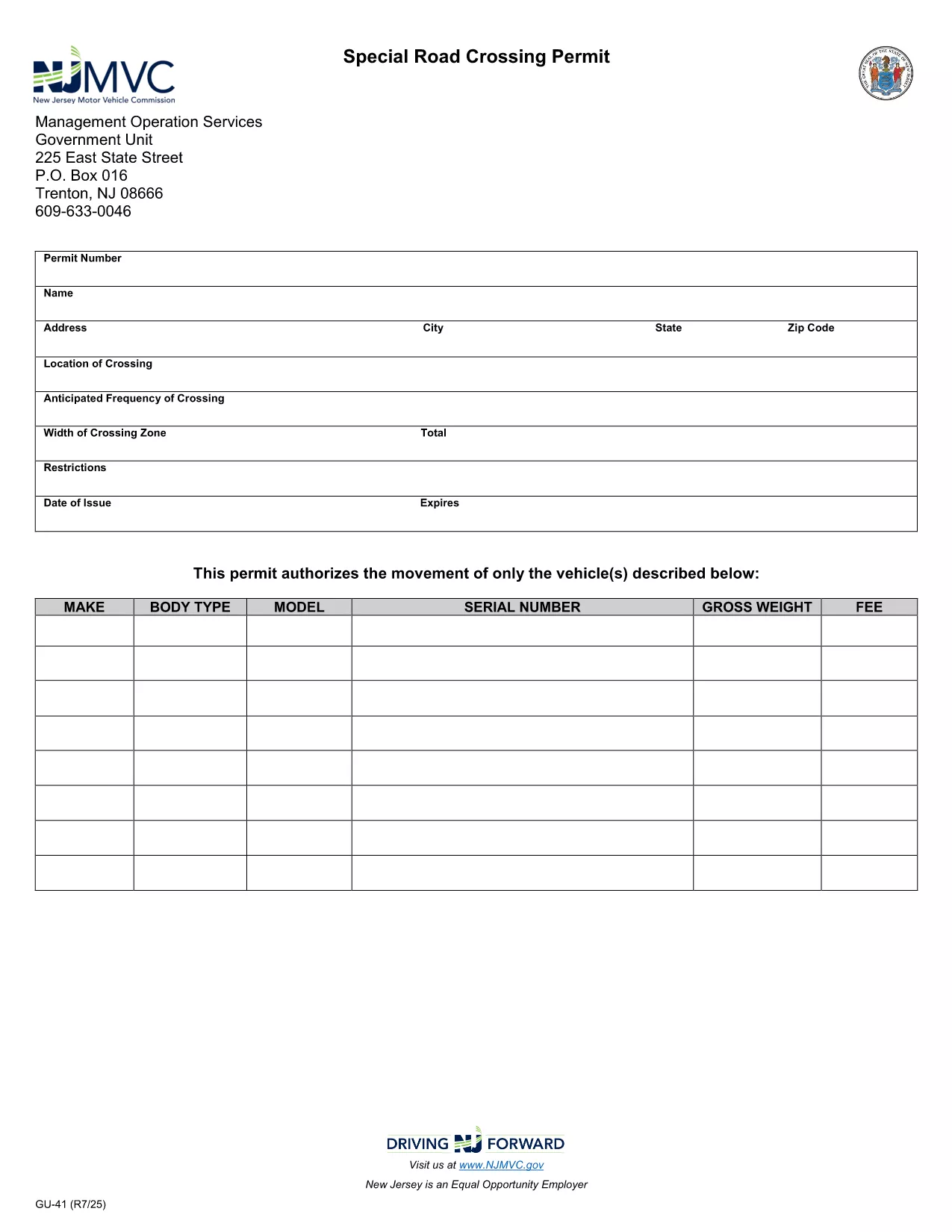
The GU-41A is New Jersey’s official Road Crossing Permit used for temporary vehicle crossings on state highways. Whether you’re transporting oversized equipment, conducting road work, or need a special crossing for a public event, this form authorizes daylight‑only crossings (or night crossings with proper lighting).

What Is the GU-41A Form?

The GU-41A application collects details about the vehicle(s), driver, crossing location, date, and required safety measures. It is issued by the New Jersey Motor Vehicle Commission (NJ MVC) and must be displayed on the vehicle during the crossing.

How to Complete the GU-41A Online

With Formize’s fillable PDF technology you don’t need any extra software. Follow these simple steps:

  1. Click the "Fill out this form" button on this page.
  2. Wait for the Formize PDF Filler app to load in your browser.
  3. Enter all required information – vehicle details, driver license, crossing dates, and lighting requirements.
  4. Review the data for accuracy and click Submit to generate a completed PDF.
  5. Print the form, sign it where indicated, and attach it to your vehicle as instructed.

Common Mistakes to Avoid

  • Leaving the "Vehicle Height" or "Weight" fields blank.
  • Forgetting to specify if the crossing will occur after dark; night crossings require additional lighting.
  • Submitting the form without a valid driver’s license number.
  • Not printing the signed copy – an electronic version alone is not accepted by NJ MVC.

Where to Submit the Completed Form

After printing and signing, deliver the GU-41A to the nearest NJ MVC office or mail it to:

Motor Vehicle Commission
124 Halsey Street, Trenton, NJ 08625
Phone: (609) 292‑6500

Processing typically takes 3‑5 business days. Keep a copy for your records.

Download the Fillable PDF Now

Ready to start? Click the button below to open the fillable GU-41A PDF directly in your browser via Formize.

SSS
  • What is the purpose of the GU-41A form?

    The GU-41A authorizes temporary vehicle crossings on New Jersey state highways, ensuring safety and compliance with lighting requirements.

  • Who needs to fill out a GU-41A?

    Any individual or company transporting oversized or special‑purpose vehicles that require a temporary crossing on a state road must complete the GU-41A.

  • Can I submit the GU-41A electronically?

    No. The NJ MVC requires a printed, signed copy of the completed form to be submitted in person or by mail.

  • Is there a fee for the GU-41A permit?

    Yes, a processing fee is assessed by the MVC. The exact amount varies; check the latest fee schedule on the NJ MVC website.

  • How long is the permit valid?

    The permit is valid for the specific dates and times listed on the application, typically up to 30 days for a single crossing.

  • What lighting is required for night crossings?

    Vehicles must have at least two white front lights capable of illuminating objects at 500 feet and two Class‑A amber reflectors on each side.

  • Can I use the same GU-41A for multiple crossings?

    Each crossing requires its own GU-41A application with the specific dates, locations, and vehicle details for that event.

  • How long does it take to process the GU-41A?

    Processing usually takes 3‑5 business days after the signed form is received by the MVC.

  • What should I do if I make a mistake on the form?

    Correct any errors before signing. If you discover a mistake after signing, contact the MVC to obtain a new form.

  • Where can I find the fillable GU-41A PDF?

    Click the "Download the Fillable PDF Now" button on this page to open the official GU-41A PDF hosted by the NJ MVC.

NASıL

GU-41A formunu ücretsiz, çevrimiçi olarak 5 kolay adımda nasıl doldurabilirsiniz:

  1. 1
    Open the Fillable Form
    Click the "Fill out this form" button on the page. The Formize PDF Filler will open directly in your browser.
  2. 2
    Enter Required Information
    Complete all fields such as vehicle details, driver license, crossing dates, and lighting requirements.
  3. 3
    Review and Submit
    Double‑check the entered data, then click Submit to generate a completed PDF.
  4. 4
    Print, Sign, and Attach
    Print the filled‑out form, sign where indicated, and attach it to the vehicle as required by NJ MVC.
  5. 5
    Submit to NJ MVC
    Deliver the signed form to your local MVC office or mail it to the address provided on the form.
PDF Filler uygulamasını biçimlendirin
HAKKıNDA

Araç Tescil Formları

Bir motorlu araca, karavana veya tekneye sahipseniz veya kiralıyorsanız, aracınızı yasal olarak kayıtlı ve güvende tutmak için belirli yükümlülükleri yerine getirmelisiniz.

GU-41A, ​​bir motorlu taşıtı ilgili eyalet veya il makamına kaydettirmek için kullanılan belgeler olan Araç tescil formlarından biridir. Bu formlar genellikle bir kişi yeni veya kullanılmış bir araç satın aldığında veya bir araçla yeni bir eyalete veya ile taşındığında gereklidir.

Araç tescili için gereken kesin gereksinimler ve formlar bölgeye göre değişebilir, ancak genellikle süreç araç, araç sahibi ve araç üzerindeki herhangi bir haciz hakkında bilgi verilmesini içerir.

Tescil formları ve harçlar teslim edildikten sonra, eyalet veya il makamı araç sahibine bir tescil belgesi veya plaka verir. Bu kayıt, aracın kamuya açık yollarda ve otoyollarda yasal olarak çalıştırılmasına izin verir.

ÖZELLIKLERI

PDF Doldurucu

PDF formlarını çevrimiçi doldurmanın en kolay yolu

  • GU-41A'ü hızlıca doldurun
    GU-41A çevrimiçi olarak hızlı bir şekilde doldurmanın bir yolunu mu arıyorsunuz? Çevrimiçi ücretsiz PDF form doldurucumuzla, bu pdf belgesini nasıl düzenleyeceğinizi ve dolduracağınızı bir dakikadan kısa sürede öğreneceksiniz.
  • Kullanımı kolay çevrimiçi PDF düzenleyici
    PDF dosyalarını yeniden tarayıp geri göndermeden önce düzenleyebilmek için yazdırmaktan bıktınız mı? PDF belgelerini çevrimiçi olarak ücretsiz düzenleyin. Zamandan ve kağıttan tasarruf etmek için çevrimiçi pdf editörümüzü kullanın.
  • Harika araçlar, tüm platformlar
    Bir Mac'te GU-41A'ü nasıl dolduracağınızı veya PDF doldurucuyu ücretsiz olarak nasıl kullanacağınızı mı merak ediyorsunuz? Çevrimiçi PDF araçlarımız tüm platformlarda çalışır.
  • Güvenli dosya depolama
    Tamamlanan "GU-41A" dosyaları, Amazon Cloud barındırma tarafından yönetilen güvenli bir veritabanında depolanır. Dosyalarınızı istediğiniz zaman sistemimizden silebilirsiniz. Her durumda, bu dosyalar 24 saat sonra otomatik olarak silinir.
  • GU-41A ile sohbet et
    Ücretsiz bir PDF okuyucu asistanı olan Chatize'da "GU-41A" ile sohbet edin. "GU-41A" adlı kişiden sorular sorun ve yanıtlar alın. Yukarıdaki Belgeyle Sohbet Et düğmesini tıklamanız yeterlidir.

Doldurma oturumunu sil

Seçilen doldurma oturumunu silin mi? Bu durumda, formu doldurmadaki ilerlemeniz kaybolacaktır.

Düzenleme oturumunu sil

Seçilen düzenleme oturumu silinsin mi? Bu durumda formu oluşturma ve düzenleme konusundaki ilerlemeniz kaybolacaktır.