Оберіть мову

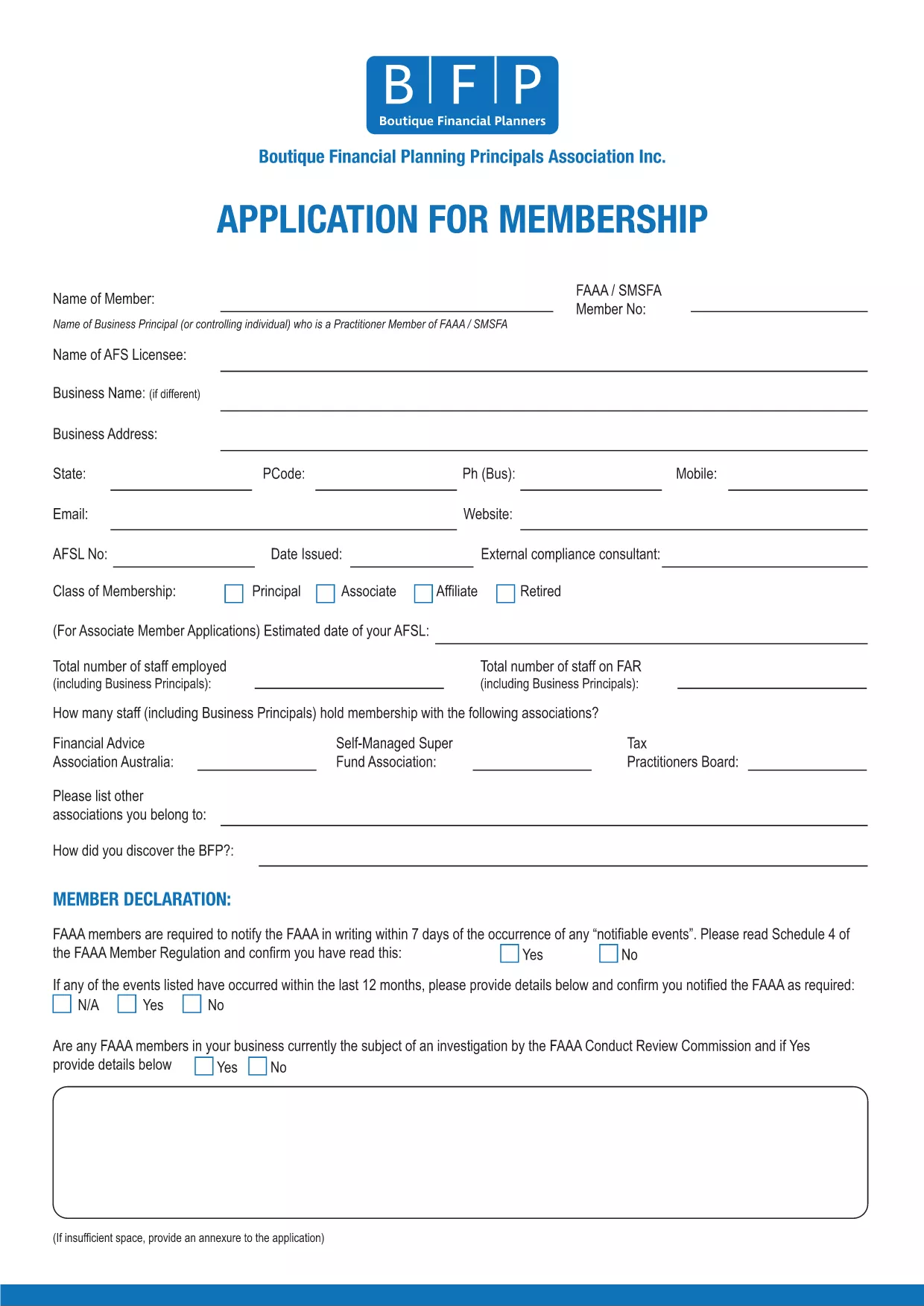
BFP Membership Application Form (Fillable PDF)

  1. Мова англійська
  2. Країна Австралія
  3. діяльність Membership Forms
BFP Membership Application Form (Fillable PDF)

The BFP Membership Application Form is required for anyone who wants to join the British Federation of Philately (BFP). Instead of printing, printing‑and‑scanning, you can now fill the form directly in your browser using our secure Formize PDF Filler. This fillable PDF saves time, reduces errors, and keeps your data safe.

Our online filler works on all devices – desktop, tablet, or mobile. All fields are searchable, required sections are highlighted, and you can save a draft before final submission.

Why Use the Fillable BFP Application Form?

  • Instant validation – the form checks for missing or incorrectly formatted data.
  • No printing or scanning – complete everything online.
  • Secure storage – your information is encrypted during the session.
  • Automatic PDF generation – receive a downloadable copy for your records.

How to Complete the BFP Membership Application Online

Follow the simple steps below; you’ll be guided through each section of the application.

Common Mistakes to Avoid

  • Leaving required fields blank – the filler will highlight them in red.
  • Entering an outdated address – double‑check your contact details.
  • \n
  • Using special characters in the “Name” field – stick to letters, hyphens, and apostrophes.

Download the PDF or Fill Directly

If you prefer to work offline, you can still download the original PDF. However, the fastest way is to click the “Fill out this form” button and let Formize do the heavy lifting.

Ready to start? Click the button below, wait a moment for the Formize PDF Filler to load, and you’ll see the full BFP Membership Application ready for you to complete.

FAQ
  • Do I need Adobe Acrobat to fill this form?

    No. The Formize PDF Filler works in any modern browser, so you don’t need Acrobat or any extra software.

  • Can I save my progress and finish later?

    Yes. The filler lets you save a draft locally and reload it later using the same browser.

  • Is my personal information secure?

    All data is encrypted during the session and never stored on our servers after you submit or download the completed PDF.

  • What if I make a mistake after submitting?

    Contact BFP directly with your application reference number. They can guide you on how to amend the submitted form.

  • Can I print a hard‑copy after filling the form?

    Absolutely. Once you’ve completed the form, click “Download” and print the saved PDF using any printer.

  • Is there a fee to use the Formize filler?

    No. The filler is free for all BFP applicants.

ЯК

Як безкоштовно заповнити BFP application form онлайн за 5 простих кроків:

  1. 1
    Click the Fill‑out Button
    Press the “Fill out this form” button on the page. The Formize PDF Filler will open in a new window.
  2. 2
    Wait for the Filler to Load
    A few seconds may pass while the fillable PDF loads. All fields become interactive automatically.
  3. 3
    Enter Your Information
    Complete each section – personal details, address, membership type, and any supporting notes. Required fields are marked with an asterisk.
  4. 4
    Review and Validate
    Click the “Validate” button. The filler will highlight any missing or incorrectly formatted entries.
  5. 5
    Submit or Download
    When everything looks correct, press “Submit” to send the application directly to BFP, or choose “Download” to save a copy for your records.
Програма Formize PDF Filler
ПРО

шаблон BFP application form

Завдяки традиційному набору функцій для перегляду та заповнення PDF-документа в поєднанні з перевагами веб-додатку та адаптивного макета ви можете виконати BFP application form за лічені хвилини.

ОСОБЛИВОСТІ

Наповнювач PDF

Найпростіший спосіб заповнювати PDF-форми онлайн

  • Швидко заповніть BFP application form
    Шукаєте спосіб швидко заповнити BFP application form онлайн? За допомогою нашого безкоштовного онлайн-заповнювача PDF-форм ви знатимете, як редагувати та заповнювати цей PDF-документ менш ніж за хвилину.
  • Простий у використанні онлайн-редактор PDF
    Набридло роздруковувати PDF-файли, щоб ви могли їх редагувати, перш ніж сканувати повторно та надсилати назад? Безкоштовно редагуйте PDF-документи онлайн. Використовуйте наш онлайн-редактор PDF, щоб заощадити час і папір.
  • Чудові інструменти, усі платформи
    Хочете знати, як заповнити BFP application form на комп’ютері Mac або, можливо, як використовувати PDF-заповнювач безкоштовно? Наші онлайн-інструменти PDF працюють на всіх платформах.
  • Безпечне зберігання файлів
    Завершені файли "BFP application form" зберігаються в захищеній базі даних, якою керує хостинг Amazon Cloud. Ви можете будь-коли видалити свої файли з нашої системи. У будь-якому випадку ці файли автоматично видаляються через 24 години.
  • Чат із BFP application form
    Спілкуйтеся з "BFP application form" у Chatize, який є безкоштовним помічником для читання PDF. Ставте запитання та отримуйте відповіді від "BFP application form". Просто натисніть кнопку Chat With Document вище.

Видалити сеанс заповнення

Видалити вибраний сеанс заповнення? В цьому випадку ваш прогрес у заповненні форми буде втрачений.

Видалити сеанс редагування

Видалити вибраний сеанс редагування? У цьому випадку ваш прогрес у створенні та редагуванні форми буде втрачено.