
Оберіть мову

RTB-26 Schedule of Parties – Fillable PDF Form (Canada)

  1. Мова англійська
  2. Країна Канада
  3. діяльність Оренда
  4. Держава Британська Колумбія
RTB-26 Schedule of Parties – Fillable PDF Form (Canada)

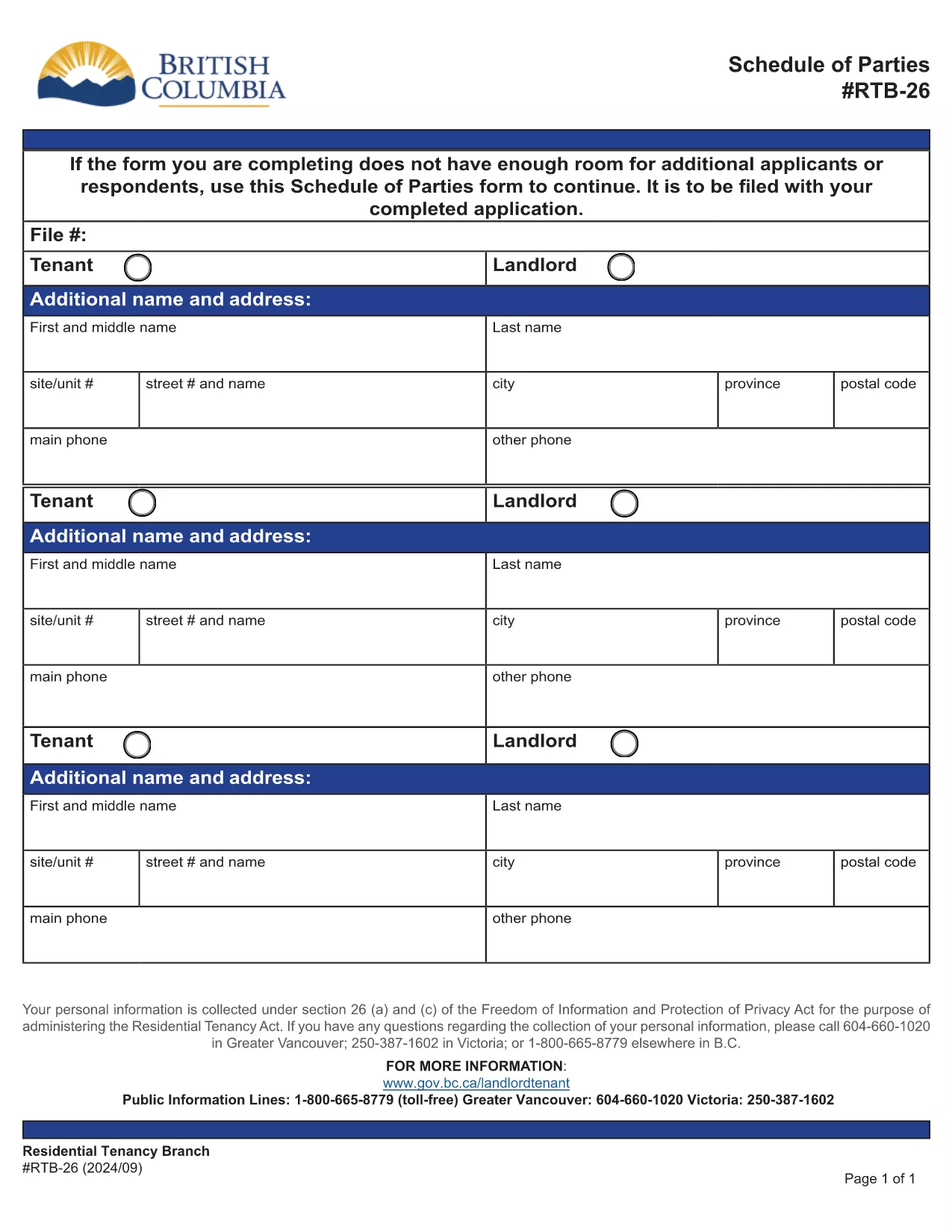
The RTB-26 Schedule of Parties is the official form used under British Columbia's Residential Tenancy Act to list all tenants and landlords involved in a tenancy. Landlords attach this form when there are additional names to add or remove from the original tenancy agreement.

What Is the RTB-26 Schedule of Parties?

RTB‑26 captures the names, contact information, and relationship of each party to the tenancy. It ensures the Residential Tenancy Branch (RTB) has an up‑to‑date record, which is essential for dispute resolution, rent increases, and ending a tenancy.

How to Complete the RTB-26 Form Online

With Formize’s free fillable PDF tool you can complete RTB‑26 directly in your browser—no Adobe Acrobat required. Follow the simple steps below to fill, save, and submit the form.

Common Mistakes to Avoid on RTB-26

  • Leaving fields blank: Every field marked with an asterisk (*) is mandatory.
  • Incorrect dates: Use the exact date format (YYYY‑MM‑DD) as shown in the example.
  • Mismatched signatures: All parties must sign; a missing signature can delay processing.

Why Use Formize’s Fillable PDF Filler?

Formize automatically validates entries, highlights required fields, and lets you download a completed PDF ready for upload to the RTB portal. It saves time, reduces errors, and works on any device.

Ready to get started? Click the “Fill out this form” button below, let the Formize PDF Filler load, and complete the RTB‑26 in minutes.

FAQ
  • Who needs to fill out the RTB‑26 Schedule of Parties?

    Both landlords and tenants must complete RTB‑26 whenever a new person is added to or removed from the tenancy agreement.

  • Can I submit a printed version of RTB‑26?

    Yes, you can print the completed form and mail it, but submitting the digital PDF through the RTB portal is faster and reduces processing time.

  • Is the Formize filler free to use?

    Yes, Formize provides a free, web‑based fillable PDF editor for all British Columbia tenancy forms, including RTB‑26.

  • What should I do if I make a mistake after saving?

    Open the saved PDF again in Formize, correct the error, and re‑save. The filler retains all previously entered data.

  • Do I need Adobe Acrobat to fill RTB‑26?

    No. Formize’s online filler works in any modern browser, eliminating the need for Adobe Acrobat or other PDF editors.

  • How long is the RTB‑26 valid after submission?

    The form remains valid until the tenancy ends or another Schedule of Parties is filed to update the party list.

  • Can I attach additional documents to the RTB‑26 PDF?

    Yes, after completing the form you can merge other supporting PDFs using Formize’s “Add Attachment” feature before downloading.

ЯК

Як безкоштовно заповнити RTB-26 онлайн за 5 простих кроків:

  1. 1
    Click the Fill Out Button
    Press the “Fill out this form” button on this page to launch Formize’s PDF filler.
  2. 2
    Wait for the Filler to Load
    The fillable PDF will appear in your browser within a few seconds. No download is required.
  3. 3
    Enter All Required Information
    Complete each highlighted field, double‑check dates and signatures, and use the built‑in validation to avoid errors.
  4. 4
    Review and Save
    When all sections are filled, click “Save” to download a completed copy of the RTB‑26 form.
  5. 5
    Submit to the RTB
    Upload the saved PDF to the British Columbia Residential Tenancy Branch portal or email it as instructed in your tenancy agreement.
Програма Formize PDF Filler
ПРО

Форми для орендодавців та/або орендарів, які пропонують дії щодо договорів оренди.

RTB-26 – це тип договорів найму житла, який використовується більшістю приватних орендодавців і житлових асоціацій.

Існує ряд питань, щодо яких орендодавці або орендарі повинні дотримуватися певних правил, викладених у нормативних актах. У деяких випадках їм може знадобитися заповнити форму, яка називається «встановленою формою», яка пропонує дії, які можуть вплинути на іншу сторону договору оренди.

Форми називаються встановленими формами, оскільки формулювання в них було ретельно складено, щоб гарантувати, що особа, яка заповнює форму, і особа, якій вона подається, можуть зрозуміти, що пропонується, і що вони можуть зробити у відповідь. Ненадання правильної форми може призвести до недійсності запропонованої дії.

Ви не можете змінювати формулювання в цих формах, якщо у формі не зазначено, що ви можете це зробити. Якщо ви зміните формулювання, форма може бути недійсною. Ви також повинні дотримуватися будь-яких періодів сповіщення, зазначених у формі.

ОСОБЛИВОСТІ

Наповнювач PDF

Найпростіший спосіб заповнювати PDF-форми онлайн

  • Швидко заповніть RTB-26
    Шукаєте спосіб швидко заповнити RTB-26 онлайн? За допомогою нашого безкоштовного онлайн-заповнювача PDF-форм ви знатимете, як редагувати та заповнювати цей PDF-документ менш ніж за хвилину.
  • Простий у використанні онлайн-редактор PDF
    Набридло роздруковувати PDF-файли, щоб ви могли їх редагувати, перш ніж сканувати повторно та надсилати назад? Безкоштовно редагуйте PDF-документи онлайн. Використовуйте наш онлайн-редактор PDF, щоб заощадити час і папір.
  • Чудові інструменти, усі платформи
    Хочете знати, як заповнити RTB-26 на комп’ютері Mac або, можливо, як використовувати PDF-заповнювач безкоштовно? Наші онлайн-інструменти PDF працюють на всіх платформах.
  • Безпечне зберігання файлів
    Завершені файли "RTB-26" зберігаються в захищеній базі даних, якою керує хостинг Amazon Cloud. Ви можете будь-коли видалити свої файли з нашої системи. У будь-якому випадку ці файли автоматично видаляються через 24 години.
  • Чат із RTB-26
    Спілкуйтеся з "RTB-26" у Chatize, який є безкоштовним помічником для читання PDF. Ставте запитання та отримуйте відповіді від "RTB-26". Просто натисніть кнопку Chat With Document вище.

Видалити сеанс заповнення

Видалити вибраний сеанс заповнення? В цьому випадку ваш прогрес у заповненні форми буде втрачений.

Видалити сеанс редагування

Видалити вибраний сеанс редагування? У цьому випадку ваш прогрес у створенні та редагуванні форми буде втрачено.