
Оберіть мову

Punjab Solemnization of Marriage Form (Fillable PDF)

  1. Мова англійська Хінді
  2. Країна Індія
  3. Держава Пенджаб
  4. відділ Департамент внутрішніх справ та юстиції
Заповніть цю форму
Punjab Solemnization of Marriage Form (Fillable PDF)

Punjab Solemnization of Marriage Form (Fillable PDF)

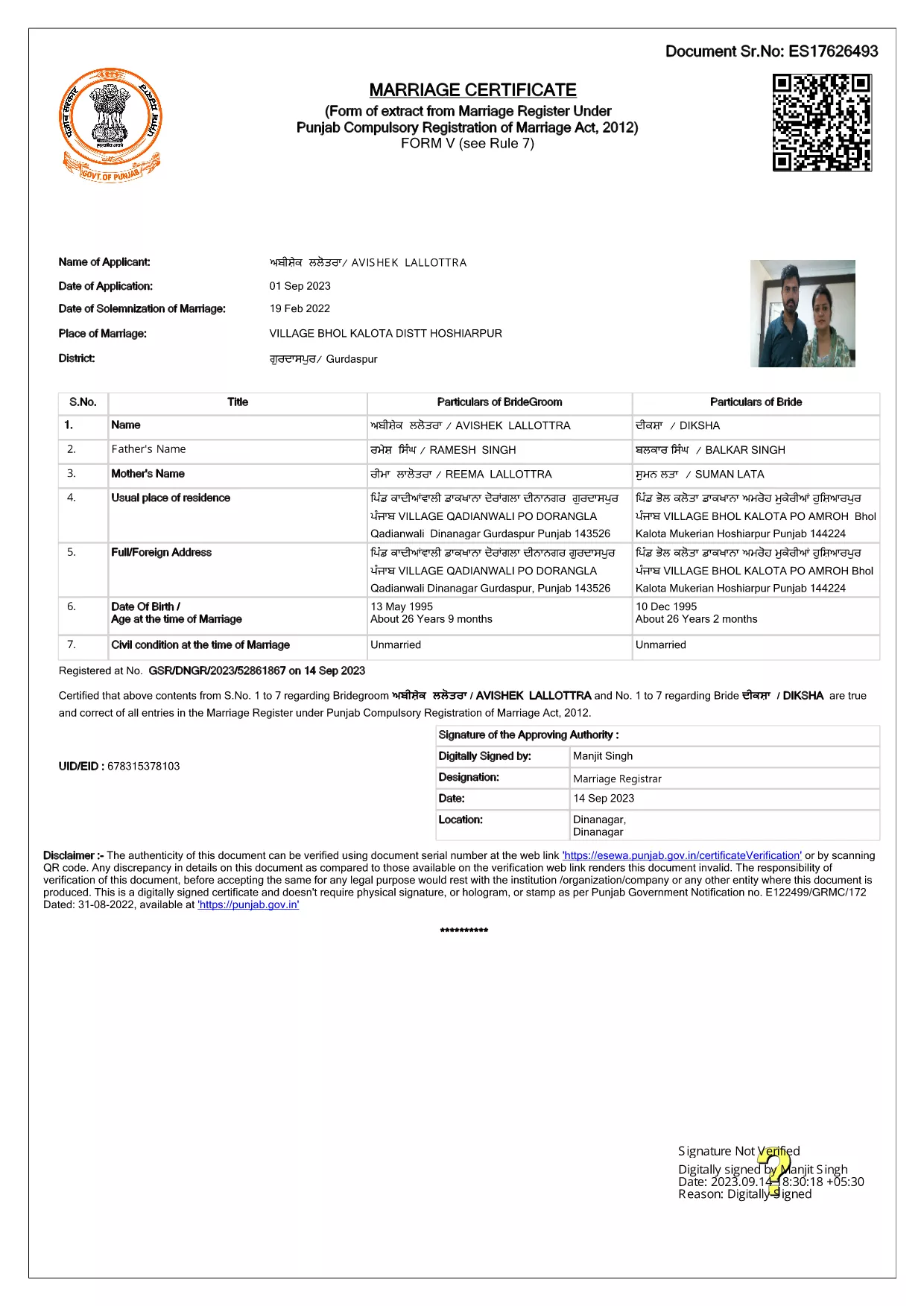
Getting married in Punjab requires you to submit the official Punjab Solemnization of Marriage form. This form records essential details of the bride, groom, and witnesses, and it is mandatory under the Punjab Compulsory Registration of Marriage Act, 2012.

What Is the Punjab Solemnization of Marriage Form?

The form is a government‑issued marriage certificate that captures personal information, parental details, and the date and place of the marriage ceremony. It is the legal proof needed for future documentation such as passport applications, property registration, and visa requests.

How to Fill Out the Form Online with Formize

Instead of printing, printing‑and‑scanning, or using a third‑party PDF editor, you can complete the form directly in your browser:

  1. Click the **"Fill out this form"** button on this page.
  2. Wait a few seconds while the Formize PDF Filler app loads.
  3. Enter the required information in each fillable field. The interface guides you through mandatory sections.
  4. Review your entries, then click **"Save & Download"** to get a completed PDF copy.

Common Mistakes to Avoid When Completing the Form

  • Incorrect spelling of names: Verify the spelling exactly as it appears on official ID documents.
  • Missing witness details: All three witnesses must be fully listed; incomplete entries will cause rejection.
  • Wrong date format: Use DD‑MM‑YYYY as required by the Punjab Registration Department.
  • Leaving optional fields blank: Even optional fields should be filled with "N/A" if not applicable.

Where to Submit the Completed Form

After you have saved the filled PDF, submit it to the nearest Punjab Registration Office or the designated online portal of the Punjab Registration Department. Bring original identity proofs for both parties and witnesses.

Download the Official PDF

Click the button below to download the original, government‑approved PDF. The file is hosted securely and matches the exact layout required by the registration authority.

FAQ
  • Is the Punjab marriage form available in Punjabi?

    The official PDF is printed in English, but you may fill it out in any language. For official submissions, the English version is accepted.

  • Do I need a digital signature?

    A digital signature is not required for the fillable PDF. You must sign the printed copy in the presence of a registrar.

  • Can I edit the form after I download it?

    Yes. The saved PDF remains fully editable with any standard PDF editor, but the Formize filler already lets you complete the form without extra software.

  • How many witnesses are required?

    Three adult witnesses are mandatory. Their full names, addresses, and signatures must be entered in the designated sections.

  • What documents do I need to submit with the form?

    Both parties must provide a valid ID (Aadhar, PAN, or passport), proof of residence, and the original signed marriage certificate.

  • Is there a fee for downloading the PDF?

    No. The PDF is provided free of charge. Any registration fees are paid directly to the Punjab Registration Office.

ЯК

Як безкоштовно заповнити Punjab marriage form онлайн за 4 простих кроків:

  1. 1
    Click the Fill‑Out Button
    Press the **"Fill out this form"** button on the page to launch the Formize PDF Filler.
  2. 2
    Wait for the Filler to Load
    The app loads in a few seconds; you’ll see a clean, searchable interface with all form fields highlighted.
  3. 3
    Enter Your Information
    Type the required details for the bride, groom, and witnesses. The filler validates dates and mandatory fields automatically.
  4. 4
    Save and Download
    After reviewing, click **"Save & Download"** to get a completed PDF you can print or submit electronically.
Програма Formize PDF Filler
ПРО

Бланки заяв міністерства закордонних справ

Punjab marriage form – одна з форм заявки Міністерства закордонних справ. Міністерство закордонних справ Індії пропонує різні форми заявок на різні послуги, пов’язані із зовнішніми справами та міжнародними відносинами. Деякі поширені форми заявки включають:

Заява на отримання паспорта: ця форма використовується для подання заяви на отримання паспорта Індії. Він збирає особисті дані, такі як ім’я, адреса, дата народження та громадянство.

Заявка на отримання закордонного громадянства Індії (OCI): ця форма використовується для подання заявки на отримання статусу OCI, який дозволяє особам індійського походження жити та працювати в Індії необмежений час. Він збирає особисті дані, включаючи докази індійського походження.

Заява на отримання візи: Ця форма використовується для подання заявки на отримання візи для поїздки в іншу країну. Він збирає особисті дані, інформацію про подорожі та мету подорожі.

Заявка на дозвіл еміграції: Ця форма використовується особами, які шукають дозвіл на еміграцію для працевлаштування в певних країнах. Він збирає особисту інформацію та інформацію про роботу.

Заявка на атестацію: ця форма використовується для подання заявки на атестацію різних документів, таких як сертифікати про освіту, свідоцтва про шлюб і комерційні документи. Він збирає інформацію про документ, що підлягає атестації, і мету атестації.

Заявка на консульські послуги: ця форма використовується для різноманітних консульських послуг, у тому числі для видачі екстрених сертифікатів, допомоги громадянам Індії за кордоном і реєстрації громадян Індії. Конкретні необхідні деталі залежать від характеру запитуваної послуги.

ОСОБЛИВОСТІ

Наповнювач PDF

Найпростіший спосіб заповнювати PDF-форми онлайн

  • Швидко заповніть Punjab marriage form
    Шукаєте спосіб швидко заповнити Punjab marriage form онлайн? За допомогою нашого безкоштовного онлайн-заповнювача PDF-форм ви знатимете, як редагувати та заповнювати цей PDF-документ менш ніж за хвилину.
  • Простий у використанні онлайн-редактор PDF
    Набридло роздруковувати PDF-файли, щоб ви могли їх редагувати, перш ніж сканувати повторно та надсилати назад? Безкоштовно редагуйте PDF-документи онлайн. Використовуйте наш онлайн-редактор PDF, щоб заощадити час і папір.
  • Чудові інструменти, усі платформи
    Хочете знати, як заповнити Punjab marriage form на комп’ютері Mac або, можливо, як використовувати PDF-заповнювач безкоштовно? Наші онлайн-інструменти PDF працюють на всіх платформах.
  • Безпечне зберігання файлів
    Завершені файли "Punjab marriage form" зберігаються в захищеній базі даних, якою керує хостинг Amazon Cloud. Ви можете будь-коли видалити свої файли з нашої системи. У будь-якому випадку ці файли автоматично видаляються через 24 години.
  • Чат із Punjab marriage form
    Спілкуйтеся з "Punjab marriage form" у Chatize, який є безкоштовним помічником для читання PDF. Ставте запитання та отримуйте відповіді від "Punjab marriage form". Просто натисніть кнопку Chat With Document вище.

Видалити сеанс заповнення

Видалити вибраний сеанс заповнення? В цьому випадку ваш прогрес у заповненні форми буде втрачений.

Видалити сеанс редагування

Видалити вибраний сеанс редагування? У цьому випадку ваш прогрес у створенні та редагуванні форми буде втрачено.