Оберіть мову

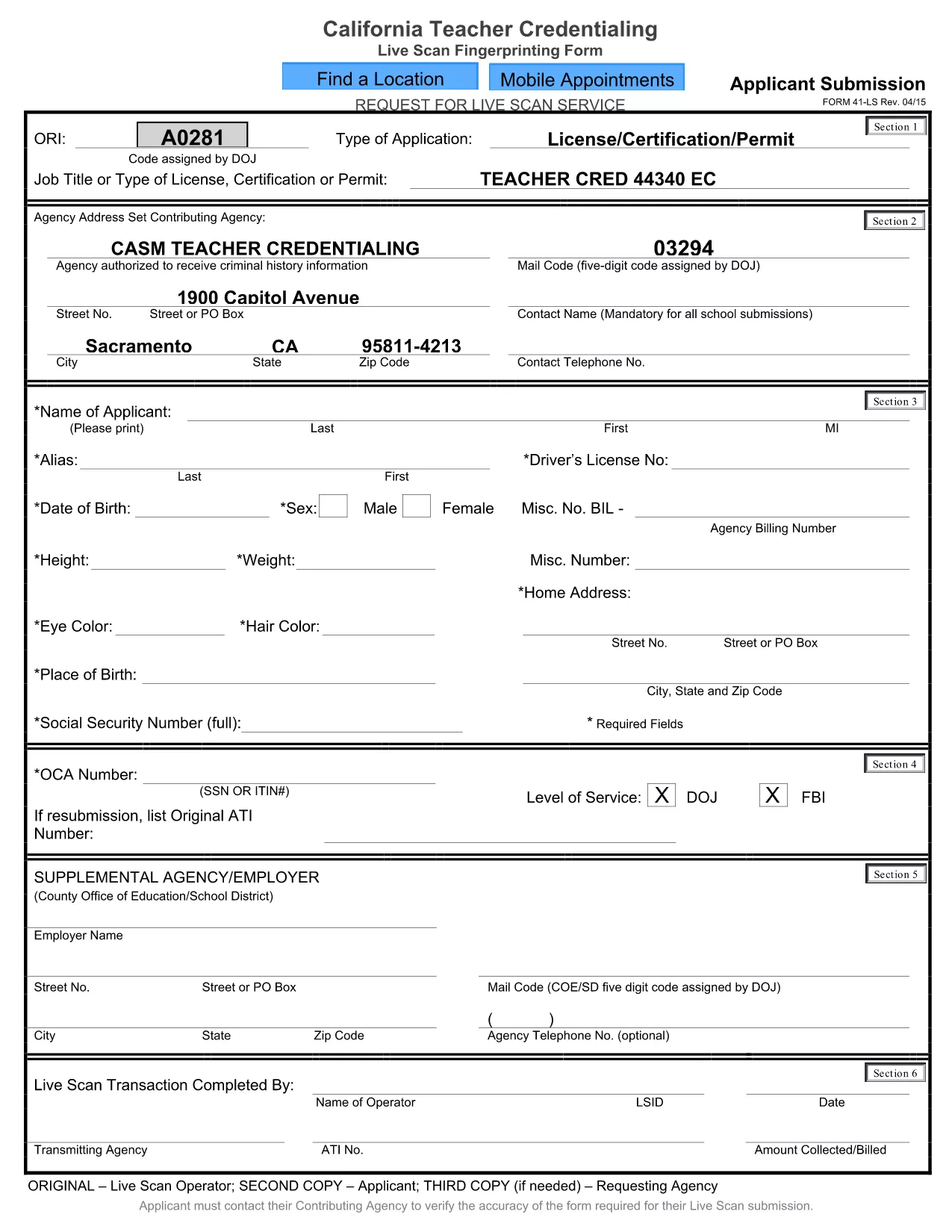
California CA‑41 Live Scan Fingerprinting Form (Fillable PDF)

  1. Мова англійська
  2. Країна США
  3. діяльність Teacher Credentialing
  4. відділ Education
California CA‑41 Live Scan Fingerprinting Form (Fillable PDF)

The CA‑41 Live Scan form is required for California teachers, school staff, and other professionals who need a fingerprint‑based background check. This official form captures applicant information and authorizes the California Department of Justice to process your live‑scan results.

With Formize you can fill the CA‑41 directly in your browser—no extra software needed. Simply click the button below, complete each field, and download the finished PDF ready for submission.

Our step‑by‑step guide below explains everything you need to know, from preparing your documents to avoiding common errors that could delay processing.

FAQ
  • What is the purpose of the CA‑41 Live Scan form?

    The CA‑41 authorizes the California Department of Justice to conduct a live‑scan fingerprint background check for teachers, staff, and other professionals.

  • Do I need a PDF editor to fill out the CA‑41?

    No. With Formize you can fill the form online in any modern browser—no additional software required.

  • Can I save a partially completed CA‑41 and finish later?

    Yes. Use the “Save Draft” button in the Formize filler to download a copy you can reopen and complete later.

  • What common mistakes should I avoid?

    Make sure all required fields are completed, use the exact spelling of names, and double‑check your California driver’s license number. Missing or incorrect data can delay processing.

  • Where do I submit the finished CA‑41?

    Submit the completed form to the agency that requested the live‑scan (e.g., school district, licensing board) along with your fingerprint results.

  • Is there a fee to use Formize’s PDF filler?

    Formize offers free filling and downloading of the CA‑41 form. No hidden charges apply.

  • What if I need help while filling the form?

    Review the on‑screen field instructions, or consult the official California DOJ guidance linked at the bottom of the form.

ЯК

Як безкоштовно заповнити CA-41 form онлайн за 3 простих кроків:

  1. 1
    Open the Fillable Form
    Click the “Fill out this form” button on this page. The Formize PDF Filler will load instantly in your browser.
  2. 2
    Enter Your Information
    Type directly into each field, upload any required fingerprint image, and use the navigation toolbar to move between sections.
  3. 3
    Save & Submit
    When you’re finished, click “Save PDF” to download the completed CA‑41. Follow the submission instructions provided by your agency.
Програма Formize PDF Filler
ПРО

шаблон CA-41 form

Завдяки традиційному набору функцій для перегляду та заповнення PDF-документа в поєднанні з перевагами веб-додатку та адаптивного макета ви можете виконати CA-41 form за лічені хвилини.

ОСОБЛИВОСТІ

Наповнювач PDF

Найпростіший спосіб заповнювати PDF-форми онлайн

  • Швидко заповніть CA-41 form
    Шукаєте спосіб швидко заповнити CA-41 form онлайн? За допомогою нашого безкоштовного онлайн-заповнювача PDF-форм ви знатимете, як редагувати та заповнювати цей PDF-документ менш ніж за хвилину.
  • Простий у використанні онлайн-редактор PDF
    Набридло роздруковувати PDF-файли, щоб ви могли їх редагувати, перш ніж сканувати повторно та надсилати назад? Безкоштовно редагуйте PDF-документи онлайн. Використовуйте наш онлайн-редактор PDF, щоб заощадити час і папір.
  • Чудові інструменти, усі платформи
    Хочете знати, як заповнити CA-41 form на комп’ютері Mac або, можливо, як використовувати PDF-заповнювач безкоштовно? Наші онлайн-інструменти PDF працюють на всіх платформах.
  • Безпечне зберігання файлів
    Завершені файли "CA-41 form" зберігаються в захищеній базі даних, якою керує хостинг Amazon Cloud. Ви можете будь-коли видалити свої файли з нашої системи. У будь-якому випадку ці файли автоматично видаляються через 24 години.
  • Чат із CA-41 form
    Спілкуйтеся з "CA-41 form" у Chatize, який є безкоштовним помічником для читання PDF. Ставте запитання та отримуйте відповіді від "CA-41 form". Просто натисніть кнопку Chat With Document вище.

Видалити сеанс заповнення

Видалити вибраний сеанс заповнення? В цьому випадку ваш прогрес у заповненні форми буде втрачений.

Видалити сеанс редагування

Видалити вибраний сеанс редагування? У цьому випадку ваш прогрес у створенні та редагуванні форми буде втрачено.