Оберіть мову

Form I-912 – Request for Fee Waiver (Fillable PDF)

  1. Країна США
  2. Мова англійська
  3. відділ Служба громадянства та імміграції США
Form I-912 – Request for Fee Waiver (Fillable PDF)

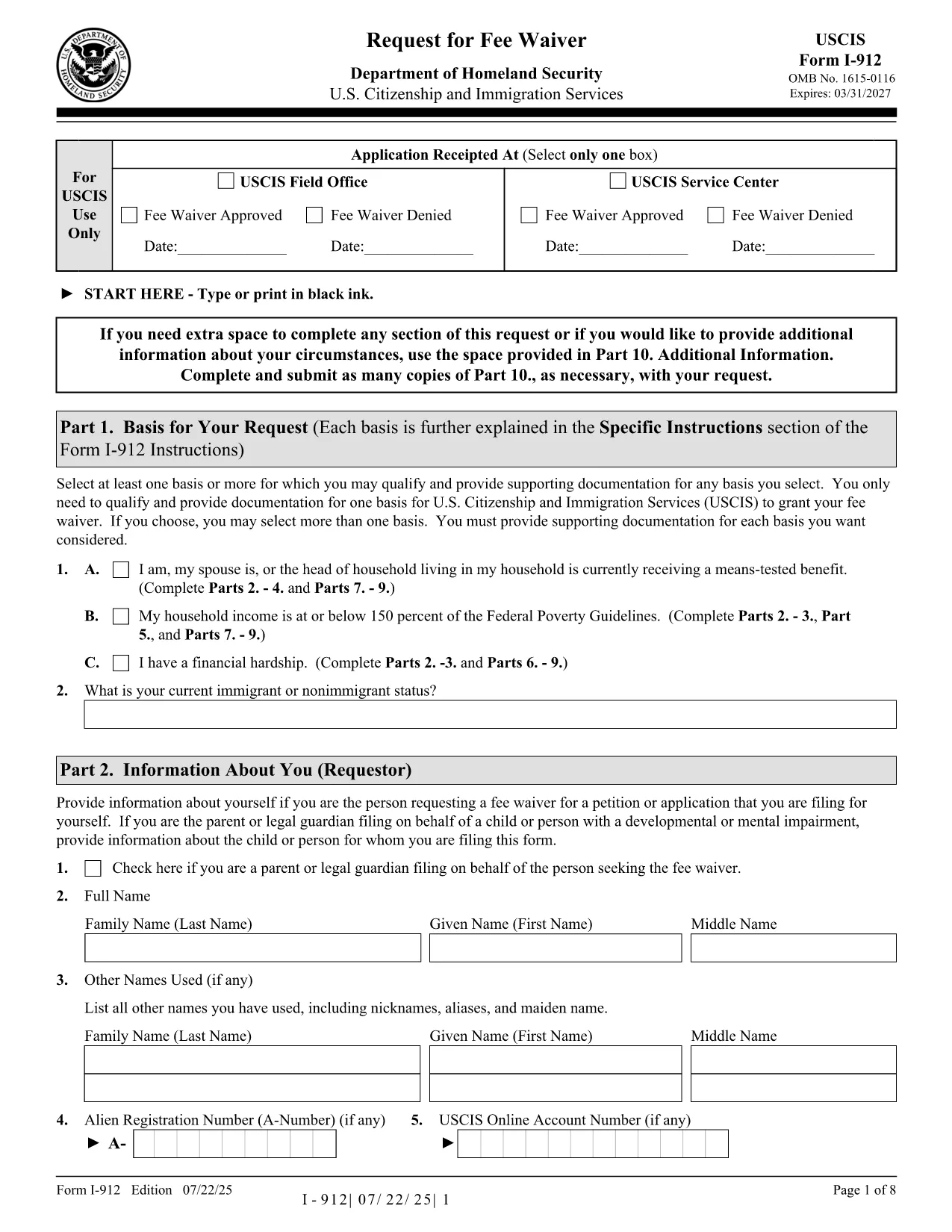
The USCIS Form I-912, Request for Fee Waiver lets you ask for a waiver of filing fees when you cannot afford them. With Formize you can fill the official PDF directly in your browser—no printer, scanner, or PDF editor required.

What Is Form I-912?

Form I-912 is used alongside an immigration application (e.g., N-400, I-130) to demonstrate financial hardship. You must attach it to the primary form before the USCIS receives the application.

How to Complete the I-912 Fee Waiver Online

Our fillable version mirrors the exact layout of the USCIS PDF, ensuring your submission is accepted.

Common Mistakes to Avoid

  • Leaving the signature line blank – USCIS rejects unsigned forms.
  • Submitting a PDF from a different edition – always use the latest edition linked below.
  • Missing supporting documents – include proof of income, public benefits, or a letter explaining your situation.

Where to Submit Your Completed Form

Attach the completed I-912 to the immigration form you are filing and mail it to the address listed in that form’s instructions, or upload it via your USCIS online account.

FAQ
  • Who is eligible for an I-912 fee waiver?

    Anyone who can demonstrate an inability to pay the filing fee, including recipients of means‑tested public benefits, low‑income households, or those facing financial hardship.

  • Do I need to submit the I-912 before the main application?

    Yes. Attach the completed I-912 to your immigration form before USCIS receives the primary application. Late submissions are rejected.

  • Can I submit a digital signature?

    USCIS accepts a digital signature created with the Formize PDF Filler. Ensure the signature field is filled before downloading or uploading the form.

  • What supporting documents should I include?

    Include recent tax returns, benefit award letters, pay stubs, or a letter from a social services agency that confirms your current financial situation.

  • Is the fillable PDF the same as the official USCIS version?

    Yes. The fillable version is an exact replica of the official USCIS PDF (edition dated 07/22/25), so USCIS will accept it without issue.

ЯК

Як безкоштовно заповнити I-912 онлайн за 4 простих кроків:

  1. 1
    Open the Fillable Form
    Click the “Fill out this form” button on the page. The Formize PDF Filler loads instantly in your browser.
  2. 2
    Enter Your Information
    Type directly into each field—income, household size, and reason for the waiver. The interface validates required fields in real time.
  3. 3
    Review and Sign
    Double‑check all entries, then add your digital signature using the built‑in signature tool.
  4. 4
    Save or Submit
    Download the completed PDF for your records or upload it with your immigration application through your USCIS account.
Програма Formize PDF Filler
ПРО

шаблон I-912

Завдяки традиційному набору функцій для перегляду та заповнення PDF-документа в поєднанні з перевагами веб-додатку та адаптивного макета ви можете виконати I-912 за лічені хвилини.

ОСОБЛИВОСТІ

Наповнювач PDF

Найпростіший спосіб заповнювати PDF-форми онлайн

  • Швидко заповніть I-912
    Шукаєте спосіб швидко заповнити I-912 онлайн? За допомогою нашого безкоштовного онлайн-заповнювача PDF-форм ви знатимете, як редагувати та заповнювати цей PDF-документ менш ніж за хвилину.
  • Простий у використанні онлайн-редактор PDF
    Набридло роздруковувати PDF-файли, щоб ви могли їх редагувати, перш ніж сканувати повторно та надсилати назад? Безкоштовно редагуйте PDF-документи онлайн. Використовуйте наш онлайн-редактор PDF, щоб заощадити час і папір.
  • Чудові інструменти, усі платформи
    Хочете знати, як заповнити I-912 на комп’ютері Mac або, можливо, як використовувати PDF-заповнювач безкоштовно? Наші онлайн-інструменти PDF працюють на всіх платформах.
  • Безпечне зберігання файлів
    Завершені файли "I-912" зберігаються в захищеній базі даних, якою керує хостинг Amazon Cloud. Ви можете будь-коли видалити свої файли з нашої системи. У будь-якому випадку ці файли автоматично видаляються через 24 години.
  • Чат із I-912
    Спілкуйтеся з "I-912" у Chatize, який є безкоштовним помічником для читання PDF. Ставте запитання та отримуйте відповіді від "I-912". Просто натисніть кнопку Chat With Document вище.

Видалити сеанс заповнення

Видалити вибраний сеанс заповнення? В цьому випадку ваш прогрес у заповненні форми буде втрачений.

Видалити сеанс редагування

Видалити вибраний сеанс редагування? У цьому випадку ваш прогрес у створенні та редагуванні форми буде втрачено.