Оберіть мову

R-1 Application Form – Fillable PDF

  1. Країна США
  2. Мова англійська
  3. відділ Virginia Department of Taxation
  4. діяльність Business Registration
R-1 Application Form – Fillable PDF

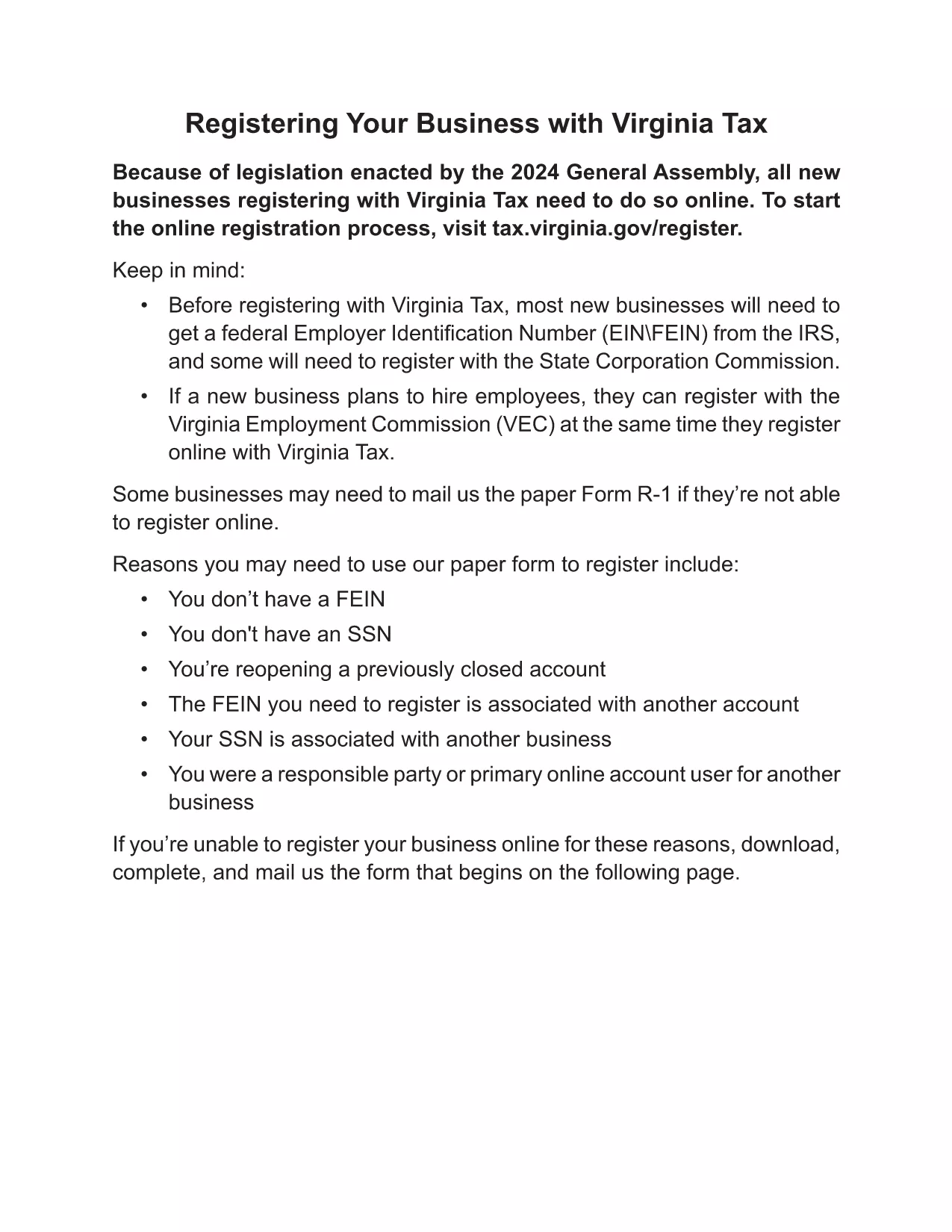
The Virginia R-1 Business Registration Form (also known as the "Application Form R1/1") is required for corporations, LLCs, and unincorporated associations that need to register with the Virginia Department of Taxation. This fillable PDF lets you complete the form quickly, save a digital copy, and print it for filing.

What Is the R-1 Application Form?

The R-1 form collects essential information about your business, including legal name, entity type, ownership details, and tax registration numbers. It must be signed by an authorized officer before submission.

How to Fill Out the R-1 Form Online

Instead of downloading the PDF and editing it in a separate program, simply click the "Fill out this form" button on this page. The Formize PDF Filler app will load the fillable version, allowing you to enter data directly in your browser.

Common Mistakes to Avoid

  • Leaving the officer signature field blank – the form is invalid without a signature.
  • Using an outdated version of the form – our link always points to the latest Virginia version.
  • Entering incomplete EIN or tax ID numbers – double‑check digits before saving.
  • Forgetting to attach supporting documents (e.g., articles of incorporation).

Where to Submit the Completed R-1 Form

After you finish the online fill, download the completed PDF and mail it to the Virginia Department of Taxation address shown on the form, or submit it electronically through the state’s online portal if you have an account.

Frequently Asked Questions

Below are answers to the most common questions about the R-1 application.

FAQ
  • Who must sign the R-1 application?

    An officer of the corporation, LLC, or association who is authorized to sign on behalf of the organization must sign the form.

  • Can I save the form and finish later?

    Yes. The Formize PDF Filler automatically saves your progress, allowing you to return and complete the form at any time.

  • Do I need a Virginia tax ID to file the R-1?

    A Virginia tax identification number is required. If you don’t have one, you can apply for it through the Virginia Department of Taxation before submitting the R-1.

  • Is the online filler secure?

    All data entered in the Formize PDF Filler is encrypted in transit and stored only on your device until you download the completed PDF.

  • What if I make a mistake after downloading?

    You can reopen the downloaded PDF in the Formize filler, correct the error, and re‑download the updated version.

  • Are there any filing fees for the R-1 form?

    The R-1 business registration form itself does not have a fee, but other state taxes or registrations may require payment.

  • How long does processing take after I submit?

    The Virginia Department of Taxation typically processes submitted R-1 forms within 7‑10 business days, assuming all required information is provided.

ЯК

Як безкоштовно заповнити R-1 application form онлайн за 5 простих кроків:

  1. 1
    Open the Fillable Form
    Click the blue "Fill out this form" button on this page. The Formize PDF Filler will open the R-1 PDF directly in your browser.
  2. 2
    Enter Your Business Information
    Type each required field – legal name, entity type, EIN, address, and officer details. The form auto‑saves as you go.
  3. 3
    Add Your Signature
    Use the built‑in signature field to draw or upload a scanned signature of an authorized officer.
  4. 4
    Review and Download
    Click "Review" to check for missing fields, then download the completed PDF to your computer.
  5. 5
    Submit to the Virginia Department of Taxation
    Print and mail the PDF or upload it through the state’s online portal as instructed on the form.
Програма Formize PDF Filler
ПРО

шаблон R-1 application form

Завдяки традиційному набору функцій для перегляду та заповнення PDF-документа в поєднанні з перевагами веб-додатку та адаптивного макета ви можете виконати R-1 application form за лічені хвилини.

ОСОБЛИВОСТІ

Наповнювач PDF

Найпростіший спосіб заповнювати PDF-форми онлайн

  • Швидко заповніть R-1 application form
    Шукаєте спосіб швидко заповнити R-1 application form онлайн? За допомогою нашого безкоштовного онлайн-заповнювача PDF-форм ви знатимете, як редагувати та заповнювати цей PDF-документ менш ніж за хвилину.
  • Простий у використанні онлайн-редактор PDF
    Набридло роздруковувати PDF-файли, щоб ви могли їх редагувати, перш ніж сканувати повторно та надсилати назад? Безкоштовно редагуйте PDF-документи онлайн. Використовуйте наш онлайн-редактор PDF, щоб заощадити час і папір.
  • Чудові інструменти, усі платформи
    Хочете знати, як заповнити R-1 application form на комп’ютері Mac або, можливо, як використовувати PDF-заповнювач безкоштовно? Наші онлайн-інструменти PDF працюють на всіх платформах.
  • Безпечне зберігання файлів
    Завершені файли "R-1 application form" зберігаються в захищеній базі даних, якою керує хостинг Amazon Cloud. Ви можете будь-коли видалити свої файли з нашої системи. У будь-якому випадку ці файли автоматично видаляються через 24 години.
  • Чат із R-1 application form
    Спілкуйтеся з "R-1 application form" у Chatize, який є безкоштовним помічником для читання PDF. Ставте запитання та отримуйте відповіді від "R-1 application form". Просто натисніть кнопку Chat With Document вище.

Видалити сеанс заповнення

Видалити вибраний сеанс заповнення? В цьому випадку ваш прогрес у заповненні форми буде втрачений.

Видалити сеанс редагування

Видалити вибраний сеанс редагування? У цьому випадку ваш прогрес у створенні та редагуванні форми буде втрачено.