
Chọn ngôn ngữ

Tax File Number Declaration Form – Fillable PDF for New Employees

  1. Quốc gia Châu Úc
  2. Ngôn ngữ Tiếng Anh
  3. Hoạt động thuế
  4. Phòng Australian Taxation Office
Tax File Number Declaration Form – Fillable PDF for New Employees

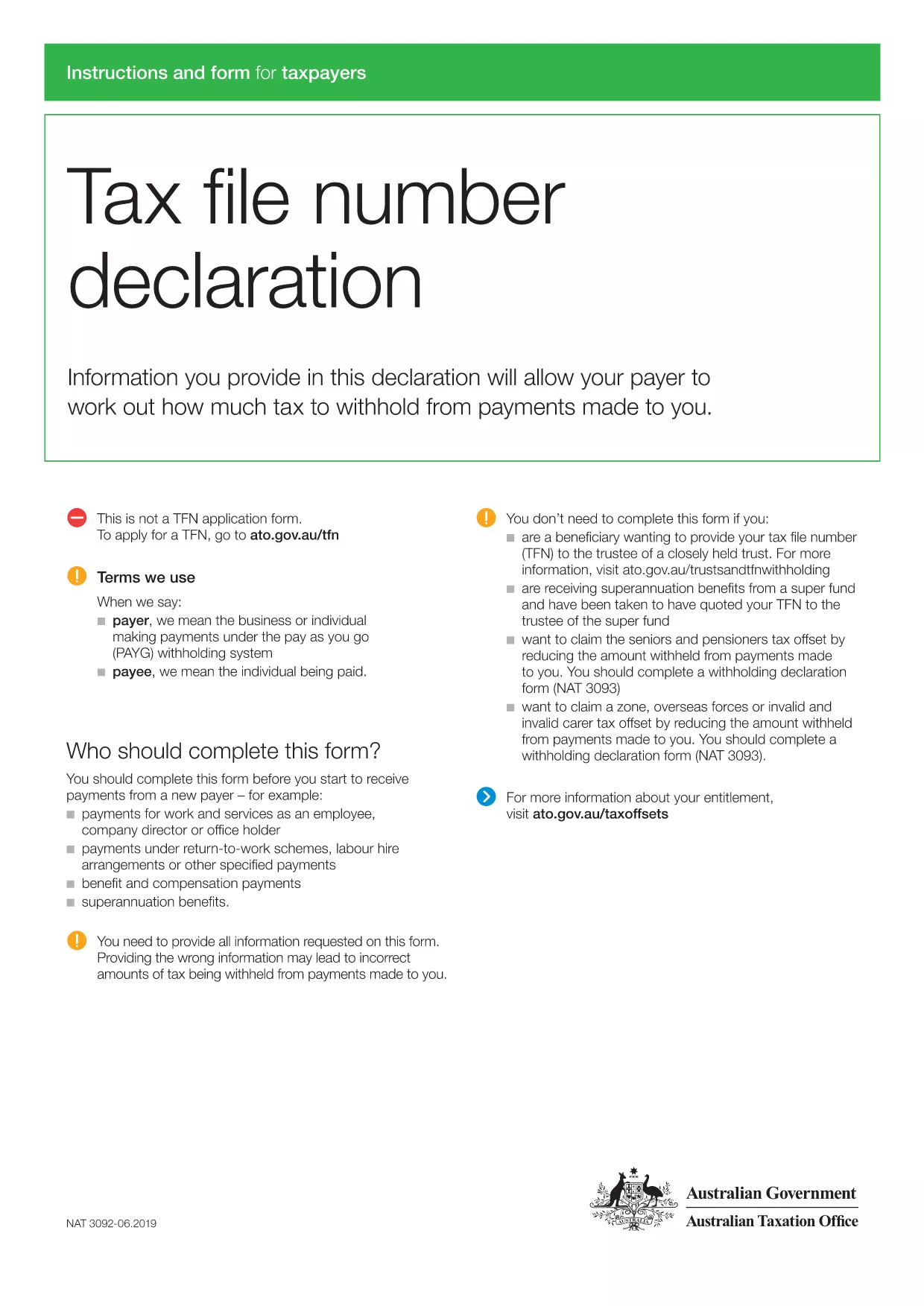
Starting a new job in Australia? Your employer will ask you to complete a Tax File Number (TFN) Declaration before you receive your first payment. This form confirms your TFN, residency status, and whether you want to claim the tax‑free threshold.

Why You Need the TFN Declaration Form

The TFN Declaration is a legal requirement under the Australian Taxation Office (ATO). It helps your employer with the correct amount of tax to withhold and ensures you receive any applicable tax offsets.

How to Fill Out the Form Using Formize

Instead of downloading the PDF and hunting for a PDF editor, simply click the "Fill out this form" button on this page. The Formize PDF Filler app will load instantly, letting you type directly into each field.

Common Mistakes to Avoid

  • Leaving the TFN blank: Your employer cannot process payroll without it.
  • Selecting the wrong residency option: Choose "Australian resident for tax purposes" unless you are a foreign resident or working holiday maker.
  • Claiming the tax‑free threshold from more than one employer: This can lead to a tax bill at the end of the year.

Where to Submit the Completed Form

Give the printed or digitally signed form to your HR or payroll department. They will keep it on file and use the information for your PAYG withholding.

Download the Official PDF

If you prefer the original document, you can download the official TFN Declaration PDF below. It is fully compatible with Formize’s fillable interface.

Download TFN Declaration Form (PDF)

CÂU HỎI THƯỜNG GẶP
  • Do I need a TFN to start a new job?

    Yes. Employers must have your Tax File Number before they can process your first payment.

  • Can I claim the tax‑free threshold from more than one employer?

    No. You can only claim it from one payer at a time. Claiming from multiple employers may result in a tax bill.

  • What if I don’t have a TFN yet?

    Apply for a TFN through the ATO website first. You can still submit the declaration and write “Applying” in the TFN field.

  • Is the Formize filler secure?

    Yes. All data is processed locally in your browser; Formize does not store any personal information on its servers.

  • Can I print the completed form?

    After filling it out, use the "Print" button in the Formize interface to get a hard‑copy for your employer.

LÀM THẾ NÀO ĐỂ

Cách điền tax form for new employees pdf miễn phí, trực tuyến trong 3 bước đơn giản:

  1. 1
    Open the Fillable Form
    Click the "Fill out this form" button on the page. The Formize PDF Filler will load in your browser.
  2. 2
    Enter Your Details
    Type your Tax File Number, personal details, and select the appropriate residency and tax‑free threshold options.
  3. 3
    Review and Save
    Double‑check every field, then click "Save" to download a completed copy or directly submit it to your employer.
Định dạng ứng dụng PDF Filler
TRONG KHOẢNG

Đơn thuế

tax form for new employees pdf là một trong những Biểu mẫu khai thuế là văn bản dùng để khai báo các thông tin liên quan đến thuế với cơ quan thuế liên quan. Có nhiều loại biểu mẫu thuế khác nhau, bao gồm biểu mẫu thuế liên bang, tiểu bang và địa phương, có thể khác nhau tùy thuộc vào hoàn cảnh và địa điểm của người nộp thuế.

ĐẶC TRƯNG

Trình điền PDF

Cách dễ nhất để điền vào các mẫu PDF trực tuyến

  • Nhanh chóng điền vào tax form for new employees pdf
    Bạn đang tìm cách điền nhanh tax form for new employees pdf trực tuyến? Với trình điền biểu mẫu PDF miễn phí trực tuyến của chúng tôi, bạn sẽ biết cách chỉnh sửa và điền vào tài liệu pdf này trong vòng chưa đầy một phút.
  • Trình chỉnh sửa PDF trực tuyến dễ sử dụng
    Chán nản với việc in ra các tệp PDF để bạn có thể chỉnh sửa chúng trước khi quét lại và gửi lại? Chỉnh sửa tài liệu PDF trực tuyến miễn phí. Sử dụng trình chỉnh sửa pdf trực tuyến của chúng tôi để tiết kiệm thời gian và giấy.
  • Công cụ tuyệt vời, tất cả các nền tảng
    Bạn muốn biết cách điền tax form for new employees pdf trên máy Mac hoặc có thể là cách sử dụng trình điền PDF miễn phí? Các công cụ PDF trực tuyến của chúng tôi hoạt động trên tất cả các nền tảng.
  • Lưu trữ tệp an toàn
    Các tệp "tax form for new employees pdf" đã hoàn thành được lưu trữ trong cơ sở dữ liệu bảo mật do dịch vụ lưu trữ Amazon Cloud quản lý. Bạn có thể xóa các tệp của mình khỏi hệ thống của chúng tôi bất cứ lúc nào. Trong mọi trường hợp, các tệp này sẽ tự động bị xóa sau 24 giờ.
  • Trò chuyện với tax form for new employees pdf
    Trò chuyện với "tax form for new employees pdf" trên Trò chuyện, một trợ lý đọc PDF miễn phí. Đặt câu hỏi và nhận câu trả lời từ "tax form for new employees pdf". Chỉ cần nhấp vào nút Trò chuyện với tài liệu ở trên.

Xóa phiên điền

Xóa phiên điền đã chọn? Trong trường hợp này, tiến độ của bạn trong việc hoàn thành biểu mẫu sẽ bị mất.

Xóa phiên chỉnh sửa

Xóa phiên chỉnh sửa đã chọn? Trong trường hợp này, tiến trình tạo và chỉnh sửa biểu mẫu của bạn sẽ bị mất.