
Chọn ngôn ngữ

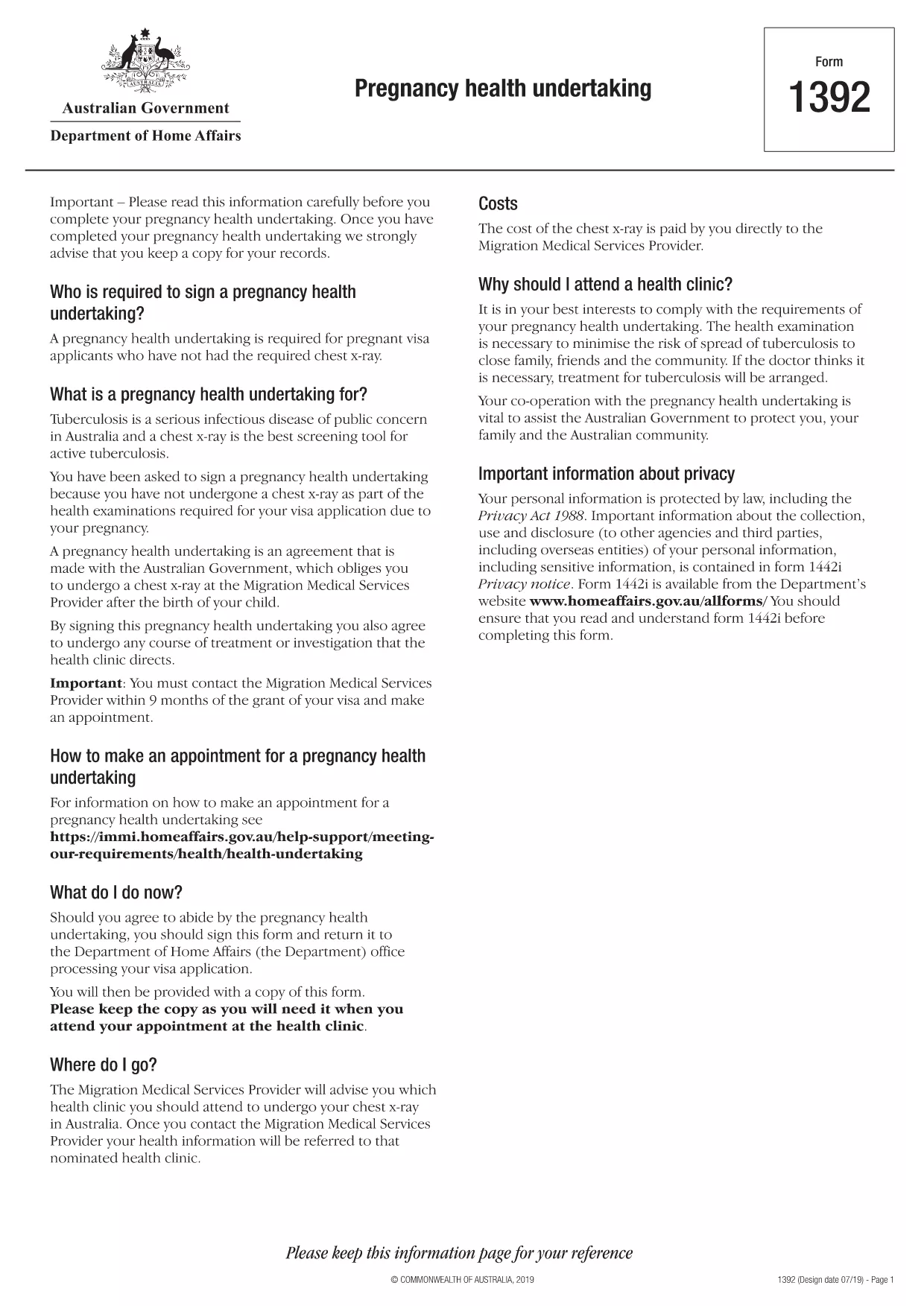
Form 1392 – Pregnancy Health Undertaking (Fillable PDF)

  1. Ngôn ngữ Tiếng Anh
  2. Quốc gia Châu Úc
  3. Hoạt động Sức khỏe
Form 1392 – Pregnancy Health Undertaking (Fillable PDF)

Form 1392 is the official Pregnancy Health Undertaking required by the Australian Department of Home Affairs for certain visa applicants. The form confirms that you will undergo a chest X‑ray after childbirth, satisfying the health requirement for a protection visa.

What is Form 1392?

This government‑issued PDF explains the obligations of both the applicant and the Australian Government regarding health examinations during pregnancy. It is part of the broader health undertaking process for visas that involve significant health conditions.

Why Use a Fillable PDF Version?

  • Save time: Fill fields directly on the page – no printing, scanning, or faxing.
  • Accuracy: Built‑in validation reduces data entry errors.
  • Secure storage: Your completed form can be saved as a protected PDF.
  • Instant download: Get the finished document in seconds.

Step‑by‑Step Guide to Complete Form 1392

Follow the simple steps below to complete the form using Formize’s online PDF filler.

Common Mistakes to Avoid

Before you submit, double‑check that you have:

  • Entered your full legal name exactly as it appears on your passport.
  • Provided a current Australian address where the health provider can contact you.
  • Signed the form electronically or printed and signed if required.
  • Attached any supporting medical documents referenced in the undertaking.

Where to Get Help

If you have questions about the health undertaking, contact your Migration Medical Services Provider (Bupa Medical Visa Services) or consult the official health undertaking guide.

CÂU HỎI THƯỜNG GẶP
  • What is the purpose of Form 1392?

    Form 1392 is a pregnancy health undertaking that obligates visa applicants to have a chest X‑ray after birth, ensuring they meet Australia’s health requirements.

  • Can I fill Form 1392 on a mobile device?

    Yes. The Formize PDF Filler works on smartphones and tablets, allowing you to complete the form anywhere with an internet connection.

  • Do I need to print and sign the form?

    Electronic signatures are accepted in most cases. If your visa officer requests a handwritten signature, you can print, sign, and scan the final PDF.

  • How long does the health undertaking remain valid?

    The undertaking is valid for 12 months from the date you sign it. You must complete the post‑birth X‑ray within 28 days of receiving the Request for Information letter.

  • What should I do if I make a mistake after submitting?

    Contact your Migration Medical Services Provider (Bupa) immediately. They can advise whether a corrected form needs to be resubmitted.

  • Is there a fee to use Formize’s fillable PDF service?

    Formize offers free online filling for this government form. No hidden charges apply.

LÀM THẾ NÀO ĐỂ

Cách điền form 1392 miễn phí, trực tuyến trong 5 bước đơn giản:

  1. 1
    Click the Fill button
    On this page, click the blue “Fill out this form” button to launch the Formize PDF Filler.
  2. 2
    Wait for the filler to load
    The online filler loads in a few seconds. No download or installation is required.
  3. 3
    Enter your information
    Type directly into each highlighted field—name, passport number, address, and medical details.
  4. 4
    Review and sign
    Check every entry for accuracy, then use the electronic signature tool or print to sign manually.
  5. 5
    Save or submit
    Download the completed PDF, store it securely, or follow your visa officer’s instructions to submit.
Định dạng ứng dụng PDF Filler
TRONG KHOẢNG

Mẫu Đơn đăng ký Medicare

Cung cấp cho mọi người một cách nhanh chóng và đơn giản để nộp đơn xin trợ cấp Medicare. Với sự trợ giúp của các mẫu biểu mẫu medicare trực tuyến, các thủ tục như thiết lập hồ sơ bệnh nhân mới hoặc tìm hiểu thêm về lịch sử y tế của bệnh nhân giờ đây trở nên đơn giản hơn nhiều.

ĐẶC TRƯNG

Trình điền PDF

Cách dễ nhất để điền vào các mẫu PDF trực tuyến

  • Nhanh chóng điền vào form 1392
    Bạn đang tìm cách điền nhanh form 1392 trực tuyến? Với trình điền biểu mẫu PDF miễn phí trực tuyến của chúng tôi, bạn sẽ biết cách chỉnh sửa và điền vào tài liệu pdf này trong vòng chưa đầy một phút.
  • Trình chỉnh sửa PDF trực tuyến dễ sử dụng
    Chán nản với việc in ra các tệp PDF để bạn có thể chỉnh sửa chúng trước khi quét lại và gửi lại? Chỉnh sửa tài liệu PDF trực tuyến miễn phí. Sử dụng trình chỉnh sửa pdf trực tuyến của chúng tôi để tiết kiệm thời gian và giấy.
  • Công cụ tuyệt vời, tất cả các nền tảng
    Bạn muốn biết cách điền form 1392 trên máy Mac hoặc có thể là cách sử dụng trình điền PDF miễn phí? Các công cụ PDF trực tuyến của chúng tôi hoạt động trên tất cả các nền tảng.
  • Lưu trữ tệp an toàn
    Các tệp "form 1392" đã hoàn thành được lưu trữ trong cơ sở dữ liệu bảo mật do dịch vụ lưu trữ Amazon Cloud quản lý. Bạn có thể xóa các tệp của mình khỏi hệ thống của chúng tôi bất cứ lúc nào. Trong mọi trường hợp, các tệp này sẽ tự động bị xóa sau 24 giờ.
  • Trò chuyện với form 1392
    Trò chuyện với "form 1392" trên Trò chuyện, một trợ lý đọc PDF miễn phí. Đặt câu hỏi và nhận câu trả lời từ "form 1392". Chỉ cần nhấp vào nút Trò chuyện với tài liệu ở trên.

Xóa phiên điền

Xóa phiên điền đã chọn? Trong trường hợp này, tiến độ của bạn trong việc hoàn thành biểu mẫu sẽ bị mất.

Xóa phiên chỉnh sửa

Xóa phiên chỉnh sửa đã chọn? Trong trường hợp này, tiến trình tạo và chỉnh sửa biểu mẫu của bạn sẽ bị mất.