
mẫu online registration form
Với bộ tính năng truyền thống để xem và điền vào tài liệu PDF, kết hợp với các lợi ích của ứng dụng web và bố cục đáp ứng, bạn có thể hoàn thành online registration form trong vài phút.


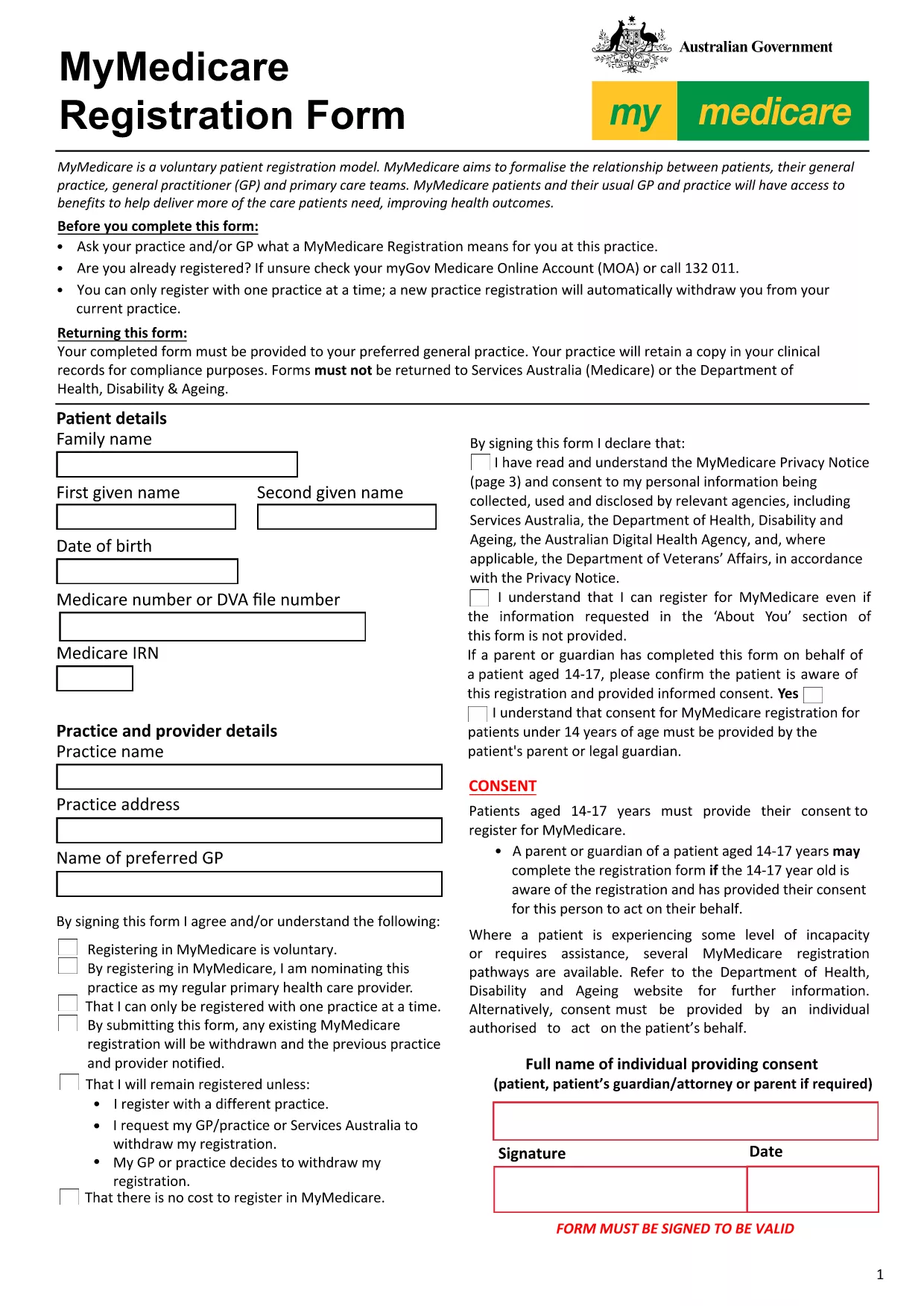
Looking for a quick, secure way to submit an online registration form? Our **fillable PDF** version of the MyMedicare registration form lets you enter all required details directly in your browser – no extra software, no printing, and no scanning.
Follow these simple steps to finish your registration in minutes:
After completing the fillable PDF, you can:
registrations@myhealth.gov.au.If you prefer to work offline, click the button below to download the original MyMedicare registration PDF.
No. The Formize PDF Filler works entirely in your web browser, so you don’t need Adobe Acrobat or any other software.
Yes. All data stays on your device until you choose to download or send the completed form. The connection is encrypted with HTTPS.
The filler allows you to download a partially completed PDF at any time. Simply open the saved file later to continue where you left off.
Contact the MyMedicare help desk at registrations@myhealth.gov.au within 48 hours to request a correction.
No. The fillable version and the Formize service are completely free.
Absolutely. Once you’ve saved the finished PDF, you can print it on any standard printer.
The filler works in the latest versions of Chrome, Edge, Firefox, and Safari.
You need internet access to load the filler and to email or upload the final document. Offline work is possible after the form is downloaded.
Với bộ tính năng truyền thống để xem và điền vào tài liệu PDF, kết hợp với các lợi ích của ứng dụng web và bố cục đáp ứng, bạn có thể hoàn thành online registration form trong vài phút.
Cách dễ nhất để điền vào các mẫu PDF trực tuyến
Xóa phiên điền
Xóa phiên chỉnh sửa