

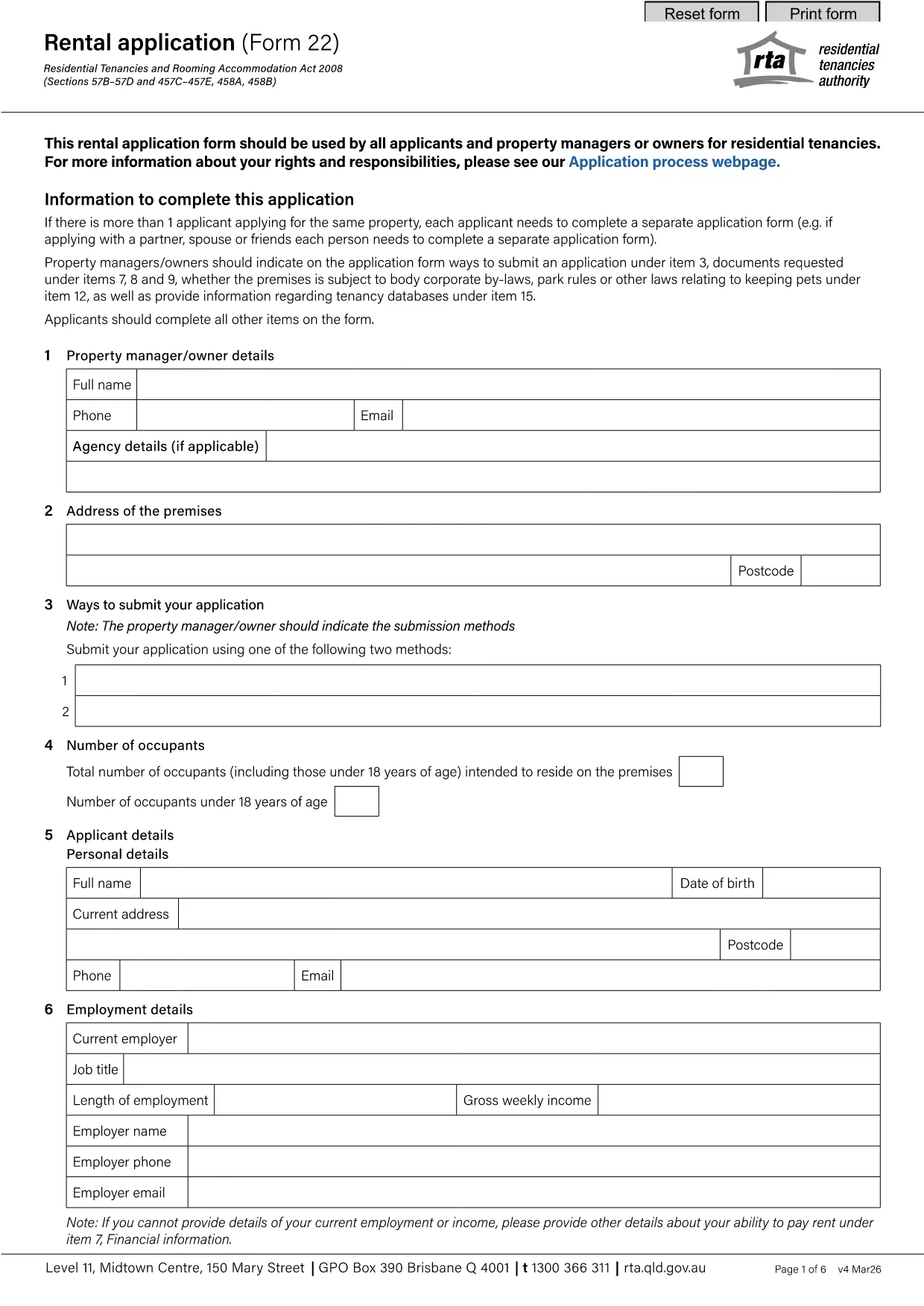

Biểu mẫu dành cho chủ nhà và/hoặc người thuê nhà đề xuất hành động liên quan đến hợp đồng thuê nhà.
rental application pdf là một trong những biểu mẫu Thuê nhà đề cập đến các tài liệu được sử dụng trong quá trình thiết lập và quản lý hợp đồng thuê nhà. Những biểu mẫu này thường được chủ nhà, người quản lý tài sản hoặc người thuê nhà sử dụng để phác thảo các điều khoản và điều kiện của hợp đồng thuê nhà. Dưới đây là một số hình thức thuê nhà phổ biến:
Thỏa thuận thuê nhà: Thỏa thuận thuê nhà, còn được gọi là hợp đồng thuê hoặc hợp đồng cho thuê, là hợp đồng ràng buộc về mặt pháp lý giữa chủ nhà và người thuê nhà. Nó quy định các quyền và trách nhiệm của cả hai bên, bao gồm thời hạn thuê nhà, số tiền thuê nhà, điều khoản thanh toán, tiền đặt cọc, trách nhiệm bảo trì và bất kỳ điều khoản nào khác cụ thể đối với việc thuê nhà.
Đơn đăng ký thuê: Những người thuê nhà tiềm năng thường điền vào mẫu đơn đăng ký thuê khi đăng ký thuê bất động sản. Biểu mẫu này thu thập thông tin cá nhân về người nộp đơn, chẳng hạn như tên, chi tiết liên hệ, lịch sử việc làm, lịch sử thuê nhà và người giới thiệu. Đơn xin thuê giúp chủ nhà đánh giá sự phù hợp của người thuê và đưa ra quyết định sáng suốt.
Thông báo dọn ra: Biểu mẫu này được chủ nhà hoặc người thuê nhà sử dụng để cung cấp thông báo về ý định chấm dứt hợp đồng thuê nhà. Thời gian thông báo cần thiết có thể khác nhau tùy thuộc vào luật pháp địa phương và các điều khoản của hợp đồng thuê nhà.
Thông báo tăng tiền thuê nhà: Nếu chủ nhà có ý định tăng tiền thuê nhà trong thời gian thuê nhà, họ thường đưa ra thông báo tăng tiền thuê nhà cho người thuê nhà. Thông báo này thông báo cho người thuê nhà về việc điều chỉnh tiền thuê nhà sắp tới và tuân thủ các yêu cầu pháp lý về việc tăng tiền thuê nhà.
Biểu mẫu yêu cầu bảo trì và sửa chữa: Những biểu mẫu này cho phép người thuê báo cáo các vấn đề về bảo trì hoặc sửa chữa cho chủ nhà hoặc người quản lý tài sản. Biểu mẫu nêu chi tiết sự cố, yêu cầu sửa chữa và mọi thông tin liên quan khác.
Đồng ý kiểm tra lý lịch hoặc kiểm tra tín dụng: Chủ nhà có thể yêu cầu người thuê hoàn thành biểu mẫu đồng ý cho phép kiểm tra lý lịch hoặc kiểm tra tín dụng. Biểu mẫu này cho phép chủ nhà xác minh lý lịch, uy tín tín dụng và lịch sử cho thuê của người thuê nhà.
Báo cáo tình trạng và hàng tồn kho: Biểu mẫu này được sử dụng để ghi lại tình trạng của tài sản cho thuê khi bắt đầu và kết thúc hợp đồng thuê. Nó nêu chi tiết tình trạng của từng phòng và mọi thiệt hại hiện có, đảm bảo rằng cả hai bên đều có hồ sơ về tình trạng của tài sản để giải quyết các tranh chấp liên quan đến tiền đặt cọc hoặc yêu cầu bồi thường thiệt hại.
Đây là một số ví dụ về các hình thức thuê nhà thường được sử dụng trong quá trình cho thuê. Các biểu mẫu và yêu cầu cụ thể có thể khác nhau tùy thuộc vào luật pháp địa phương và hoàn cảnh cụ thể của việc thuê nhà. Điều quan trọng là phải tham khảo các quy định của địa phương và tìm kiếm lời khuyên chuyên môn để đảm bảo tuân thủ và sử dụng các biểu mẫu thích hợp cho hợp đồng thuê nhà cụ thể của bạn.