
Chọn ngôn ngữ

Guyana Customer Complaint Form – Fillable PDF

  1. Ngôn ngữ Tiếng Anh
  2. Quốc gia Guyana
  3. Hoạt động Sức khỏe
Guyana Customer Complaint Form – Fillable PDF

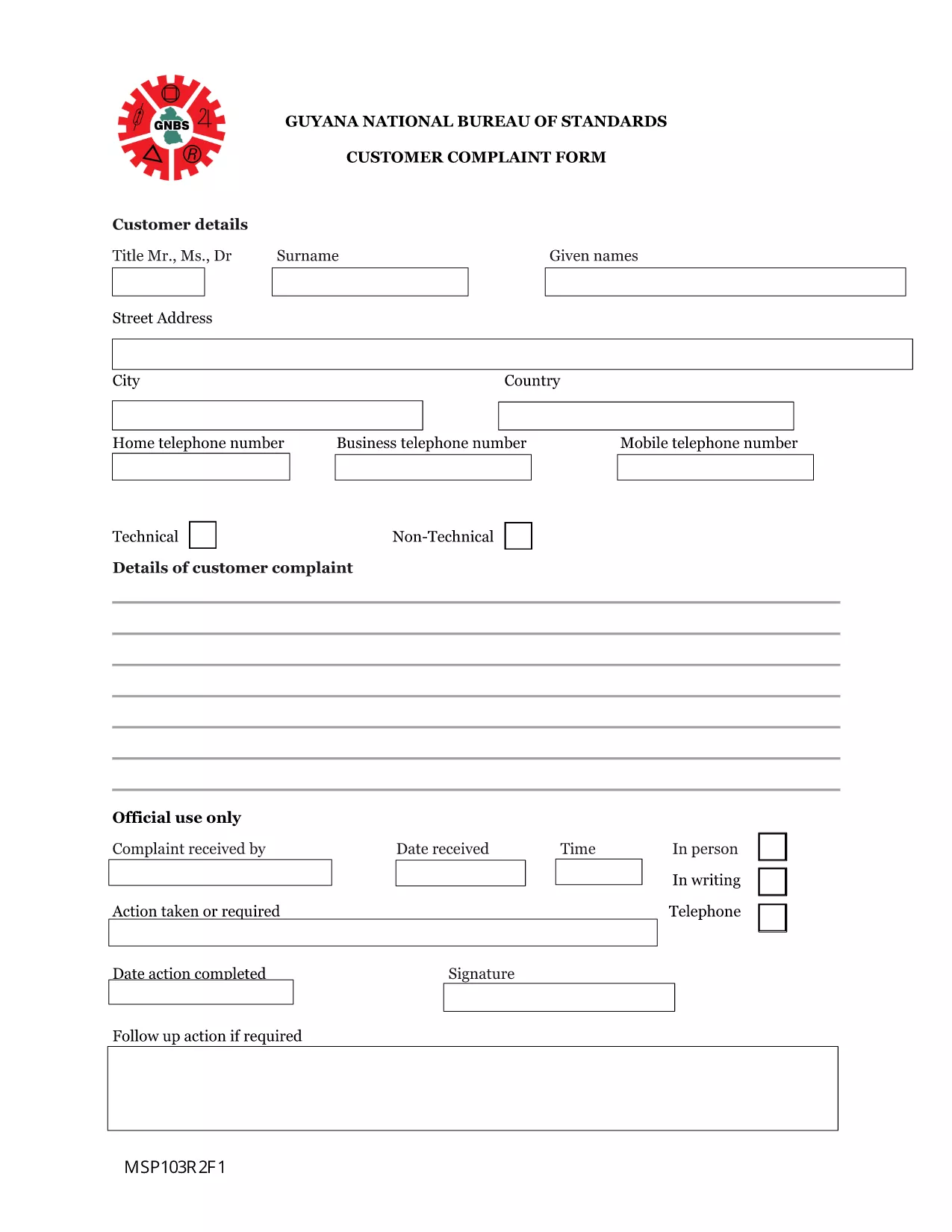
Need to lodge a complaint with the Guyana National Bureau of Standards or another regulatory body? Our Guyana Customer Complaint Form is available as a fully fillable PDF so you can complete it online in minutes. No extra software, no printing – simply click the button, fill out the fields, and submit.

What Is the Guyana Customer Complaint Form?

This form is the official document used by the National Bureau of Standards (and related agencies) to record consumer complaints about products, services, or business practices. It captures essential details such as:

  • Complainant’s contact information
  • Details of the product or service
  • Nature of the complaint and supporting evidence
  • Desired resolution

How to Fill the Form Using Formize PDF Filler

Follow these quick steps to complete the form without downloading any software:

  1. Click the “Fill out this form” button below.
  2. Wait a few seconds while the Formize PDF Filler app loads in your browser.
  3. Enter your information directly into the highlighted fields.
  4. Use the Upload button to attach any supporting documents (photos, receipts, etc.).
  5. Review the completed form, then click Submit to send it to the appropriate agency.

Common Mistakes to Avoid

  • Leaving required fields blank: The form will not submit if mandatory sections are empty.
  • Providing incomplete contact details: Double‑check phone numbers and email addresses.
  • Uploading unsupported file types: Use PDF, JPG, or PNG for attachments.
  • Submitting after the statutory deadline: Complaints should be filed within 30 days of the incident.

Where to Submit Your Completed Complaint

Once you click Submit, the Formize system securely routes your complaint to the National Bureau of Standards’ intake desk. You will receive an automated confirmation email with a reference number for tracking.

Frequently Asked Questions

Below are answers to the most common queries about this form.

CÂU HỎI THƯỜNG GẶP
  • Do I need Adobe Acrobat to fill this form?

    No. The Formize PDF Filler works in any modern browser, so you can complete the form without Adobe Acrobat.

  • Can I save a draft and finish later?

    Yes. Use the “Save as Draft” button in the Formize interface, then return to the saved link to continue.

  • What types of attachments are allowed?

    You can attach PDF, JPG, or PNG files up to 5 MB each.

  • Is my personal information secure?

    All data is encrypted during transmission and stored on secure Formize servers until it is delivered to the agency.

  • How long does it take for the agency to respond?

    The National Bureau of Standards typically acknowledges receipt within 2 business days and may request additional information within 10 days.

  • Can I submit the form on a mobile device?

    Absolutely. The Formize PDF Filler is fully responsive and works on smartphones and tablets.

LÀM THẾ NÀO ĐỂ

Cách điền Guyana complaint form miễn phí, trực tuyến trong 4 bước đơn giản:

  1. 1
    Open the Fillable Form
    Click the “Fill out this form” button on this page. The Formize PDF Filler will open directly in your browser.
  2. 2
    Load the Formize PDF Filler
    Wait a few seconds while the app loads. No download or installation is required.
  3. 3
    Enter Your Information
    Type your answers into each highlighted field. Use the “Upload” button for any supporting documents.
  4. 4
    Review and Submit
    Double‑check all entries, then click the “Submit” button. You’ll receive a confirmation email with a reference number.
Định dạng ứng dụng PDF Filler
TRONG KHOẢNG

Mẫu Đơn đăng ký Medicare

Cung cấp cho mọi người một cách nhanh chóng và đơn giản để nộp đơn xin trợ cấp Medicare. Với sự trợ giúp của các mẫu biểu mẫu medicare trực tuyến, các thủ tục như thiết lập hồ sơ bệnh nhân mới hoặc tìm hiểu thêm về lịch sử y tế của bệnh nhân giờ đây trở nên đơn giản hơn nhiều.

ĐẶC TRƯNG

Trình điền PDF

Cách dễ nhất để điền vào các mẫu PDF trực tuyến

  • Nhanh chóng điền vào Guyana complaint form
    Bạn đang tìm cách điền nhanh Guyana complaint form trực tuyến? Với trình điền biểu mẫu PDF miễn phí trực tuyến của chúng tôi, bạn sẽ biết cách chỉnh sửa và điền vào tài liệu pdf này trong vòng chưa đầy một phút.
  • Trình chỉnh sửa PDF trực tuyến dễ sử dụng
    Chán nản với việc in ra các tệp PDF để bạn có thể chỉnh sửa chúng trước khi quét lại và gửi lại? Chỉnh sửa tài liệu PDF trực tuyến miễn phí. Sử dụng trình chỉnh sửa pdf trực tuyến của chúng tôi để tiết kiệm thời gian và giấy.
  • Công cụ tuyệt vời, tất cả các nền tảng
    Bạn muốn biết cách điền Guyana complaint form trên máy Mac hoặc có thể là cách sử dụng trình điền PDF miễn phí? Các công cụ PDF trực tuyến của chúng tôi hoạt động trên tất cả các nền tảng.
  • Lưu trữ tệp an toàn
    Các tệp "Guyana complaint form" đã hoàn thành được lưu trữ trong cơ sở dữ liệu bảo mật do dịch vụ lưu trữ Amazon Cloud quản lý. Bạn có thể xóa các tệp của mình khỏi hệ thống của chúng tôi bất cứ lúc nào. Trong mọi trường hợp, các tệp này sẽ tự động bị xóa sau 24 giờ.
  • Trò chuyện với Guyana complaint form
    Trò chuyện với "Guyana complaint form" trên Trò chuyện, một trợ lý đọc PDF miễn phí. Đặt câu hỏi và nhận câu trả lời từ "Guyana complaint form". Chỉ cần nhấp vào nút Trò chuyện với tài liệu ở trên.

Xóa phiên điền

Xóa phiên điền đã chọn? Trong trường hợp này, tiến độ của bạn trong việc hoàn thành biểu mẫu sẽ bị mất.

Xóa phiên chỉnh sửa

Xóa phiên chỉnh sửa đã chọn? Trong trường hợp này, tiến trình tạo và chỉnh sửa biểu mẫu của bạn sẽ bị mất.