
Chọn ngôn ngữ

Punjab Renewal of Arms License Form for Individuals (Fillable PDF)

  1. Ngôn ngữ Tiếng Anh tiếng Hin-ddi
  2. Quốc gia Ấn Độ
  3. Tiểu bang Punjab
  4. Phòng Bộ Nội vụ và Tư pháp
Punjab Renewal of Arms License Form for Individuals (Fillable PDF)

Renewing your personal arms license in Punjab has never been easier. Our dedicated page provides the official Punjab renewal of arms license form for individuals as a fully fillable PDF that you can complete directly in your browser.

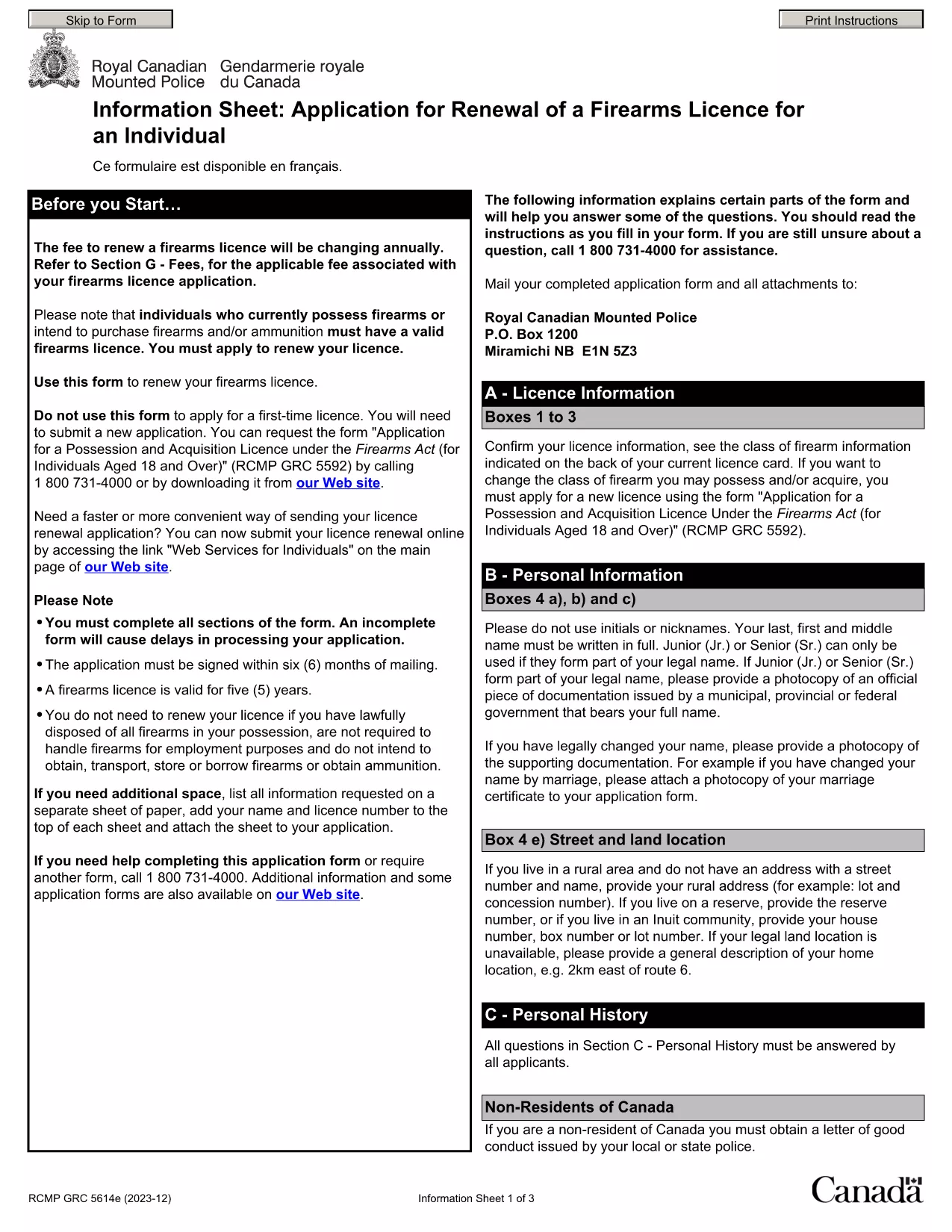
By using Formize’s PDF Filler, you avoid printing, scanning, and the risk of missing handwritten information. The form is powered by the same structure as the RCMP PAL Renewal Form, which meets international standards for firearm licensing documentation.

Why Use a Fillable PDF for Your Punjab Arms License Renewal

A fillable PDF ensures:

  • Accuracy – fields are validated in real time.
  • Speed – submit within minutes, not days.
  • Security – your data stays encrypted while you work.

Step‑by‑Step Guide to Completing the Form Online

Follow the simple steps below to finish your renewal without leaving the page.

Common Mistakes to Avoid When Renewing Your Arms License

Skipping a required field or uploading an unsupported file format can delay processing. Our guide highlights the most frequent errors and how to prevent them.

Where to Submit Your Completed Form

After you finish, download the completed PDF and submit it to the Punjab Police Arms Licensing Office either in person or via their official online portal.

Ready to start? Click the button below, let Formize load the PDF filler, and complete the form in a few easy steps.

CÂU HỎI THƯỜNG GẶP
  • Is the Punjab arms license renewal form available for free?

    Yes. The fillable PDF is provided at no cost. You only need an internet connection to complete it online.

  • Can I edit the form after I download it?

    Once you download the completed PDF, you can open it in any standard PDF viewer, but the official submission should be the version you saved from Formize.

  • What documents do I need to attach with the renewal?

    Typically you must attach a recent passport‑size photograph, a copy of your current license, and any supporting certificates. Check the form’s attachment section for exact requirements.

  • How long does the renewal process take after submission?

    Processing times vary by district, but most renewals are completed within 7‑10 business days once the correct form and documents are received.

  • What if I make a mistake while filling the form?

    The fillable PDF highlights incomplete or incorrectly formatted fields. Correct the information before saving, or you can start over by clicking the reset button.

  • Do I need to print the form to submit it?

    No. The Punjab Police accepts a digitally signed PDF via their online portal or by email. Printing is optional.

  • Is my personal data safe while using Formize?

    Formize uses SSL encryption, and the PDF is processed locally in your browser, ensuring your data never leaves your computer unless you choose to upload it.

  • Can I use this form on a mobile device?

    Yes. The fillable PDF works on most modern smartphones and tablets with a compatible browser.

LÀM THẾ NÀO ĐỂ

Cách điền Punjab arms license renewal miễn phí, trực tuyến trong 5 bước đơn giản:

  1. 1
    Click the Fill Out This Form button
    Press the highlighted button on the page to open the Formize PDF Filler app.
  2. 2
    Wait for the filler to load
    The fillable PDF loads automatically; this usually takes a few seconds.
  3. 3
    Enter your information
    Complete each field – the form validates entries in real time to prevent errors.
  4. 4
    Review and sign
    Double‑check all details, add your digital signature if required, and save the document.
  5. 5
    Download or submit
    Download the finished PDF for your records and submit it to the Punjab Police Arms Licensing Office.
Định dạng ứng dụng PDF Filler
TRONG KHOẢNG

Mẫu đơn của Bộ Ngoại giao

Punjab arms license renewal là một trong những mẫu đơn đăng ký của Bộ Ngoại giao. Bộ Ngoại giao Ấn Độ cung cấp nhiều mẫu đơn đăng ký khác nhau cho các dịch vụ khác nhau liên quan đến đối ngoại và quan hệ quốc tế. Một số mẫu đơn đăng ký phổ biến bao gồm:

Đơn xin hộ chiếu: Biểu mẫu này được sử dụng để xin hộ chiếu Ấn Độ. Nó thu thập các chi tiết cá nhân như tên, địa chỉ, ngày sinh và quốc tịch.

Đơn đăng ký quốc tịch Ấn Độ ở nước ngoài (OCI): Biểu mẫu này được sử dụng để đăng ký trạng thái OCI, cho phép các cá nhân gốc Ấn Độ sống và làm việc ở Ấn Độ vô thời hạn. Nó thu thập thông tin cá nhân, bao gồm cả bằng chứng về nguồn gốc Ấn Độ.

Đơn xin thị thực: Mẫu này được sử dụng để xin thị thực đi du lịch nước ngoài. Nó thu thập thông tin cá nhân, thông tin du lịch và mục đích du lịch.

Đơn xin cấp phép di cư: Biểu mẫu này được sử dụng bởi các cá nhân đang tìm kiếm giấy phép di cư để làm việc ở một số quốc gia nhất định. Nó thu thập thông tin cá nhân và chi tiết việc làm.

Đơn xin chứng thực: Biểu mẫu này được sử dụng để đăng ký chứng thực nhiều loại tài liệu khác nhau, chẳng hạn như chứng chỉ giáo dục, giấy chứng nhận kết hôn và tài liệu thương mại. Nó thu thập các chi tiết của tài liệu được chứng thực và mục đích chứng thực.

Đơn đăng ký dịch vụ lãnh sự: Biểu mẫu này được sử dụng cho nhiều dịch vụ lãnh sự khác nhau, bao gồm cấp giấy chứng nhận khẩn cấp, hỗ trợ công dân Ấn Độ ở nước ngoài và đăng ký công dân Ấn Độ. Các chi tiết cụ thể được yêu cầu phụ thuộc vào tính chất của dịch vụ được yêu cầu.

ĐẶC TRƯNG

Trình điền PDF

Cách dễ nhất để điền vào các mẫu PDF trực tuyến

  • Nhanh chóng điền vào Punjab arms license renewal
    Bạn đang tìm cách điền nhanh Punjab arms license renewal trực tuyến? Với trình điền biểu mẫu PDF miễn phí trực tuyến của chúng tôi, bạn sẽ biết cách chỉnh sửa và điền vào tài liệu pdf này trong vòng chưa đầy một phút.
  • Trình chỉnh sửa PDF trực tuyến dễ sử dụng
    Chán nản với việc in ra các tệp PDF để bạn có thể chỉnh sửa chúng trước khi quét lại và gửi lại? Chỉnh sửa tài liệu PDF trực tuyến miễn phí. Sử dụng trình chỉnh sửa pdf trực tuyến của chúng tôi để tiết kiệm thời gian và giấy.
  • Công cụ tuyệt vời, tất cả các nền tảng
    Bạn muốn biết cách điền Punjab arms license renewal trên máy Mac hoặc có thể là cách sử dụng trình điền PDF miễn phí? Các công cụ PDF trực tuyến của chúng tôi hoạt động trên tất cả các nền tảng.
  • Lưu trữ tệp an toàn
    Các tệp "Punjab arms license renewal" đã hoàn thành được lưu trữ trong cơ sở dữ liệu bảo mật do dịch vụ lưu trữ Amazon Cloud quản lý. Bạn có thể xóa các tệp của mình khỏi hệ thống của chúng tôi bất cứ lúc nào. Trong mọi trường hợp, các tệp này sẽ tự động bị xóa sau 24 giờ.
  • Trò chuyện với Punjab arms license renewal
    Trò chuyện với "Punjab arms license renewal" trên Trò chuyện, một trợ lý đọc PDF miễn phí. Đặt câu hỏi và nhận câu trả lời từ "Punjab arms license renewal". Chỉ cần nhấp vào nút Trò chuyện với tài liệu ở trên.

Xóa phiên điền

Xóa phiên điền đã chọn? Trong trường hợp này, tiến độ của bạn trong việc hoàn thành biểu mẫu sẽ bị mất.

Xóa phiên chỉnh sửa

Xóa phiên chỉnh sửa đã chọn? Trong trường hợp này, tiến trình tạo và chỉnh sửa biểu mẫu của bạn sẽ bị mất.