
Chọn ngôn ngữ

Punjab Solemnization of Marriage Form (Fillable PDF)

  1. Ngôn ngữ Tiếng Anh tiếng Hin-ddi
  2. Quốc gia Ấn Độ
  3. Tiểu bang Punjab
  4. Phòng Bộ Nội vụ và Tư pháp
Điền vào mẫu đơn này
Punjab Solemnization of Marriage Form (Fillable PDF)

Punjab Solemnization of Marriage Form (Fillable PDF)

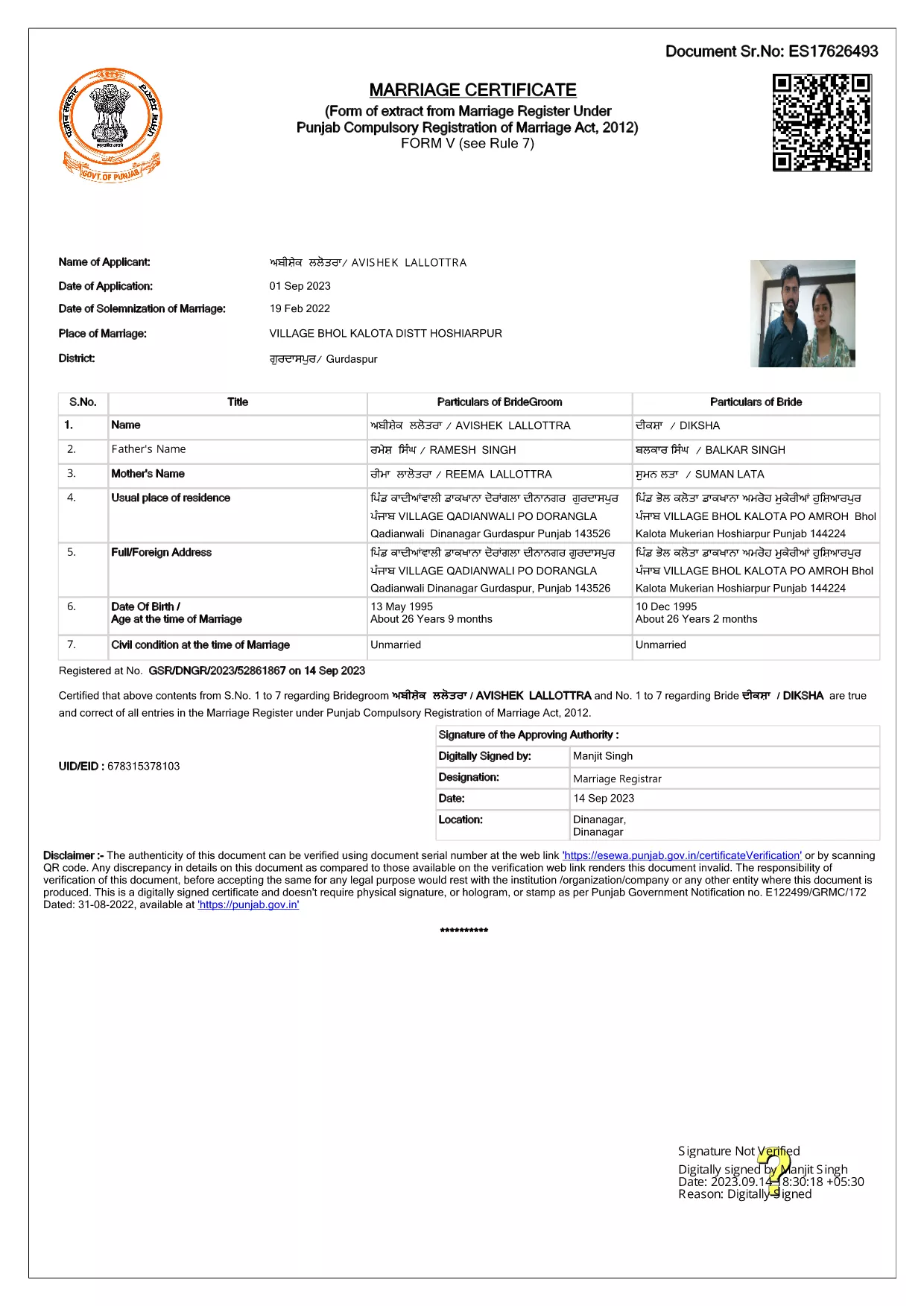
Getting married in Punjab requires you to submit the official Punjab Solemnization of Marriage form. This form records essential details of the bride, groom, and witnesses, and it is mandatory under the Punjab Compulsory Registration of Marriage Act, 2012.

What Is the Punjab Solemnization of Marriage Form?

The form is a government‑issued marriage certificate that captures personal information, parental details, and the date and place of the marriage ceremony. It is the legal proof needed for future documentation such as passport applications, property registration, and visa requests.

How to Fill Out the Form Online with Formize

Instead of printing, printing‑and‑scanning, or using a third‑party PDF editor, you can complete the form directly in your browser:

  1. Click the **"Fill out this form"** button on this page.
  2. Wait a few seconds while the Formize PDF Filler app loads.
  3. Enter the required information in each fillable field. The interface guides you through mandatory sections.
  4. Review your entries, then click **"Save & Download"** to get a completed PDF copy.

Common Mistakes to Avoid When Completing the Form

  • Incorrect spelling of names: Verify the spelling exactly as it appears on official ID documents.
  • Missing witness details: All three witnesses must be fully listed; incomplete entries will cause rejection.
  • Wrong date format: Use DD‑MM‑YYYY as required by the Punjab Registration Department.
  • Leaving optional fields blank: Even optional fields should be filled with "N/A" if not applicable.

Where to Submit the Completed Form

After you have saved the filled PDF, submit it to the nearest Punjab Registration Office or the designated online portal of the Punjab Registration Department. Bring original identity proofs for both parties and witnesses.

Download the Official PDF

Click the button below to download the original, government‑approved PDF. The file is hosted securely and matches the exact layout required by the registration authority.

CÂU HỎI THƯỜNG GẶP
  • Is the Punjab marriage form available in Punjabi?

    The official PDF is printed in English, but you may fill it out in any language. For official submissions, the English version is accepted.

  • Do I need a digital signature?

    A digital signature is not required for the fillable PDF. You must sign the printed copy in the presence of a registrar.

  • Can I edit the form after I download it?

    Yes. The saved PDF remains fully editable with any standard PDF editor, but the Formize filler already lets you complete the form without extra software.

  • How many witnesses are required?

    Three adult witnesses are mandatory. Their full names, addresses, and signatures must be entered in the designated sections.

  • What documents do I need to submit with the form?

    Both parties must provide a valid ID (Aadhar, PAN, or passport), proof of residence, and the original signed marriage certificate.

  • Is there a fee for downloading the PDF?

    No. The PDF is provided free of charge. Any registration fees are paid directly to the Punjab Registration Office.

LÀM THẾ NÀO ĐỂ

Cách điền Punjab marriage form miễn phí, trực tuyến trong 4 bước đơn giản:

  1. 1
    Click the Fill‑Out Button
    Press the **"Fill out this form"** button on the page to launch the Formize PDF Filler.
  2. 2
    Wait for the Filler to Load
    The app loads in a few seconds; you’ll see a clean, searchable interface with all form fields highlighted.
  3. 3
    Enter Your Information
    Type the required details for the bride, groom, and witnesses. The filler validates dates and mandatory fields automatically.
  4. 4
    Save and Download
    After reviewing, click **"Save & Download"** to get a completed PDF you can print or submit electronically.
Định dạng ứng dụng PDF Filler
TRONG KHOẢNG

Mẫu đơn của Bộ Ngoại giao

Punjab marriage form là một trong những mẫu đơn đăng ký của Bộ Ngoại giao. Bộ Ngoại giao Ấn Độ cung cấp nhiều mẫu đơn đăng ký khác nhau cho các dịch vụ khác nhau liên quan đến đối ngoại và quan hệ quốc tế. Một số mẫu đơn đăng ký phổ biến bao gồm:

Đơn xin hộ chiếu: Biểu mẫu này được sử dụng để xin hộ chiếu Ấn Độ. Nó thu thập các chi tiết cá nhân như tên, địa chỉ, ngày sinh và quốc tịch.

Đơn đăng ký quốc tịch Ấn Độ ở nước ngoài (OCI): Biểu mẫu này được sử dụng để đăng ký trạng thái OCI, cho phép các cá nhân gốc Ấn Độ sống và làm việc ở Ấn Độ vô thời hạn. Nó thu thập thông tin cá nhân, bao gồm cả bằng chứng về nguồn gốc Ấn Độ.

Đơn xin thị thực: Mẫu này được sử dụng để xin thị thực đi du lịch nước ngoài. Nó thu thập thông tin cá nhân, thông tin du lịch và mục đích du lịch.

Đơn xin cấp phép di cư: Biểu mẫu này được sử dụng bởi các cá nhân đang tìm kiếm giấy phép di cư để làm việc ở một số quốc gia nhất định. Nó thu thập thông tin cá nhân và chi tiết việc làm.

Đơn xin chứng thực: Biểu mẫu này được sử dụng để đăng ký chứng thực nhiều loại tài liệu khác nhau, chẳng hạn như chứng chỉ giáo dục, giấy chứng nhận kết hôn và tài liệu thương mại. Nó thu thập các chi tiết của tài liệu được chứng thực và mục đích chứng thực.

Đơn đăng ký dịch vụ lãnh sự: Biểu mẫu này được sử dụng cho nhiều dịch vụ lãnh sự khác nhau, bao gồm cấp giấy chứng nhận khẩn cấp, hỗ trợ công dân Ấn Độ ở nước ngoài và đăng ký công dân Ấn Độ. Các chi tiết cụ thể được yêu cầu phụ thuộc vào tính chất của dịch vụ được yêu cầu.

ĐẶC TRƯNG

Trình điền PDF

Cách dễ nhất để điền vào các mẫu PDF trực tuyến

  • Nhanh chóng điền vào Punjab marriage form
    Bạn đang tìm cách điền nhanh Punjab marriage form trực tuyến? Với trình điền biểu mẫu PDF miễn phí trực tuyến của chúng tôi, bạn sẽ biết cách chỉnh sửa và điền vào tài liệu pdf này trong vòng chưa đầy một phút.
  • Trình chỉnh sửa PDF trực tuyến dễ sử dụng
    Chán nản với việc in ra các tệp PDF để bạn có thể chỉnh sửa chúng trước khi quét lại và gửi lại? Chỉnh sửa tài liệu PDF trực tuyến miễn phí. Sử dụng trình chỉnh sửa pdf trực tuyến của chúng tôi để tiết kiệm thời gian và giấy.
  • Công cụ tuyệt vời, tất cả các nền tảng
    Bạn muốn biết cách điền Punjab marriage form trên máy Mac hoặc có thể là cách sử dụng trình điền PDF miễn phí? Các công cụ PDF trực tuyến của chúng tôi hoạt động trên tất cả các nền tảng.
  • Lưu trữ tệp an toàn
    Các tệp "Punjab marriage form" đã hoàn thành được lưu trữ trong cơ sở dữ liệu bảo mật do dịch vụ lưu trữ Amazon Cloud quản lý. Bạn có thể xóa các tệp của mình khỏi hệ thống của chúng tôi bất cứ lúc nào. Trong mọi trường hợp, các tệp này sẽ tự động bị xóa sau 24 giờ.
  • Trò chuyện với Punjab marriage form
    Trò chuyện với "Punjab marriage form" trên Trò chuyện, một trợ lý đọc PDF miễn phí. Đặt câu hỏi và nhận câu trả lời từ "Punjab marriage form". Chỉ cần nhấp vào nút Trò chuyện với tài liệu ở trên.

Xóa phiên điền

Xóa phiên điền đã chọn? Trong trường hợp này, tiến độ của bạn trong việc hoàn thành biểu mẫu sẽ bị mất.

Xóa phiên chỉnh sửa

Xóa phiên chỉnh sửa đã chọn? Trong trường hợp này, tiến trình tạo và chỉnh sửa biểu mẫu của bạn sẽ bị mất.