
Chọn ngôn ngữ

INZ1375 Fillable PDF – Download & Complete Online

  1. Ngôn ngữ Tiếng Anh
  2. Quốc gia New Zealand
  3. Phòng Immigration New Zealand
  4. Hoạt động thị thực
INZ1375 Fillable PDF – Download & Complete Online

What is the INZ1375 Form?

The INZ1375 is an Immigration New Zealand form used for specific visa applications and status updates. It collects personal details, travel history, and supporting information that Immigration officials need to assess eligibility.

How to Fill the INZ1375 PDF Online

Instead of downloading the file and opening a desktop PDF editor, simply click the "Fill out this form" button on this page. The Formize PDF Filler app will load the fillable version instantly, allowing you to type, check boxes, and add signatures directly in your browser.

Common Mistakes to Avoid

  • Leaving required fields blank – the filler will highlight missing entries before you can submit.
  • Using non‑Latin characters in name fields – New Zealand immigration expects standard English letters.
  • Uploading an outdated version of the form – always use the latest PDF provided below.
  • Forgetting to sign the declaration section – an unsigned form will be rejected.

Where to Submit Your Completed Form

Once you have filled out the INZ1375, you can either:

  1. Upload the completed PDF through your Immigration New Zealand online account.
  2. Print, sign, and mail it to the address listed in the form instructions.

Check the latest submission guidelines on the official Immigration New Zealand website before sending.

Download the PDF

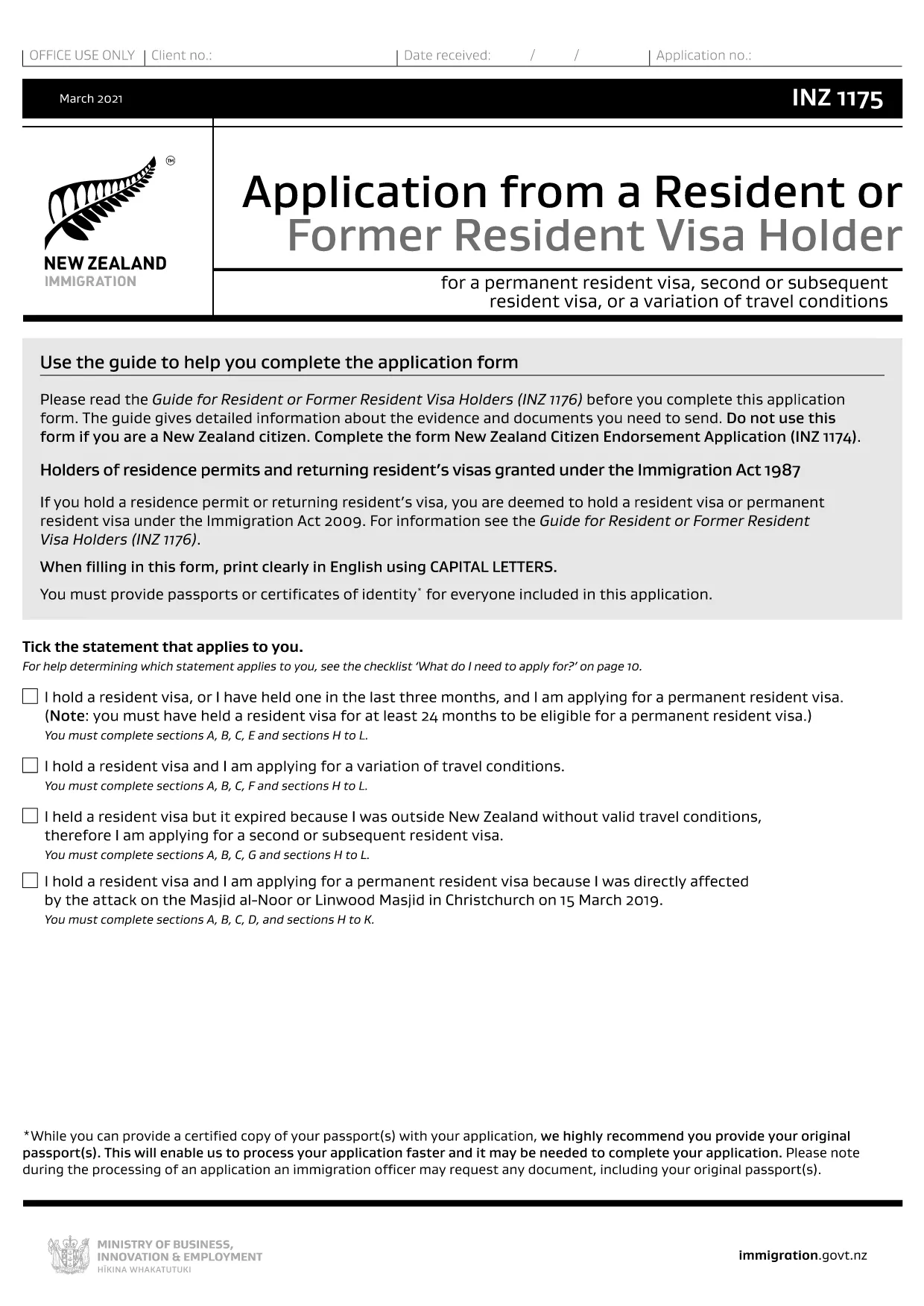
If you prefer to work offline, you can download the fillable PDF directly from the link below. The file is the closest publicly available version (INZ1175) which shares the same layout and fields as INZ1375.

Download INZ1175 (fillable) PDF

CÂU HỎI THƯỜNG GẶP
  • What is the difference between INZ1375 and INZ1175?

    Both forms share the same layout and most of the same fields. INZ1175 is the publicly available fillable version that can be used as a template for INZ1375.

  • Can I edit the PDF on a mobile device?

    Yes. The Formize PDF Filler works on smartphones and tablets, allowing you to complete the form on any modern browser.

  • Do I need to print the form after filling it online?

    Only if you prefer a hard copy for your records. For electronic submission, a downloaded PDF with a digital signature is sufficient.

  • Is there a fee to use the Formize PDF Filler?

    No. Formize provides the filler for free; any fees are set by Immigration New Zealand for processing your visa application.

  • How do I know if my completed form is accepted?

    After you submit the form through the Immigration portal, you will receive a confirmation email. If any fields are missing, the system will prompt you to correct them.

  • What should I do if I make a mistake after submission?

    Contact Immigration New Zealand through their online help centre and request a correction. You may need to upload a revised PDF.

  • Can I save a draft and return later?

    Yes. The Formize filler lets you save a draft to your device or cloud storage, then reopen it later to finish.

LÀM THẾ NÀO ĐỂ

Cách điền INZ1375 miễn phí, trực tuyến trong 5 bước đơn giản:

  1. 1
    Click the Fill Button
    Press the "Fill out this form" button on the page. The Formize PDF Filler loads the form instantly in your browser.
  2. 2
    Enter Your Information
    Type directly into each field, select dates from the calendar picker, and upload any required supporting documents.
  3. 3
    Save and Review
    Use the "Save" option to store a draft. Review all entries; required fields will be highlighted if incomplete.
  4. 4
    Add Your Digital Signature
    Click the signature box, draw or upload your signature, and confirm.
  5. 5
    Download or Submit
    When finished, download the completed PDF for your records or submit it directly through the Immigration New Zealand online portal.
Định dạng ứng dụng PDF Filler
TRONG KHOẢNG

mẫu đơn thị thực

INZ1375 là một trong những mẫu Visa là giấy tờ dùng để xin visa nhập cảnh nước ngoài. Thị thực là một tài liệu cho phép người nước ngoài nhập cảnh, lưu trú và đôi khi làm việc ở nước ngoài trong một khoảng thời gian nhất định. Các hình thức và yêu cầu chính xác để xin thị thực khác nhau tùy theo quốc gia và loại thị thực.

Các mẫu đơn thị thực thường yêu cầu thông tin cá nhân như tên, ngày sinh và thông tin hộ chiếu, cũng như thông tin về mục đích và thời gian của chuyến đi, điểm đến dự định và liệu người nộp đơn trước đó đã bị từ chối cấp thị thực hay bị trục xuất khỏi một quốc gia. Các biểu mẫu cũng có thể yêu cầu các tài liệu hỗ trợ như hộ chiếu, ảnh và bằng chứng hỗ trợ tài chính.

Tại Hoa Kỳ, các mẫu đơn xin thị thực phổ biến nhất là mẫu đơn DS-160 và DS-260. Mẫu DS-160 được sử dụng để xin thị thực không định cư, trong khi mẫu DS-260 được sử dụng để xin thị thực định cư. Các biểu mẫu này yêu cầu thông tin chi tiết về lịch sử cá nhân và du lịch của người nộp đơn, cũng như các tài liệu hỗ trợ như hộ chiếu, hành trình du lịch và hồ sơ tài chính.

Các quốc gia khác có thể có các yêu cầu và mẫu thị thực khác nhau, nhưng quy trình cơ bản thường bao gồm hoàn thành đơn xin thị thực, cung cấp tài liệu hỗ trợ và tham dự cuộc phỏng vấn với viên chức lãnh sự tại đại sứ quán hoặc lãnh sự quán Hoa Kỳ. Điều quan trọng cần lưu ý là quy trình xin thị thực có thể phức tạp và tốn thời gian, và các cá nhân xin thị thực nên tham khảo ý kiến ​​của luật sư nhập cư hoặc chuyên gia có trình độ khác để đảm bảo rằng tất cả các mẫu và yêu cầu cần thiết đều được đáp ứng.

ĐẶC TRƯNG

Trình điền PDF

Cách dễ nhất để điền vào các mẫu PDF trực tuyến

  • Nhanh chóng điền vào INZ1375
    Bạn đang tìm cách điền nhanh INZ1375 trực tuyến? Với trình điền biểu mẫu PDF miễn phí trực tuyến của chúng tôi, bạn sẽ biết cách chỉnh sửa và điền vào tài liệu pdf này trong vòng chưa đầy một phút.
  • Trình chỉnh sửa PDF trực tuyến dễ sử dụng
    Chán nản với việc in ra các tệp PDF để bạn có thể chỉnh sửa chúng trước khi quét lại và gửi lại? Chỉnh sửa tài liệu PDF trực tuyến miễn phí. Sử dụng trình chỉnh sửa pdf trực tuyến của chúng tôi để tiết kiệm thời gian và giấy.
  • Công cụ tuyệt vời, tất cả các nền tảng
    Bạn muốn biết cách điền INZ1375 trên máy Mac hoặc có thể là cách sử dụng trình điền PDF miễn phí? Các công cụ PDF trực tuyến của chúng tôi hoạt động trên tất cả các nền tảng.
  • Lưu trữ tệp an toàn
    Các tệp "INZ1375" đã hoàn thành được lưu trữ trong cơ sở dữ liệu bảo mật do dịch vụ lưu trữ Amazon Cloud quản lý. Bạn có thể xóa các tệp của mình khỏi hệ thống của chúng tôi bất cứ lúc nào. Trong mọi trường hợp, các tệp này sẽ tự động bị xóa sau 24 giờ.
  • Trò chuyện với INZ1375
    Trò chuyện với "INZ1375" trên Trò chuyện, một trợ lý đọc PDF miễn phí. Đặt câu hỏi và nhận câu trả lời từ "INZ1375". Chỉ cần nhấp vào nút Trò chuyện với tài liệu ở trên.

Xóa phiên điền

Xóa phiên điền đã chọn? Trong trường hợp này, tiến độ của bạn trong việc hoàn thành biểu mẫu sẽ bị mất.

Xóa phiên chỉnh sửa

Xóa phiên chỉnh sửa đã chọn? Trong trường hợp này, tiến trình tạo và chỉnh sửa biểu mẫu của bạn sẽ bị mất.