
Chọn ngôn ngữ

MV2956 Fillable PDF – Wisconsin Vehicle Registration Form

  1. Ngôn ngữ Tiếng Anh
  2. Quốc gia Hoa Kỳ
  3. Hoạt động Đăng ký xe
  4. Phòng Department of Motor Vehicles
MV2956 Fillable PDF – Wisconsin Vehicle Registration Form

The MV2956 is the official Wisconsin Department of Motor Vehicles (DMV) form used for vehicle registration changes, special plate applications, and related paperwork. Instead of printing, scanning, and mailing a paper copy, you can now complete the form instantly online with our Fill out this form button powered by the Formize PDF Filler app.

What Is the MV2956 Form?

MV2956 is a fillable PDF that captures essential vehicle information, owner details, and any special requests (e.g., personalized plates). It is required for:

  • Transferring ownership of a vehicle within Wisconsin
  • Updating registration address
  • Applying for specialty or disability plates

How to Fill Out MV2956 Online with Formize

Follow these simple steps to complete the form without leaving your browser:

  • Click the Fill out this form button on this page.
  • The Formize PDF Filler will load in a secure overlay.
  • Enter your information directly into the highlighted fields.
  • Use the built‑in validation to avoid common entry errors.
  • When finished, click Submit to download a completed PDF or Print to send it to the DMV.

Common Mistakes to Avoid

Even with a fillable PDF, a few errors can delay processing:

  • Incorrect VIN: Double‑check the Vehicle Identification Number for typos.
  • Missing signatures: The form requires the owner’s digital signature; use the signature tool in Formize.
  • Outdated address: Ensure the address matches the one on your driver’s license.

Download & Save the PDF

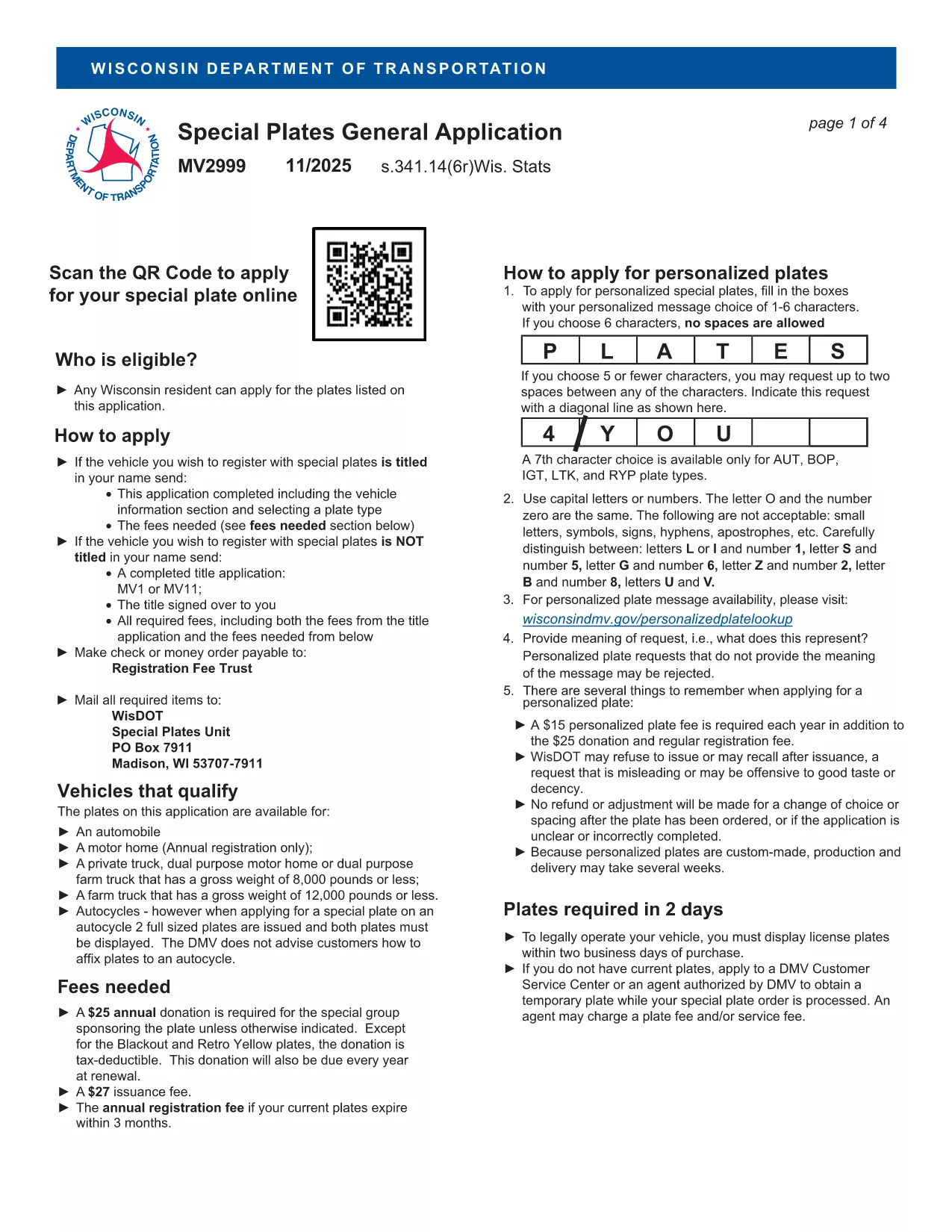
If you prefer a hard copy, you can also download the original MV2999 PDF (the closest available version) and use Formize to fill it out.

Frequently Asked Questions

Below are answers to the most common queries about the MV2956 form.

CÂU HỎI THƯỜNG GẶP
  • What is the MV2956 form used for?

    It is the Wisconsin DMV’s standard form for vehicle registration changes, ownership transfers, and specialty plate requests.

  • Do I need to print the form after filling it out?

    No. You can download the completed PDF and submit it electronically if the DMV accepts electronic filings, or print it if a hard copy is required.

  • Is there a fee to use the Formize PDF Filler?

    Formize’s basic fillable‑PDF feature is free for users; any DMV filing fees are paid directly to the Wisconsin DMV.

  • Can I save my progress and return later?

    Yes. The Formize app lets you save a draft of the PDF and resume editing at any time.

  • What should I do if I make a mistake?

    Use the “Clear” button to reset a field, or download the PDF, correct it in a PDF editor, and re‑upload.

  • Where do I submit the completed MV2956 form?

    Submit the printed form to your local Wisconsin DMV office or follow any electronic submission instructions provided by the DMV.

  • Is the MV2956 form available in other languages?

    The official form is in English; however, you can use translation tools for assistance while filling it out.

LÀM THẾ NÀO ĐỂ

Cách điền MV2956 miễn phí, trực tuyến trong 5 bước đơn giản:

  1. 1
    Click the Fill‑out Button
    Press the “Fill out this form” button on the page to launch the Formize PDF Filler.
  2. 2
    Wait for the Filler to Load
    A secure overlay will appear; the fillable PDF loads automatically.
  3. 3
    Enter Your Information
    Complete each highlighted field, using the built‑in validation to ensure accuracy.
  4. 4
    Review and Sign
    Double‑check all entries, add your digital signature, and click “Submit.”
  5. 5
    Download or Print
    Save the completed PDF to your device or print it for submission to the Wisconsin DMV.
Định dạng ứng dụng PDF Filler
TRONG KHOẢNG

Mẫu đăng ký xe

Nếu bạn sở hữu hoặc thuê một phương tiện cơ giới, xe kéo hoặc thuyền, bạn phải đáp ứng một số nghĩa vụ để giữ cho phương tiện của bạn được đăng ký hợp pháp và an toàn.

MV2956 là một trong những biểu mẫu Đăng ký phương tiện là tài liệu được sử dụng để đăng ký phương tiện cơ giới với cơ quan nhà nước hoặc cấp tỉnh có liên quan. Những biểu mẫu này thường được yêu cầu khi một người mua một chiếc xe mới hoặc đã qua sử dụng hoặc khi họ chuyển đến một tiểu bang hoặc tỉnh mới với một chiếc xe.

Các yêu cầu và biểu mẫu chính xác cần thiết để đăng ký xe có thể khác nhau tùy theo địa điểm, nhưng nhìn chung, quy trình bao gồm việc cung cấp thông tin về xe, chủ sở hữu và bất kỳ quyền sở hữu nào đối với xe.

Sau khi nộp các mẫu đăng ký và lệ phí, chính quyền tiểu bang hoặc cấp tỉnh sẽ cấp giấy chứng nhận đăng ký hoặc biển số cho chủ sở hữu phương tiện. Việc đăng ký này cho phép phương tiện được vận hành hợp pháp trên đường công cộng và đường cao tốc.

ĐẶC TRƯNG

Trình điền PDF

Cách dễ nhất để điền vào các mẫu PDF trực tuyến

  • Nhanh chóng điền vào MV2956
    Bạn đang tìm cách điền nhanh MV2956 trực tuyến? Với trình điền biểu mẫu PDF miễn phí trực tuyến của chúng tôi, bạn sẽ biết cách chỉnh sửa và điền vào tài liệu pdf này trong vòng chưa đầy một phút.
  • Trình chỉnh sửa PDF trực tuyến dễ sử dụng
    Chán nản với việc in ra các tệp PDF để bạn có thể chỉnh sửa chúng trước khi quét lại và gửi lại? Chỉnh sửa tài liệu PDF trực tuyến miễn phí. Sử dụng trình chỉnh sửa pdf trực tuyến của chúng tôi để tiết kiệm thời gian và giấy.
  • Công cụ tuyệt vời, tất cả các nền tảng
    Bạn muốn biết cách điền MV2956 trên máy Mac hoặc có thể là cách sử dụng trình điền PDF miễn phí? Các công cụ PDF trực tuyến của chúng tôi hoạt động trên tất cả các nền tảng.
  • Lưu trữ tệp an toàn
    Các tệp "MV2956" đã hoàn thành được lưu trữ trong cơ sở dữ liệu bảo mật do dịch vụ lưu trữ Amazon Cloud quản lý. Bạn có thể xóa các tệp của mình khỏi hệ thống của chúng tôi bất cứ lúc nào. Trong mọi trường hợp, các tệp này sẽ tự động bị xóa sau 24 giờ.
  • Trò chuyện với MV2956
    Trò chuyện với "MV2956" trên Trò chuyện, một trợ lý đọc PDF miễn phí. Đặt câu hỏi và nhận câu trả lời từ "MV2956". Chỉ cần nhấp vào nút Trò chuyện với tài liệu ở trên.

Xóa phiên điền

Xóa phiên điền đã chọn? Trong trường hợp này, tiến độ của bạn trong việc hoàn thành biểu mẫu sẽ bị mất.

Xóa phiên chỉnh sửa

Xóa phiên chỉnh sửa đã chọn? Trong trường hợp này, tiến trình tạo và chỉnh sửa biểu mẫu của bạn sẽ bị mất.