Chọn ngôn ngữ

Parent‑Teen Safe‑Driving Agreement (Fillable PDF)

  1. Ngôn ngữ Tiếng Anh
  2. Quốc gia Hoa Kỳ
  3. Hoạt động Driving Safety
  4. Phòng Health
Parent‑Teen Safe‑Driving Agreement (Fillable PDF)

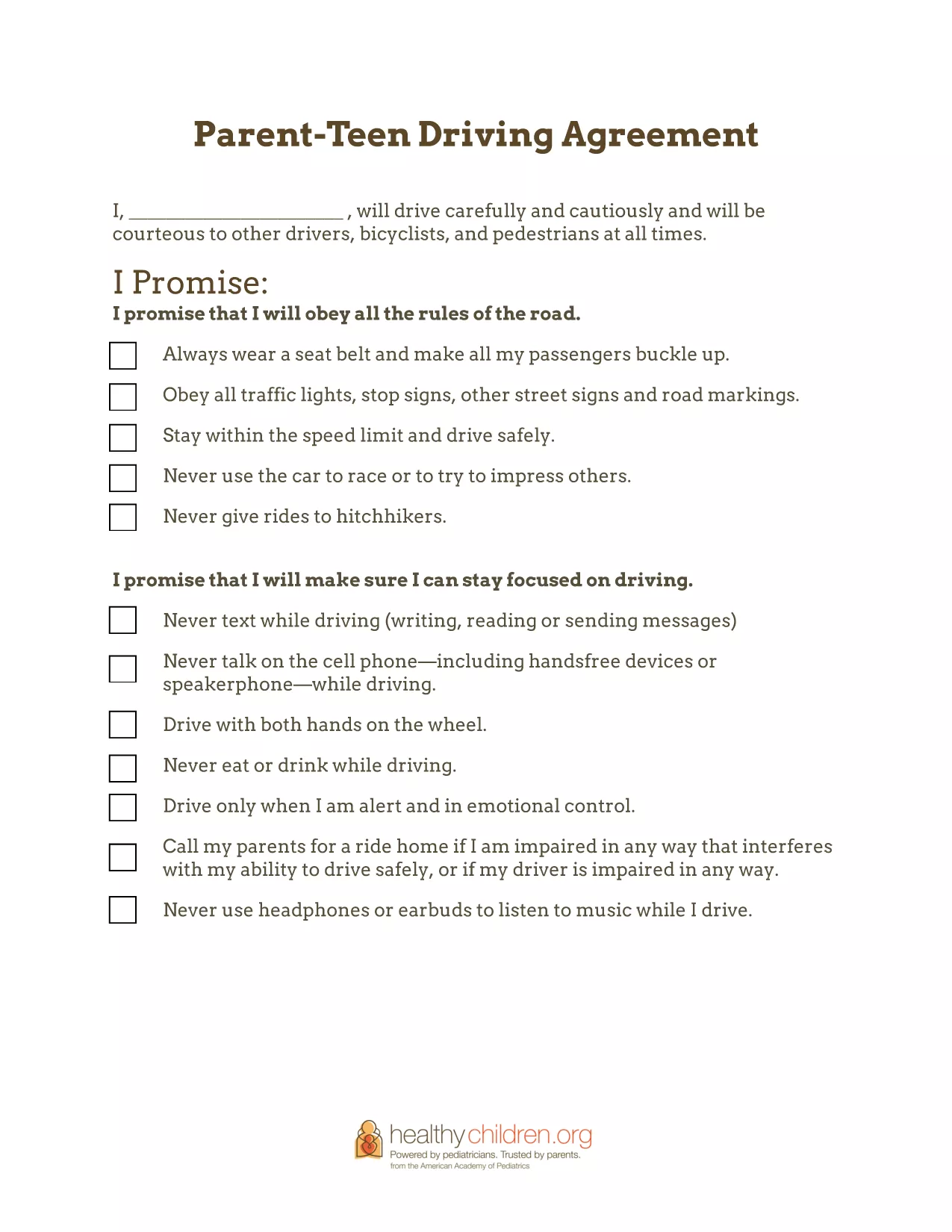
Getting your teenager behind the wheel is a major milestone, but it also brings new responsibilities for both parents and teens. The Parent‑Teen Safe‑Driving Agreement gives families a clear, written contract that outlines expectations, limits, and consequences for safe driving.

Why a Safe‑Driving Agreement Matters

Studies show that teens who sign a written driving contract are less likely to text while driving, exceed speed limits, or drive under the influence. A signed agreement creates accountability, opens ongoing dialogue, and helps parents monitor progress as driving skills improve.

Key Sections of the Agreement

  • Driver Pledge: A teen‑signed promise to obey traffic laws, avoid distractions, and stay sober.
  • Parental Rules: Curfew times, passenger limits, and restrictions on high‑risk driving conditions.
  • Financial Contributions: How the teen will share costs for gas, insurance, and maintenance.
  • Penalties: Clear consequences for breaking the agreement, such as loss of driving privileges.

How to Fill Out the Form Online

Instead of downloading and editing the PDF in a separate program, simply click the Fill out this form button on this page. The Formize PDF Filler app will load the fillable fields directly in your browser. Follow the on‑screen prompts, save your changes, and download a completed copy when you’re done.

Tips for Enforcing the Rules

  • Review the agreement together every month and adjust rules as driving experience grows.
  • Keep a printed copy in the car so both driver and passengers can see the expectations.
  • Use a shared calendar or app to track curfew compliance and mileage.

Common Mistakes to Avoid

  • Leaving sections blank – every field should be completed to avoid ambiguity.
  • Skipping the teen’s signature – the pledge is only binding when the teen signs.
  • Setting unrealistic penalties that the teen cannot meet.

Download the fillable PDF below, complete it online, and start the conversation that keeps your teen safe on the road.

CÂU HỎI THƯỜNG GẶP
  • Is the Parent‑Teen Safe‑Driving Agreement legally binding?

    The agreement is not a legal contract, but it creates a clear, written understanding between parent and teen that can be enforced within the family.

  • Can I customize the agreement for my state’s driving laws?

    Yes. The fillable PDF lets you edit any section, so you can add state‑specific curfew times, passenger limits, or other local regulations.

  • Do I need a PDF editor to fill out the form?

    No. Use the Formize PDF Filler on this page – it works in any modern browser without additional software.

  • How often should we revisit the agreement?

    We recommend reviewing the agreement monthly for the first six months, then every six months or after any major driving milestone.

  • What if my teen breaks the rules?

    The agreement includes a “Penalties” section. Discuss the consequence, enforce it consistently, and then reset expectations together.

  • Can I share the completed agreement with my insurance company?

    Yes. A signed copy can be uploaded to your insurer to demonstrate responsible driving practices and may help lower premiums.

LÀM THẾ NÀO ĐỂ

Cách điền parent teen driving agreement miễn phí, trực tuyến trong 5 bước đơn giản:

  1. 1
    Open the Fillable Form
    Click the “Fill out this form” button on this page. The Formize PDF Filler app will open in a new tab.
  2. 2
    Enter the Required Information
    Type directly into each field—parent details, teen details, rules, and penalties. Use the tab key to move quickly between sections.
  3. 3
    Save and Review
    When all fields are completed, click the “Save” button. Review the agreement with your teen to ensure every point is clear.
  4. 4
    Sign the Agreement
    Both parent and teen can add a digital signature using the built‑in signature tool, then click “Apply”.
  5. 5
    Download or Print
    After signing, click “Download PDF” to save a copy or “Print” to place a hard copy in the car.
Định dạng ứng dụng PDF Filler
TRONG KHOẢNG

mẫu parent teen driving agreement

Với bộ tính năng truyền thống để xem và điền vào tài liệu PDF, kết hợp với các lợi ích của ứng dụng web và bố cục đáp ứng, bạn có thể hoàn thành parent teen driving agreement trong vài phút.

ĐẶC TRƯNG

Trình điền PDF

Cách dễ nhất để điền vào các mẫu PDF trực tuyến

  • Nhanh chóng điền vào parent teen driving agreement
    Bạn đang tìm cách điền nhanh parent teen driving agreement trực tuyến? Với trình điền biểu mẫu PDF miễn phí trực tuyến của chúng tôi, bạn sẽ biết cách chỉnh sửa và điền vào tài liệu pdf này trong vòng chưa đầy một phút.
  • Trình chỉnh sửa PDF trực tuyến dễ sử dụng
    Chán nản với việc in ra các tệp PDF để bạn có thể chỉnh sửa chúng trước khi quét lại và gửi lại? Chỉnh sửa tài liệu PDF trực tuyến miễn phí. Sử dụng trình chỉnh sửa pdf trực tuyến của chúng tôi để tiết kiệm thời gian và giấy.
  • Công cụ tuyệt vời, tất cả các nền tảng
    Bạn muốn biết cách điền parent teen driving agreement trên máy Mac hoặc có thể là cách sử dụng trình điền PDF miễn phí? Các công cụ PDF trực tuyến của chúng tôi hoạt động trên tất cả các nền tảng.
  • Lưu trữ tệp an toàn
    Các tệp "parent teen driving agreement" đã hoàn thành được lưu trữ trong cơ sở dữ liệu bảo mật do dịch vụ lưu trữ Amazon Cloud quản lý. Bạn có thể xóa các tệp của mình khỏi hệ thống của chúng tôi bất cứ lúc nào. Trong mọi trường hợp, các tệp này sẽ tự động bị xóa sau 24 giờ.
  • Trò chuyện với parent teen driving agreement
    Trò chuyện với "parent teen driving agreement" trên Trò chuyện, một trợ lý đọc PDF miễn phí. Đặt câu hỏi và nhận câu trả lời từ "parent teen driving agreement". Chỉ cần nhấp vào nút Trò chuyện với tài liệu ở trên.

Xóa phiên điền

Xóa phiên điền đã chọn? Trong trường hợp này, tiến độ của bạn trong việc hoàn thành biểu mẫu sẽ bị mất.

Xóa phiên chỉnh sửa

Xóa phiên chỉnh sửa đã chọn? Trong trường hợp này, tiến trình tạo và chỉnh sửa biểu mẫu của bạn sẽ bị mất.