Chọn ngôn ngữ

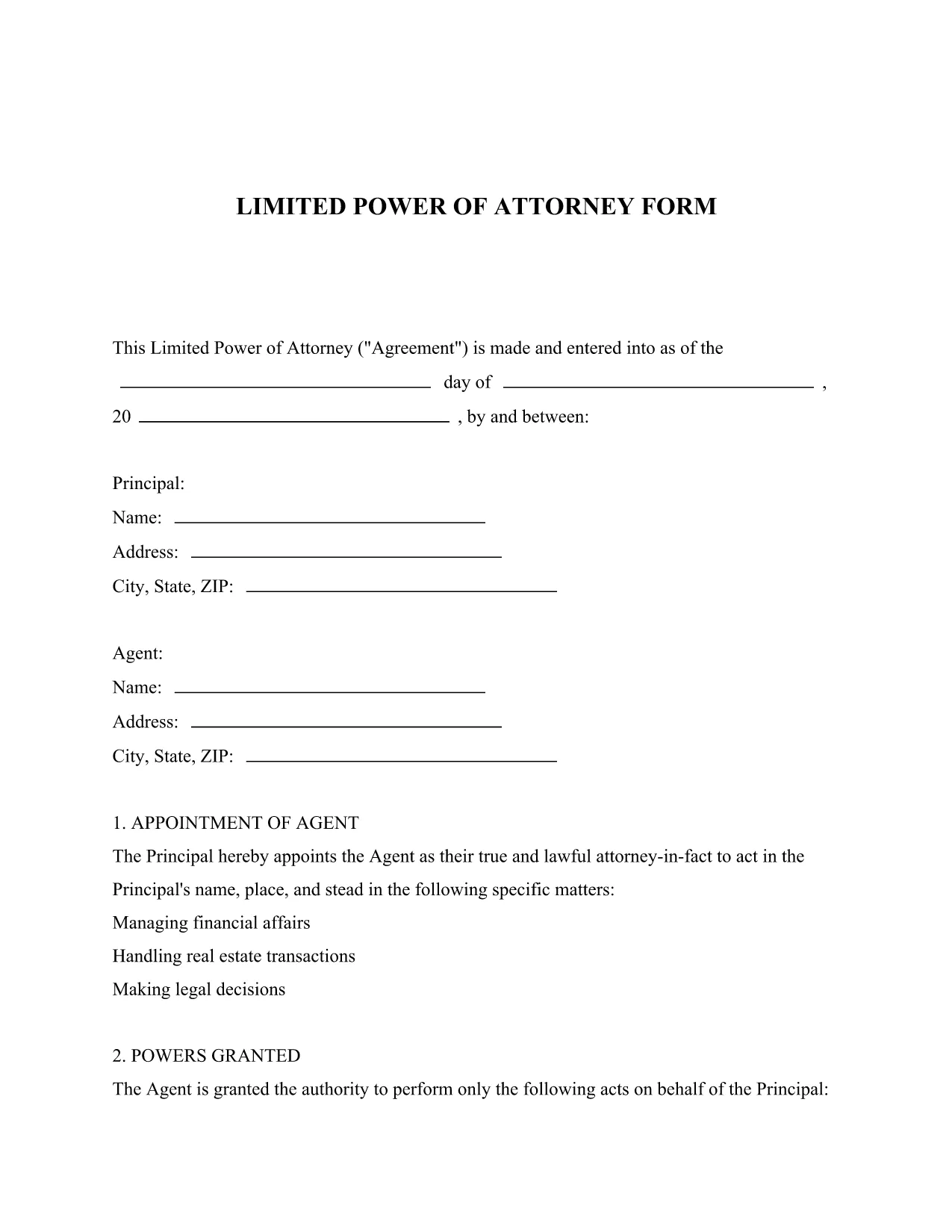
Limited Power of Attorney – Free Fillable PDF Form

  1. Ngôn ngữ Tiếng Anh
  2. Quốc gia Hoa Kỳ
  3. Hoạt động Legal Documents
  4. Phòng Legal Services
Limited Power of Attorney – Free Fillable PDF Form

What Is a Limited Power of Attorney?

A Limited Power of Attorney (LPOA) is a legal document that grants a trusted person (the Attorney‑in‑Fact) the authority to act on your behalf for a specific purpose or a limited period of time. Unlike a general power of attorney, the powers are narrowly defined, making it ideal for transactions such as selling a vehicle, handling a bank account, or signing a single contract.

Key Sections of the Form

The downloadable PDF includes the following essential sections:

  • Principal Information: Your name, address, and contact details.
  • Attorney‑in‑Fact Details: The person you are authorizing.
  • Scope of Authority: Exact powers you are granting (e.g., "to sell my car VIN 1234").
  • Effective Dates: When the authority starts and ends.
  • Signature & Notarization: Space for your signature and, if required, a notary seal.

How to Fill Out the Form Online

Instead of downloading the PDF and opening it in a separate editor, simply click the "Fill out this form" button on this page. The Formize PDF Filler app will load automatically, letting you complete every field directly in your browser.

Common Mistakes to Avoid

  • Leaving any required field blank – the filler will highlight missing information.
  • Using vague language in the "Scope of Authority" section; be as specific as possible.
  • Forgetting to notarize when your state law requires it.
  • Signing the form before all information is entered; wait until the final review screen.

Download and Save Your Completed Form

After you finish, click "Save & Download" to get a secure, PDF‑filled copy. Store it in a safe place or print it for notarization.

CÂU HỎI THƯỜNG GẶP
  • What is the difference between a limited and a general power of attorney?

    A limited power of attorney grants authority for a specific task or time frame, while a general power of attorney gives broad authority over all of your affairs.

  • Do I need a notary for a Limited Power of Attorney?

    Requirements vary by state. Many states require notarization for the form to be legally binding; check your local regulations.

  • Can I edit the form after I download it?

    Yes. After filling it out with Formize, you can download the completed PDF, make additional edits with any PDF editor, and re‑upload if needed.

  • Is the Formize PDF Filler secure?

    Absolutely. All data is processed over encrypted connections, and no information is stored on our servers after you download the finished document.

  • How long is the limited power of attorney valid?

    The form lets you set an explicit start and end date. If you leave the end date blank, the authority remains until revoked in writing.

  • Can I revoke the limited power of attorney later?

    Yes. You can revoke it at any time by creating a written revocation notice and informing the attorney‑in‑fact and any third parties.

LÀM THẾ NÀO ĐỂ

Cách điền limited power of attorney miễn phí, trực tuyến trong 5 bước đơn giản:

  1. 1
    Open the Fillable Form
    Click the "Fill out this form" button on the page. The Formize PDF Filler app loads instantly in your browser.
  2. 2
    Enter Your Information
    Complete each highlighted field – principal details, attorney‑in‑fact name, and the specific powers you are granting.
  3. 3
    Review & Validate
    Use the built‑in validation to ensure all required fields are filled and the scope description is clear.
  4. 4
    Add Signature & Notarization
    If a notarization is required, print the completed PDF, have it notarized, then re‑upload the signed copy.
  5. 5
    Save & Download
    Click "Save & Download" to receive a fully‑filled PDF that you can store digitally or print for official use.
Định dạng ứng dụng PDF Filler
TRONG KHOẢNG

mẫu limited power of attorney

Với bộ tính năng truyền thống để xem và điền vào tài liệu PDF, kết hợp với các lợi ích của ứng dụng web và bố cục đáp ứng, bạn có thể hoàn thành limited power of attorney trong vài phút.

ĐẶC TRƯNG

Trình điền PDF

Cách dễ nhất để điền vào các mẫu PDF trực tuyến

  • Nhanh chóng điền vào limited power of attorney
    Bạn đang tìm cách điền nhanh limited power of attorney trực tuyến? Với trình điền biểu mẫu PDF miễn phí trực tuyến của chúng tôi, bạn sẽ biết cách chỉnh sửa và điền vào tài liệu pdf này trong vòng chưa đầy một phút.
  • Trình chỉnh sửa PDF trực tuyến dễ sử dụng
    Chán nản với việc in ra các tệp PDF để bạn có thể chỉnh sửa chúng trước khi quét lại và gửi lại? Chỉnh sửa tài liệu PDF trực tuyến miễn phí. Sử dụng trình chỉnh sửa pdf trực tuyến của chúng tôi để tiết kiệm thời gian và giấy.
  • Công cụ tuyệt vời, tất cả các nền tảng
    Bạn muốn biết cách điền limited power of attorney trên máy Mac hoặc có thể là cách sử dụng trình điền PDF miễn phí? Các công cụ PDF trực tuyến của chúng tôi hoạt động trên tất cả các nền tảng.
  • Lưu trữ tệp an toàn
    Các tệp "limited power of attorney" đã hoàn thành được lưu trữ trong cơ sở dữ liệu bảo mật do dịch vụ lưu trữ Amazon Cloud quản lý. Bạn có thể xóa các tệp của mình khỏi hệ thống của chúng tôi bất cứ lúc nào. Trong mọi trường hợp, các tệp này sẽ tự động bị xóa sau 24 giờ.
  • Trò chuyện với limited power of attorney
    Trò chuyện với "limited power of attorney" trên Trò chuyện, một trợ lý đọc PDF miễn phí. Đặt câu hỏi và nhận câu trả lời từ "limited power of attorney". Chỉ cần nhấp vào nút Trò chuyện với tài liệu ở trên.

Xóa phiên điền

Xóa phiên điền đã chọn? Trong trường hợp này, tiến độ của bạn trong việc hoàn thành biểu mẫu sẽ bị mất.

Xóa phiên chỉnh sửa

Xóa phiên chỉnh sửa đã chọn? Trong trường hợp này, tiến trình tạo và chỉnh sửa biểu mẫu của bạn sẽ bị mất.