Chọn ngôn ngữ

Legal Firm Website Template Checklist – Fillable PDF

  1. Ngôn ngữ Tiếng Anh
  2. Quốc gia Hoa Kỳ
  3. Hoạt động Legal Services Business Setup
Legal Firm Website Template Checklist – Fillable PDF

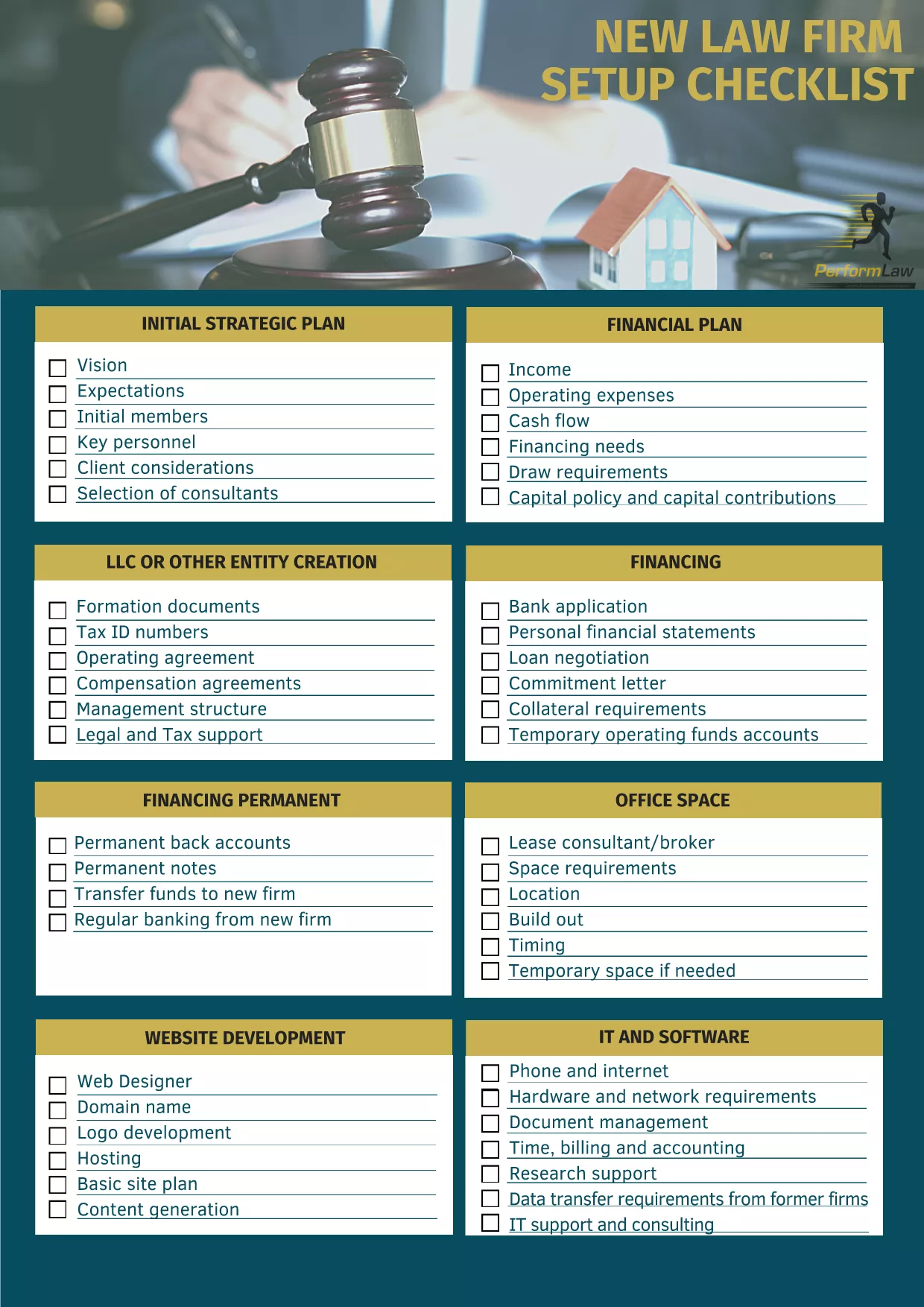
Starting a law firm’s online presence can feel overwhelming. Our Legal Firm Website Template Checklist gives you a step‑by‑step, fillable PDF that ensures no critical detail is missed—from branding and navigation to compliance and client intake.

Why Use a Website Template Checklist?

A structured checklist saves time, reduces errors, and aligns your website with professional standards. It’s especially useful for solo practitioners and small firms that need a polished site without hiring a designer.

How to Fill the Checklist Online

Instead of downloading and opening the PDF in a separate editor, simply click the "Fill out this form" button on this page. The Formize PDF Filler app will load instantly, letting you type directly into each field, add dates, and select options.

Key Sections of the Legal Firm Template

  • Branding & Design – logo, color palette, typography.
  • Site Architecture – homepage, practice pages, contact form.
  • Compliance – privacy policy, attorney disclaimer, ADA considerations.
  • Content Strategy – blog topics, SEO keywords, client testimonials.
  • Technical Setup – domain registration, hosting, SSL certificate.

Common Mistakes to Avoid

Skipping the compliance section can lead to ethical issues. Also, neglecting mobile‑responsive design may turn away potential clients. Use the checklist to verify each item before publishing.

Download & Save Your Completed Form

Once you finish, click Save in the Formize interface to download a completed PDF copy. Keep it on file for future website updates or audits.

CÂU HỎI THƯỜNG GẶP
  • Do I need Adobe Acrobat to use this PDF?

    No. The Formize PDF Filler works entirely in your browser, so you can fill the form without any extra software.

  • Can I edit the checklist after I download it?

    Yes. The downloaded PDF remains fully editable in any standard PDF editor if you need to make changes later.

  • Is the checklist suitable for all types of law firms?

    The checklist covers core website elements that apply to solo practitioners, boutique firms, and larger practices alike.

  • Will my data be saved on Formize’s servers?

    All data is processed locally in your browser and is not stored on Formize’s servers unless you choose to upload it.

  • Can I print the filled checklist?

    Absolutely. After saving the completed PDF, you can print it for meetings or record‑keeping.

  • Is the PDF free to use?

    Yes. The Legal Firm Website Template Checklist is provided at no cost; you only need an internet connection to fill it online.

LÀM THẾ NÀO ĐỂ

Cách điền legal firm website template miễn phí, trực tuyến trong 5 bước đơn giản:

  1. 1
    Click the Fill‑out Button
    Press the "Fill out this form" button on the page to launch the Formize PDF Filler.
  2. 2
    Wait for the Filler to Load
    The web app loads in seconds; you’ll see editable fields appear directly on the PDF.
  3. 3
    Complete Each Section
    Enter your firm’s information, tick checkboxes, and add dates where required.
  4. 4
    Save Your Work
    When finished, click the "Save" button to download the completed checklist to your computer.
  5. 5
    Print or Share
    Use the saved PDF for internal reviews, client presentations, or as a reference for future website updates.
Định dạng ứng dụng PDF Filler
TRONG KHOẢNG

mẫu legal firm website template

Với bộ tính năng truyền thống để xem và điền vào tài liệu PDF, kết hợp với các lợi ích của ứng dụng web và bố cục đáp ứng, bạn có thể hoàn thành legal firm website template trong vài phút.

ĐẶC TRƯNG

Trình điền PDF

Cách dễ nhất để điền vào các mẫu PDF trực tuyến

  • Nhanh chóng điền vào legal firm website template
    Bạn đang tìm cách điền nhanh legal firm website template trực tuyến? Với trình điền biểu mẫu PDF miễn phí trực tuyến của chúng tôi, bạn sẽ biết cách chỉnh sửa và điền vào tài liệu pdf này trong vòng chưa đầy một phút.
  • Trình chỉnh sửa PDF trực tuyến dễ sử dụng
    Chán nản với việc in ra các tệp PDF để bạn có thể chỉnh sửa chúng trước khi quét lại và gửi lại? Chỉnh sửa tài liệu PDF trực tuyến miễn phí. Sử dụng trình chỉnh sửa pdf trực tuyến của chúng tôi để tiết kiệm thời gian và giấy.
  • Công cụ tuyệt vời, tất cả các nền tảng
    Bạn muốn biết cách điền legal firm website template trên máy Mac hoặc có thể là cách sử dụng trình điền PDF miễn phí? Các công cụ PDF trực tuyến của chúng tôi hoạt động trên tất cả các nền tảng.
  • Lưu trữ tệp an toàn
    Các tệp "legal firm website template" đã hoàn thành được lưu trữ trong cơ sở dữ liệu bảo mật do dịch vụ lưu trữ Amazon Cloud quản lý. Bạn có thể xóa các tệp của mình khỏi hệ thống của chúng tôi bất cứ lúc nào. Trong mọi trường hợp, các tệp này sẽ tự động bị xóa sau 24 giờ.
  • Trò chuyện với legal firm website template
    Trò chuyện với "legal firm website template" trên Trò chuyện, một trợ lý đọc PDF miễn phí. Đặt câu hỏi và nhận câu trả lời từ "legal firm website template". Chỉ cần nhấp vào nút Trò chuyện với tài liệu ở trên.

Xóa phiên điền

Xóa phiên điền đã chọn? Trong trường hợp này, tiến độ của bạn trong việc hoàn thành biểu mẫu sẽ bị mất.

Xóa phiên chỉnh sửa

Xóa phiên chỉnh sửa đã chọn? Trong trường hợp này, tiến trình tạo và chỉnh sửa biểu mẫu của bạn sẽ bị mất.