


Australian passport renewal form模板
借助用于查看和填写 PDF 文档的传统功能集,结合 Web 应用程序和响应式布局的优势,您可以在几分钟内完成 Australian passport renewal form。
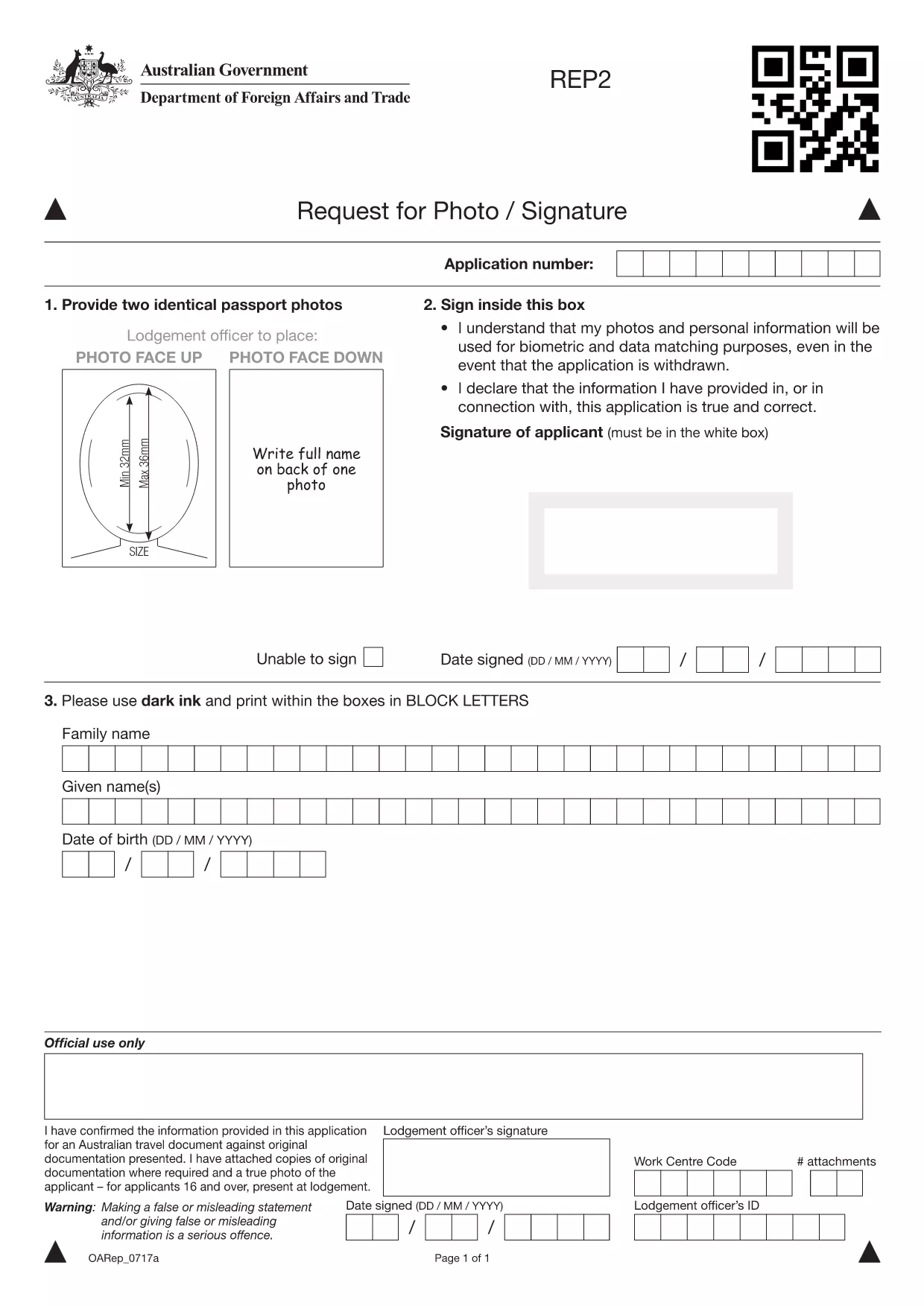
Renewing your Australian passport has never been easier. Our fillable PDF renewal form lets you update your details, add a new photo, and sign electronically—all from the comfort of your computer.
The government provides a printable PDF, but with Formize PDF Filler you can fill it out directly in the browser, save a copy, and avoid errors caused by handwritten entries.
Simply click the "Fill out this form" button on this page. The Formize app loads the PDF, highlights each field, and guides you through the process. No extra software is required.
After completing the form, download the finished PDF and attach it to your online application via the Australian Passport Office portal or submit it in person at an Australian passport office or Australian embassy/consulate.
Need a quick reference? Download the official fillable PDF here.
No. The Formize filler lets you download a completed PDF that you can attach digitally to your online application.
This specific fillable PDF is for photo and signature updates, which are required for renewals. For a brand‑new passport, use the "Application for a New Australian Passport" form.
The photo must be 35‑40 mm wide, 45‑50 mm high, in JPEG or PNG format, with a plain white background and no shadows.
Standard processing is 3 weeks for Australian residents. Priority processing is available for an additional fee.
Yes. Fees vary by passport type and processing speed. Check the Australian Passport Office website for the latest fee schedule.
Yes. Complete the fillable PDF, then upload it through the Australian embassy or consulate portal in the country where you are residing.
Open the downloaded PDF again in Formize, correct the error, and re‑download the updated version before submitting.
借助用于查看和填写 PDF 文档的传统功能集,结合 Web 应用程序和响应式布局的优势,您可以在几分钟内完成 Australian passport renewal form。
在线填写 PDF 表单的最简单方法
删除填充会话
删除编辑会话