
选择语言

Form 47BU – Application for a Business Skills (Permanent) Visa

  1. 语言 英语
  2. 国家 澳大利亚
  3. 活动 商业与投资
Form 47BU – Application for a Business Skills (Permanent) Visa

Form 47BU – Application for a Business Skills (Permanent) Visa

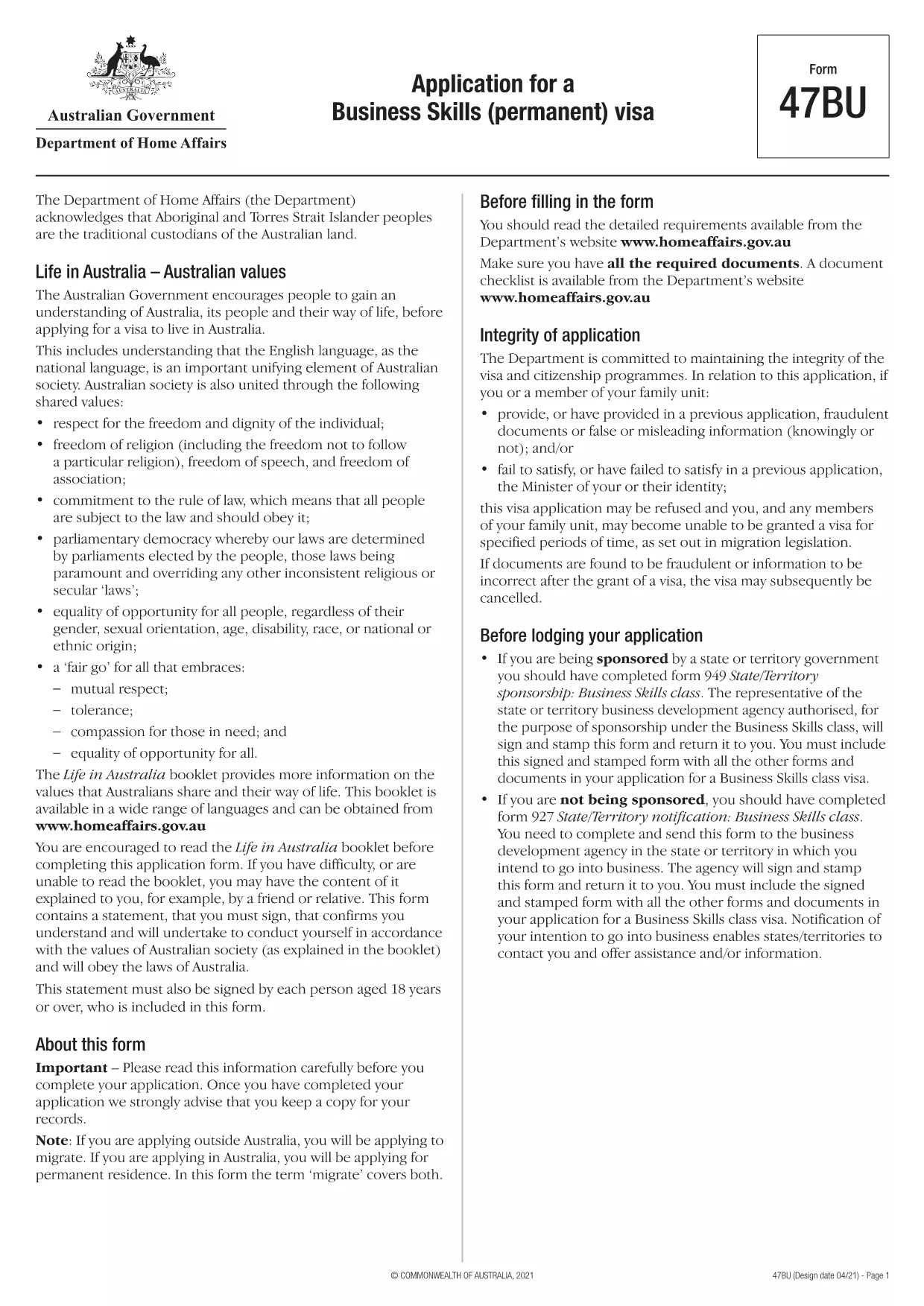
The Form 47BU is the official Department of Home Affairs document used by entrepreneurs and business owners who want to apply for a permanent Business Skills visa (subclass 132) in Australia. This fillable PDF lets you provide personal, business, and sponsorship details required for a successful application.

What is Form 47BU?

Form 47BU collects information about the applicant’s business experience, investment plans, and the state or territory sponsor’s endorsement. It must be submitted together with other supporting documents such as the Business Plan, Financial Statements, and the sponsor’s Form 1318.

How to Fill Out Form 47BU Online with Formize

Instead of downloading the PDF and editing it in a separate editor, you can complete the form directly on our site:

  1. Click the "Fill out this form" button below.
  2. Wait a few seconds while the Formize PDF Filler app loads.
  3. Enter your details in each field – the interface is drag‑and‑drop friendly and auto‑saves.
  4. When finished, click Save & Download to get the completed PDF ready for submission.

Common Mistakes to Avoid

  • Leaving sections blank: Every field marked with an asterisk (*) is mandatory.
  • Mismatched sponsor details: Ensure the state/territory sponsor’s name and signature match the endorsement letter.
  • Incorrect dates: Use the DD/MM/YYYY format as required by Australian immigration.
  • Uploading the wrong version: Always use the latest 47BU PDF (downloaded from the link below).

Eligibility & Supporting Documents

Before you start, confirm that you meet the basic eligibility criteria for a Business Skills (permanent) visa, including:

  • Minimum business turnover of AUD 1 million for the last two fiscal years.
  • Ownership of at least 30 % of the business.
  • State or territory sponsorship.

Attach the following documents when you submit the form:

  • Business Plan (minimum 12 pages).
  • Financial statements and tax returns.
  • Sponsor’s Form 1318 and supporting letter.
  • Proof of assets and investment funds.

Where to Find Help

If you need assistance, consult the Department of Home Affairs website or a registered migration agent. Our fillable PDF is designed to reduce errors, but professional advice can ensure your application meets all legal requirements.

Download the official Form 47BU (PDF)

常问问题
  • What is the purpose of Form 47BU?

    Form 47BU is used to apply for a permanent Business Skills visa (subclass 132). It captures personal, business, and sponsorship details required by the Department of Home Affairs.

  • Can I edit Form 47BU on a mobile device?

    Yes. The Formize fillable PDF works on smartphones and tablets, allowing you to complete the form on any device with an internet connection.

  • Do I need a certified translation if my documents are not in English?

    All supporting documents submitted with Form 47BU must be in English or accompanied by a certified translation.

  • How many pages does the completed Form 47BU have?

    The form itself is 7 pages long, but you will attach additional supporting documents as required.

  • Is there a fee to use Formize’s fillable PDF?

    No. Formize provides the fillable version of Form 47BU for free. The visa application fee is paid directly to the Australian Department of Home Affairs.

  • What should I do if I make a mistake after downloading the PDF?

    Return to the Formize page, click "Fill out this form" again, and re‑enter the corrected information. The tool will generate a new, clean PDF.

  • Do I need a sponsor to submit Form 47BU?

    Yes. A state or territory government sponsor must endorse your application and provide a signed Form 1318.

如何

如何通过 4 个简单步骤在线免费填写 Form 47BU:

  1. 1
    Click the Fill‑out Button
    Press the "Fill out this form" button on the page to launch the Formize PDF Filler.
  2. 2
    Wait for the App to Load
    The fillable interface loads in a few seconds; no download is required.
  3. 3
    Enter Your Information
    Complete each field, using the on‑screen guidance for format and mandatory sections.
  4. 4
    Save and Download
    When all sections are filled, click "Save & Download" to obtain the completed PDF ready for submission.
Formize PDF Filler 应用程序
关于

商业和投资形式

Form 47BU 是在创办、管理或投资企业时使用的形式之一。政府机构、金融机构或监管机构通常需要这些表格来收集信息、建立法人实体或遵守与业务运营和投资相关的特定规则和法规。具体形式可能因业务或投资活动的性质而异。以下是“商业和投资”表格的一些示例:

商业登记表:这些表格用于向适当的政府机构注册商业实体。他们收集有关企业名称、法律结构(例如独资企业、合伙企业、公司)、企业地址、所有权详细信息以及法律认可所需的其他必要信息的信息。

公司成立文件:如果成立法人或公司,需要提交各种文件来创建法人实体。这些文件通常包括公司章程、章程、股东协议和其他相关表格。

营业执照申请:根据行业和地点,某些企业需要特定的执照或许可证才能合法经营。营业执照申请收集有关业务性质、地点、所有权详细信息以及相关法规遵守情况的信息。

投资账户开户表格:希望在金融机构或经纪公司开立投资账户的投资者可能需要填写开户表格。这些表格收集个人信息、投资目标、风险承受能力和其他相关详细信息以建立投资者账户。

合作伙伴协议:建立合作伙伴关系时,合作伙伴通常会制定一份合作伙伴协议,概述其业务关系的条款和条件。该协议可能包括与利润分享、决策、贡献和合伙企业其他方面相关的条款。

保密协议 (NDA):NDA 通常在商业交易中用于保护敏感信息或商业秘密。这些协议确保参与商业或投资交易的各方对交易过程中共享的特定信息保密。

贷款或融资申请表:向金融机构寻求融资或贷款的企业可能需要填写贷款申请表。这些表格收集有关企业财务状况、信用记录、抵押品以及贷款审批流程所需的其他详细信息的信息。

证券备案:对于涉及发行股票或债券等证券的业务,可能需要进行各种证券备案,以遵守证券法律和法规。这些表格包括招股说明书、注册声明、年度报告和其他披露信息。

具体形式和要求可能因国家、行业以及特定商业或投资活动而异。请务必咨询相关政府机构、法律专业人士或金融机构,以获得有关特定业务或投资相关活动所需表格的准确和最新信息。

特征

PDF 填充器

在线填写 PDF 表单的最简单方法

  • 快速填写Form 47BU
    正在寻找一种在线快速填写 Form 47BU 的方法?使用我们的在线免费 PDF 填表工具,您将在不到一分钟的时间内了解如何编辑和填写此 pdf 文档。
  • 易于使用的在线 PDF 编辑器
    是否厌倦了打印 PDF 文件以便在重新扫描并发回之前对其进行编辑?免费在线编辑 PDF 文档。使用我们的在线 pdf 编辑器可以节省时间和纸张。
  • 伟大的工具,所有平台
    想知道如何在 Mac 上填写 Form 47BU,或者如何免费使用 PDF 填充程序?我们的在线 PDF 工具适用于所有平台。
  • 安全文件存储
    完成的“Form 47BU”文件存储在由亚马逊云托管管理的安全数据库中。您可以随时从我们的系统中删除您的文件。在任何情况下,这些文件都会在 24 小时后自动删除。
  • 与 Form 47BU 聊天
    Chatize 上与“Form 47BU”聊天,这是一个免费的 PDF 阅读器助手。提出问题并从“Form 47BU”获得答案。只需点击上面的与文档聊天按钮即可。

删除填充会话

删除选定的填充会话?在这种情况下,您填写表格的进度将丢失。

删除编辑会话

删除选定的编辑会话?在这种情况下,您创建和编辑表单的进度将会丢失。