

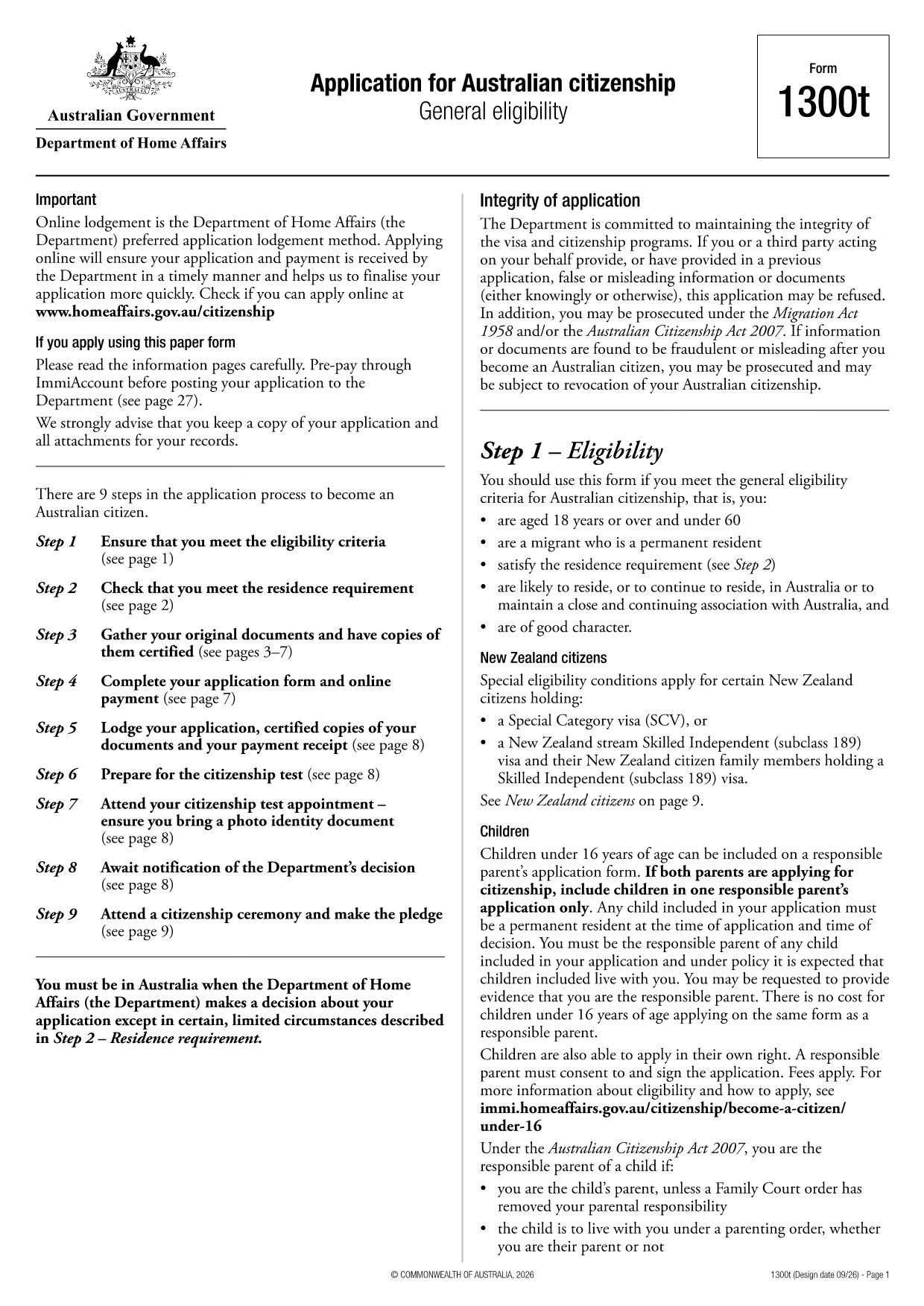

application form example模板
借助用于查看和填写 PDF 文档的传统功能集,结合 Web 应用程序和响应式布局的优势,您可以在几分钟内完成 application form example。
Looking for a ready‑to‑use application form example that you can fill out online? You’ve landed on the right page. This page provides the official Australian citizenship application (Form 1300T) in a fully fillable PDF format, plus a clear guide on how to complete it using the Formize PDF Filler.
What is Form 1300T? It is the standard application used by the Department of Home Affairs for individuals who meet the general eligibility criteria for Australian citizenship. The form covers personal details, residency history, character requirements, and more.
Why use a fillable PDF? Unlike a static PDF, a fillable version lets you type directly into the fields, add checkmarks, and save your progress without printing. It reduces errors, speeds up processing, and gives you a digital copy for your records.
Below you’ll find a quick rundown of the form’s main sections, tips for avoiding common pitfalls, and step‑by‑step instructions to complete the form online with Formize.
Ready to start? Click the "Fill out this form" button below and let the Formize PDF Filler load. No extra software needed.
Yes. The Formize PDF Filler converts the static PDF into an interactive form that works in any modern browser without additional plugins.
No. You can add a digital signature within the filler or print the completed PDF later if a handwritten signature is required by the Department.
Absolutely. Use the "Save" button in the filler to download a draft version. Re‑open the draft later to continue editing.
Leaving mandatory fields blank, mismatching passport numbers, and not attaching required supporting documents. Our guide highlights each trap.
Mail the printed form to the address listed on the Department of Home Affairs website, or submit it electronically if you have an ImmiAccount.
Yes. The current fee must be paid through ImmiAccount before you send the form. Check the latest fee schedule on the Home Affairs site.
Form 1300T is for general eligibility. For special circumstances, refer to forms 1290 or other specific applications listed on the Home Affairs portal.
借助用于查看和填写 PDF 文档的传统功能集,结合 Web 应用程序和响应式布局的优势,您可以在几分钟内完成 application form example。
在线填写 PDF 表单的最简单方法
删除填充会话
删除编辑会话