
选择语言

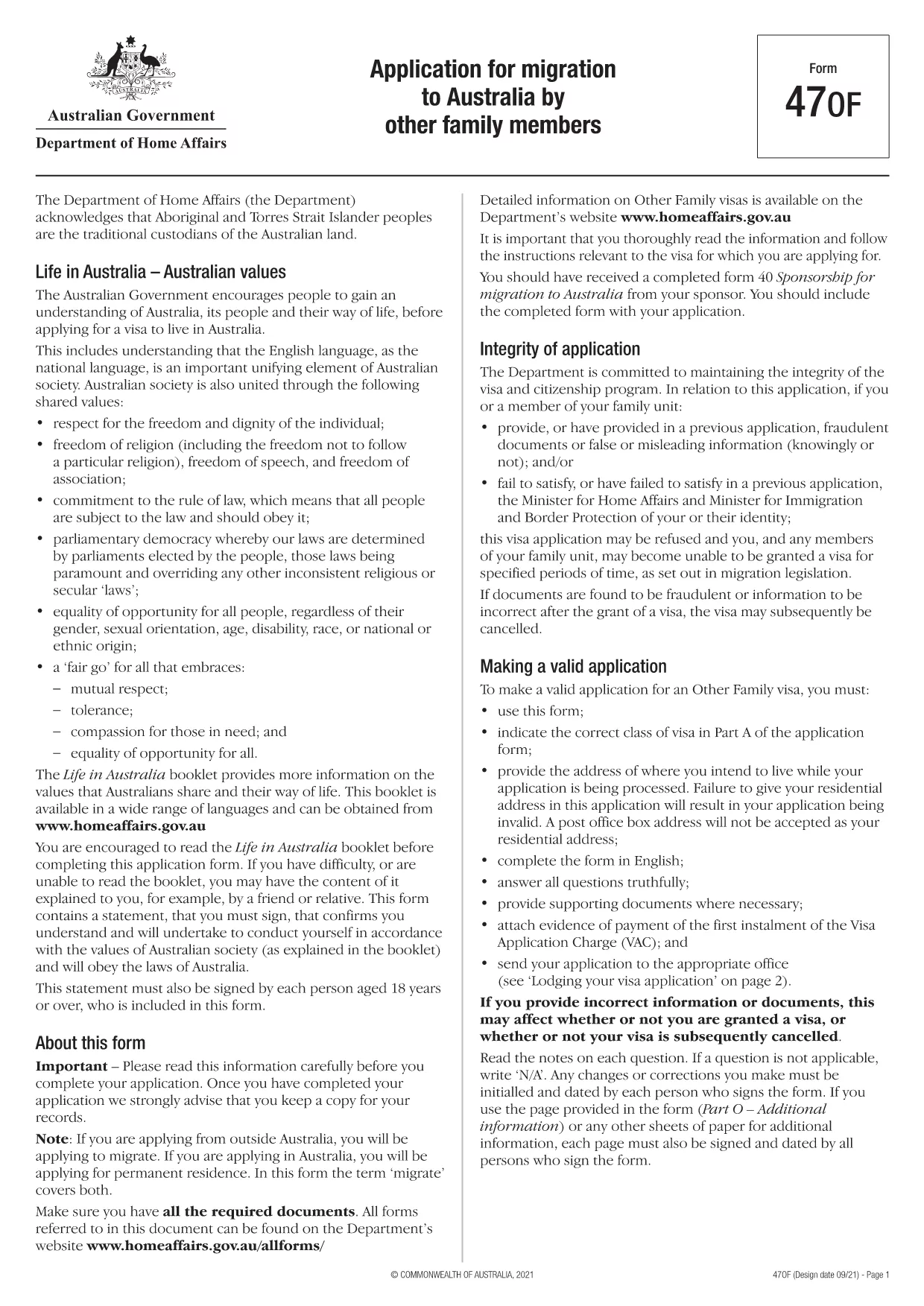
Application Form Part 1 – Free Fillable PDF (Not Locked)

  1. 语言 英语
  2. 国家 澳大利亚
  3. 活动 签证
  4. 部门 Home Affairs
Application Form Part 1 – Free Fillable PDF (Not Locked)

The Application Form Part 1 is the first section of the Australian migration application (Form 47OF). It collects personal details, passport information, and the intended address while your visa is processed. This version is not locked, meaning you can edit every field directly in the browser.

What Is Application Form Part 1?

Part 1 of the form asks for basic applicant information such as name, date of birth, contact details, and the visa subclass you are applying for. Because the PDF is unlocked, you can type, check boxes, and add signatures without needing a separate PDF editor.

How to Fill the Form Online with Formize

Instead of downloading the file and opening a PDF editor, simply click the "Fill out this form" button on this page. The Formize PDF Filler app will load automatically, presenting you with a clean, responsive interface.

  • Enter your information in each field.
  • Use the built‑in validation to avoid common errors.
  • Save your progress and download the completed PDF when you’re finished.

Common Mistakes to Avoid When Completing Part 1

Even though the PDF is unlocked, a few pitfalls can cause delays:

  • Using a PO Box address. The Department of Home Affairs requires a residential address.
  • Leaving mandatory fields blank. The form will not submit if required fields are empty.
  • Mismatching passport numbers. Double‑check the spelling and number sequence.

Download the PDF or Use the Online Filler

If you prefer to work offline, you can download the fillable PDF directly. For the fastest experience, use the Formize online filler described above.

Frequently Asked Questions

Below are answers to the most common queries about this form.

常问问题
  • Is the PDF truly unlocked for editing?

    Yes. All fields are editable directly in the browser via the Formize PDF Filler.

  • Can I submit the form electronically?

    After filling it out, you must print and sign the document, then submit it according to Home Affairs instructions.

  • Do I need Adobe Acrobat to use this form?

    No. The Formize online filler works in any modern web browser without additional software.

  • What if I make a mistake?

    You can clear any field and re‑enter the information before saving the final PDF.

  • Is there a size limit for the uploaded PDF?

    Formize supports PDFs up to 10 MB, which is well above the size of this application form.

如何

如何通过 4 个简单步骤在线免费填写 application form part 1:

  1. 1
    Click the Fill Button
    Press the "Fill out this form" button on this page to launch the Formize PDF Filler.
  2. 2
    Wait for the App to Load
    The Formize app loads in a few seconds. No download or installation is required.
  3. 3
    Enter Your Details
    Complete each field, using the built‑in validation to ensure accuracy.
  4. 4
    Save and Download
    When you finish, click "Save" to download the completed PDF or keep it saved in your Formize account.
Formize PDF Filler 应用程序
关于

签证表格

application form part 1 是一种签证表格,是用于申请进入外国的签证的文件。签证是一种文件,允许外国公民在指定的时间段内进入、逗留,有时还可以在外国工作。获得签证的确切表格和要求因国家和签证类型而异。

签证表格通常需要个人信息,例如姓名、出生日期和护照信息,以及有关旅行目的和时长、预定目的地以及申请人之前是否曾被拒绝签证或被驱逐出境的信息。这些表格可能还需要支持文件,例如护照、照片和经济支持证明。

在美国,最常见的签证表格是 DS-160 和 DS-260 表格。 DS-160 表格用于申请非移民签证,而 DS-260 表格用于申请移民签证。这些表格需要有关申请人个人和旅行历史的详细信息,以及护照、旅行行程和财务记录等支持文件。

其他国家/地区可能有不同的签证形式和要求,但基本流程通常包括完成签证申请、提供证明文件以及参加美国大使馆或领事馆领事官员的面谈。请务必注意,签证申请过程可能复杂且耗时,建议寻求签证的个人咨询移民律师或其他合格专业人士,以确保满足所有必要的表格和要求。

特征

PDF 填充器

在线填写 PDF 表单的最简单方法

  • 快速填写application form part 1
    正在寻找一种在线快速填写 application form part 1 的方法?使用我们的在线免费 PDF 填表工具,您将在不到一分钟的时间内了解如何编辑和填写此 pdf 文档。
  • 易于使用的在线 PDF 编辑器
    是否厌倦了打印 PDF 文件以便在重新扫描并发回之前对其进行编辑?免费在线编辑 PDF 文档。使用我们的在线 pdf 编辑器可以节省时间和纸张。
  • 伟大的工具,所有平台
    想知道如何在 Mac 上填写 application form part 1,或者如何免费使用 PDF 填充程序?我们的在线 PDF 工具适用于所有平台。
  • 安全文件存储
    完成的“application form part 1”文件存储在由亚马逊云托管管理的安全数据库中。您可以随时从我们的系统中删除您的文件。在任何情况下,这些文件都会在 24 小时后自动删除。
  • 与 application form part 1 聊天
    Chatize 上与“application form part 1”聊天,这是一个免费的 PDF 阅读器助手。提出问题并从“application form part 1”获得答案。只需点击上面的与文档聊天按钮即可。

删除填充会话

删除选定的填充会话?在这种情况下,您填写表格的进度将丢失。

删除编辑会话

删除选定的编辑会话?在这种情况下,您创建和编辑表单的进度将会丢失。