
选择语言

Australian Citizenship Application Form (Form 1300t) – Fillable PDF

  1. 语言 英语
  2. 国家 澳大利亚
  3. 活动 国籍
  4. 部门 Home Affairs
Australian Citizenship Application Form (Form 1300t) – Fillable PDF

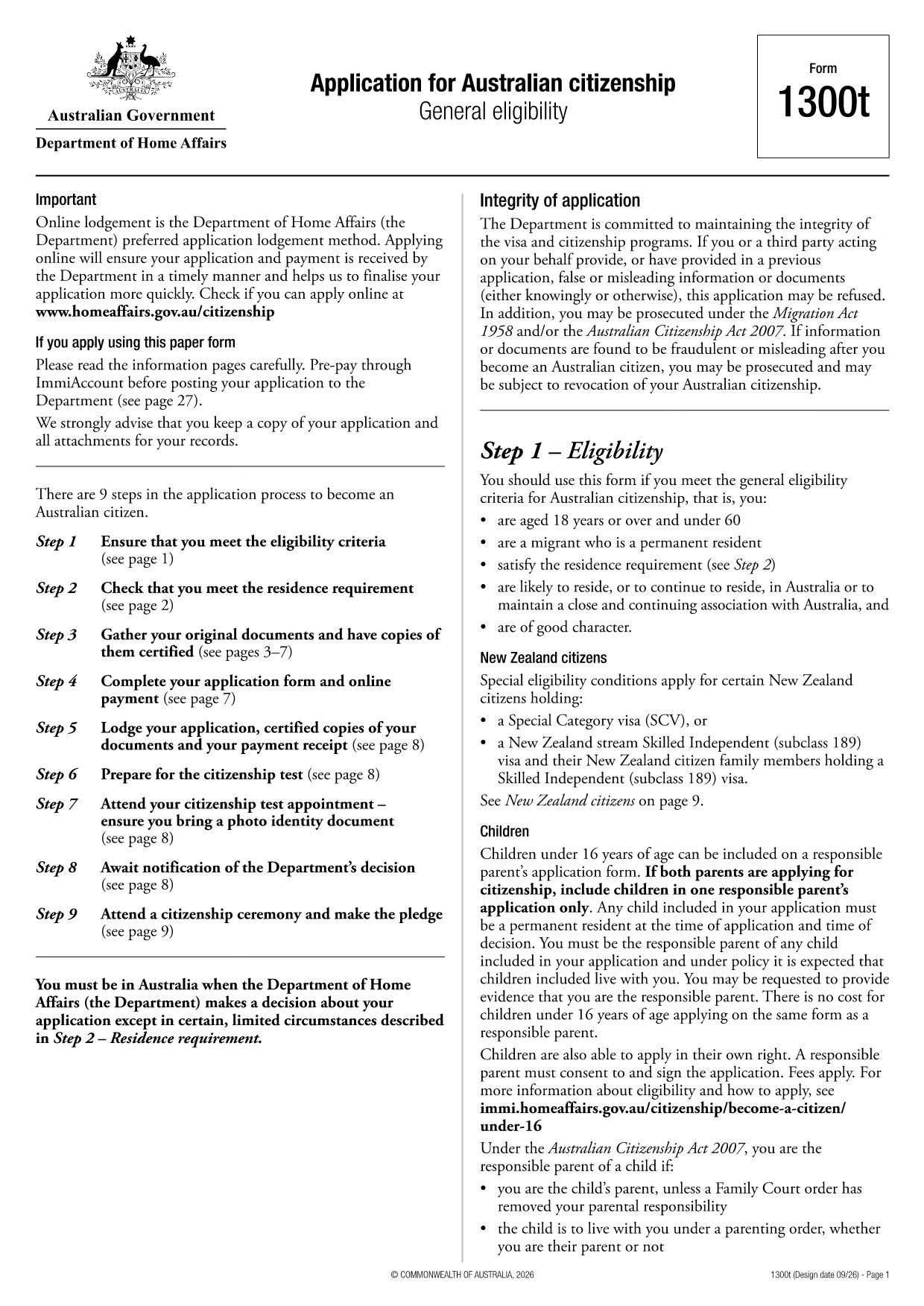
Form 1300t is the official Application for Australian citizenship used by permanent residents who meet the general eligibility requirements. The form is available as a fillable PDF, and with Formize you can complete it directly in your browser – no extra software needed.

What Is Form 1300t?

Form 1300t collects personal details, residency history, character information, and your intent to become an Australian citizen. It must be submitted with the required supporting documents and the citizenship application fee.

How to Complete the Form Online with Formize

Instead of downloading the PDF and opening a separate editor, simply click the "Fill out this form" button on this page. The Formize PDF Filler will load automatically, letting you type, check boxes, and sign the form in a few clicks.

Common Mistakes & Tips for a Successful Application

  • Do not leave any required field blank. If a question does not apply, write “N/A”.
  • Use the exact dates as they appear on your passport or travel records.
  • Double‑check the spelling of names and addresses. Inconsistent information can delay processing.
  • Attach all required documents before submitting. Missing paperwork is the top reason for refusals.

Required Supporting Documents

When you submit Form 1300t, include the following:

  • Certified copies of your passport and visa pages
  • Proof of residence (utility bills, rental agreements)
  • Police checks or character certificates if requested
  • Evidence of the citizenship application fee payment

Once you have filled the form, you can download the completed PDF, print it, and mail it to the Department of Home Affairs, or submit it electronically if you have an ImmiAccount.

常问问题
  • Do I need a PDF editor to fill Form 1300t?

    No. With Formize you can fill the form directly in your web browser – no extra software required.

  • Can I save my progress and finish later?

    Yes. The Formize filler allows you to save a draft on your device and reopen it later to continue editing.

  • What if I make a mistake after downloading?

    You can reopen the saved PDF in Formize, correct the error, and download a new version before submitting.

  • Is the online filler secure?

    Formize uses SSL encryption, and all data stays on your device; nothing is stored on external servers.

  • Do I still need to print the form after filling it online?

    The Department of Home Affairs currently requires a hard‑copy submission, so you must print the completed form and mail it with your documents.

  • How long does it take to process the citizenship application?

    Processing times vary, but most applications are decided within 12‑24 months after receipt of a complete form and supporting documents.

  • Can I submit Form 1300t electronically?

    If you have an ImmiAccount, you can upload the completed PDF through the online portal instead of mailing a paper copy.

  • What should I do if I’m unsure about a question?

    Refer to the information guide attached to the form or contact the Department of Home Affairs for clarification.

如何

如何通过 5 个简单步骤在线免费填写 Australian citizenship application form:

  1. 1
    Open the Fillable Form
    Click the "Fill out this form" button on the page. The Formize PDF Filler loads in your browser.
  2. 2
    Enter Your Information
    Type directly into each field, select check‑boxes, and use the date picker for all date entries.
  3. 3
    Add Your Signature
    Use the signature tool to draw or upload your signature. The signature is saved securely in the PDF.
  4. 4
    Review & Download
    Check all entries for accuracy, then click "Download" to save the completed PDF to your device.
  5. 5
    Submit to Home Affairs
    Print the downloaded form, attach your supporting documents, and mail it to the Department of Home Affairs, or upload via ImmiAccount.
Formize PDF Filler 应用程序
关于

入籍表格

Australian citizenship application form 是公民身份表格之一,是用于在一个国家/地区申请公民身份的文件。入籍的具体形式和要求因国家/地区而异,但一般来说,该过程涉及提供个人信息和入籍资格证明。

在美国,最常见的公民身份表格是 N-400 入籍申请表。合法永久居民(绿卡持有人)使用此表格申请美国公民身份。该表格要求提供个人信息,例如姓名、出生日期和联系信息,以及有关申请人的移民身份、犯罪记录和其他资格要求的信息。

其他国家/地区可能对公民身份有不同的形式和要求,但基本过程通常包括提供有关申请人背景的信息并满足某些资格标准。这可能包括通过公民考试,展示对该国历史和政府的了解,以及展示该国语言的熟练程度。

重要的是要注意,获得公民身份的过程可能既复杂又耗时。建议寻求公民身份的个人咨询移民律师或其他合格的专业人士,以帮助完成流程并确保满足所有必要的表格和要求。

特征

PDF 填充器

在线填写 PDF 表单的最简单方法

  • 快速填写Australian citizenship application form
    正在寻找一种在线快速填写 Australian citizenship application form 的方法?使用我们的在线免费 PDF 填表工具,您将在不到一分钟的时间内了解如何编辑和填写此 pdf 文档。
  • 易于使用的在线 PDF 编辑器
    是否厌倦了打印 PDF 文件以便在重新扫描并发回之前对其进行编辑?免费在线编辑 PDF 文档。使用我们的在线 pdf 编辑器可以节省时间和纸张。
  • 伟大的工具,所有平台
    想知道如何在 Mac 上填写 Australian citizenship application form,或者如何免费使用 PDF 填充程序?我们的在线 PDF 工具适用于所有平台。
  • 安全文件存储
    完成的“Australian citizenship application form”文件存储在由亚马逊云托管管理的安全数据库中。您可以随时从我们的系统中删除您的文件。在任何情况下,这些文件都会在 24 小时后自动删除。
  • 与 Australian citizenship application form 聊天
    在 Chatize 上与“Australian citizenship application form”聊天,这是一个免费的 PDF 阅读器助手。提出问题并从“Australian citizenship application form”获得答案。只需点击上面的与文档聊天按钮即可。

删除填充会话

删除选定的填充会话?在这种情况下,您填写表格的进度将丢失。

删除编辑会话

删除选定的编辑会话?在这种情况下,您创建和编辑表单的进度将会丢失。