
选择语言

Application Form PDF – Fillable & Downloadable

  1. 语言 英语
  2. 国家 澳大利亚
  3. 部门 National Disability Insurance Agency
  4. 活动 Application Forms
Application Form PDF – Fillable & Downloadable

Looking for a quick, reliable way to complete an application form PDF? You’ve come to the right place. Our page offers a direct download of a fillable PDF that you can complete online, save, and print without any hassle.

What Is This Application Form?

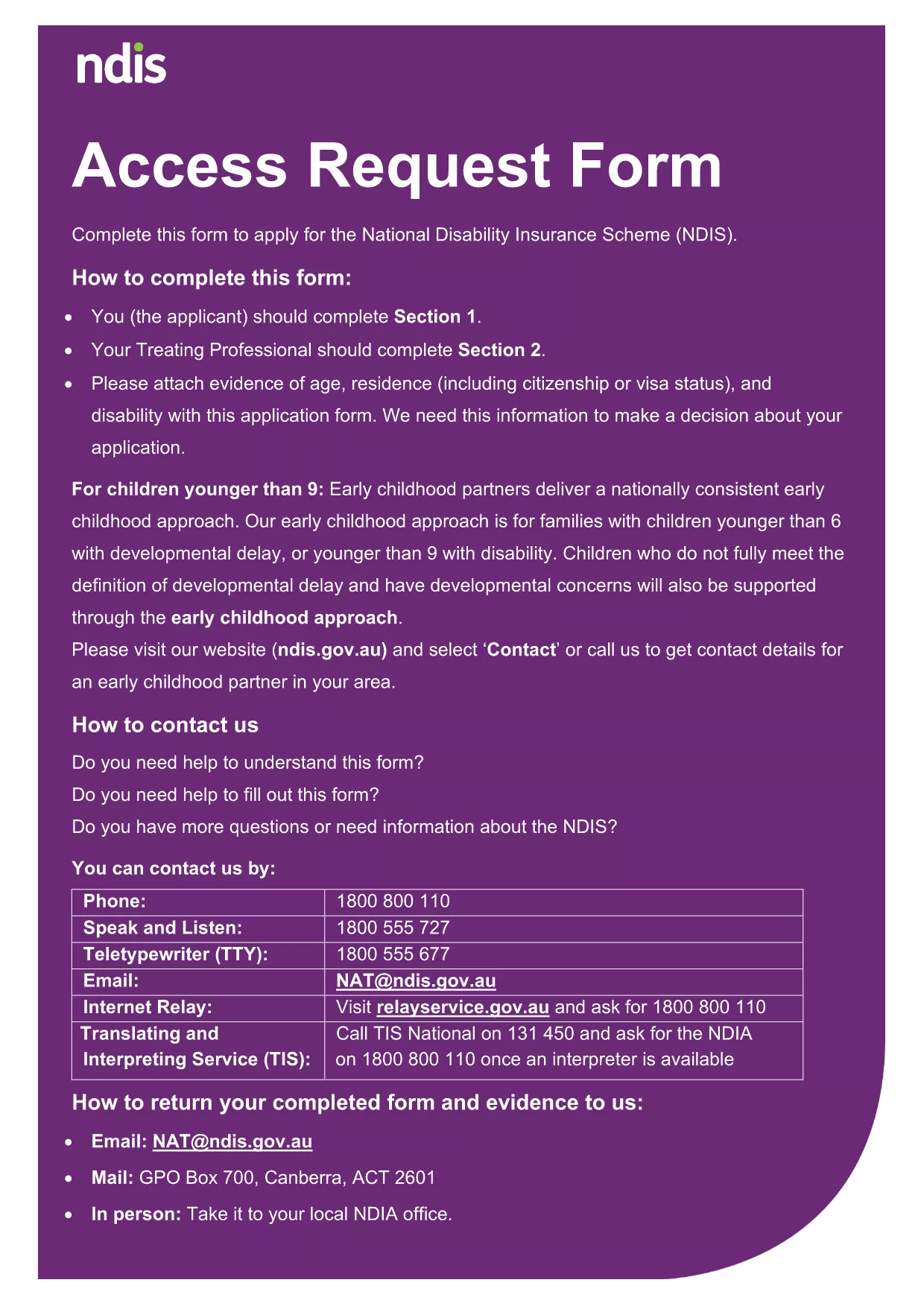
The document linked below is an official Access Request Form used by the National Disability Insurance Agency (NDIA). It collects personal details, contact information, and qualifications needed to process a request. Because it is a fillable PDF, you can type directly into the fields, add check marks, and sign electronically.

How to Fill the Form Online with Formize

Instead of downloading the file to a desktop PDF editor, simply click the "Fill out this form" button on this page. The Formize PDF Filler app will load in your browser, letting you:

  • Enter text into each field instantly.
  • Navigate with the Tab key or mouse.
  • Save your progress at any time.
  • Download the completed form as a new PDF.

Common Mistakes to Avoid

  • Leaving required fields blank – the form will highlight missing information before you can submit.
  • Using an unsupported browser – Formize works best in Chrome, Edge, or Firefox.
  • Forgetting to sign – a digital signature is required for the final submission.

Where to Submit the Completed Form

After you download the filled PDF, you can:

  • Upload it through the NDIA online portal.
  • Email it to the address provided in the form instructions.
  • Print and mail it to the NDIA office listed on the last page.

Benefits of Using a Fillable PDF

Fillable PDFs eliminate the need for printing, scanning, or re‑typing information. They reduce errors, speed up processing, and keep your data secure.

Ready to get started? Click the button below and let Formize handle the rest.

常问问题
  • Do I need Adobe Acrobat to fill this form?

    No. Formize’s online PDF filler works in any modern browser, so you don’t need Adobe Acrobat installed.

  • Can I save my progress and return later?

    Yes. The Formize app lets you save a draft to your computer and reopen it later to continue filling.

  • Is the form secure?

    All data entered in Formize is processed locally in your browser and is not stored on external servers unless you choose to upload it.

  • What if I make a mistake?

    You can delete or edit any field before saving the final version. Simply click the field and make the correction.

  • Can I fill the form on a mobile device?

    Formize works best on desktop browsers. While it may open on tablets, full functionality (especially signatures) is limited on phones.

  • Do I need to print the form after filling it online?

    Only if the agency specifically requires a hard copy. Otherwise, you can submit the digital PDF directly.

  • Is there a cost to use Formize?

    No. The online filler is free for all users.

如何

如何通过 5 个简单步骤在线免费填写 application form pdf:

  1. 1
    Click the Fill Out Button
    Press the "Fill out this form" button on the page. The Formize PDF Filler will open in a new browser tab.
  2. 2
    Enter Your Information
    Type directly into each field, use drop‑downs where provided, and upload any required attachments.
  3. 3
    Save and Review
    Click the Save button to store a copy. Review all entries; required fields will be highlighted if missing.
  4. 4
    Sign Electronically
    Use the digital signature tool in Formize to add your signature where indicated.
  5. 5
    Download or Submit
    When finished, download the completed PDF or follow the submission instructions on the last page of the form.
Formize PDF Filler 应用程序
关于

application form pdf模板

借助用于查看和填写 PDF 文档的传统功能集,结合 Web 应用程序和响应式布局的优势,您可以在几分钟内完成 application form pdf。
特征

PDF 填充器

在线填写 PDF 表单的最简单方法

  • 快速填写application form pdf
    正在寻找一种在线快速填写 application form pdf 的方法?使用我们的在线免费 PDF 填表工具,您将在不到一分钟的时间内了解如何编辑和填写此 pdf 文档。
  • 易于使用的在线 PDF 编辑器
    是否厌倦了打印 PDF 文件以便在重新扫描并发回之前对其进行编辑?免费在线编辑 PDF 文档。使用我们的在线 pdf 编辑器可以节省时间和纸张。
  • 伟大的工具,所有平台
    想知道如何在 Mac 上填写 application form pdf,或者如何免费使用 PDF 填充程序?我们的在线 PDF 工具适用于所有平台。
  • 安全文件存储
    完成的“application form pdf”文件存储在由亚马逊云托管管理的安全数据库中。您可以随时从我们的系统中删除您的文件。在任何情况下,这些文件都会在 24 小时后自动删除。
  • 与 application form pdf 聊天
    在 Chatize 上与“application form pdf”聊天,这是一个免费的 PDF 阅读器助手。提出问题并从“application form pdf”获得答案。只需点击上面的与文档聊天按钮即可。

删除填充会话

删除选定的填充会话?在这种情况下,您填写表格的进度将丢失。

删除编辑会话

删除选定的编辑会话?在这种情况下,您创建和编辑表单的进度将会丢失。