选择语言

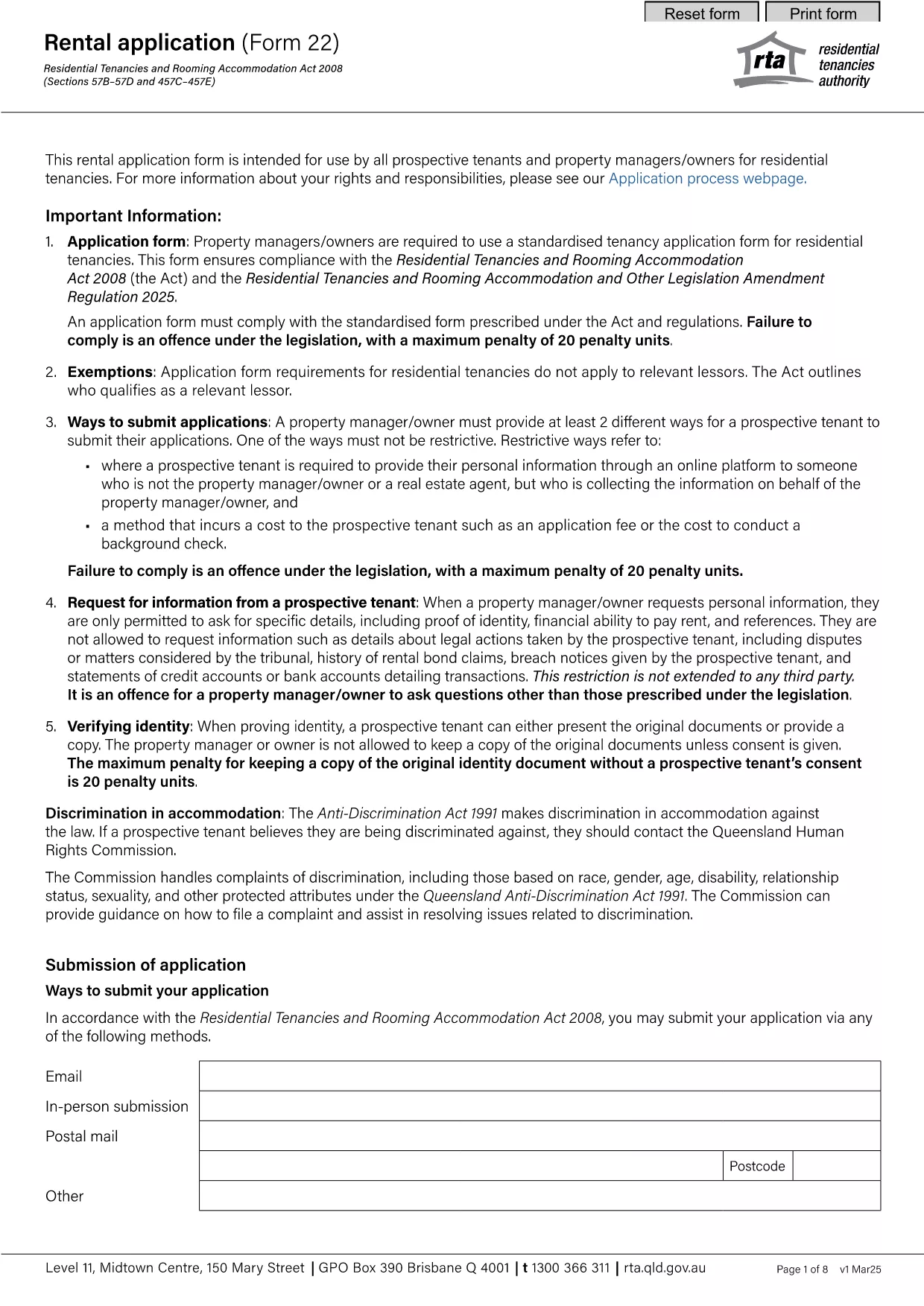
Queensland RTA Form 22 Rental Application (Fillable PDF)

  1. 语言 英语
  2. 国家 澳大利亚
  3. 部门 Residential Tenancies Authority
  4. 活动 租赁
Queensland RTA Form 22 Rental Application (Fillable PDF)

The Queensland Residential Tenancies Authority (RTA) Form 22 is the standard rental application used by prospective tenants and property managers across Queensland. This fillable PDF lets you complete the form quickly, save your data, and submit it directly to landlords or agents.

What is Form 22 and Who Needs It?

Form 22 collects essential information about the applicant, including personal details, rental history, employment, and references. It is required for:

  • New tenancy agreements
  • Renewals where a new application is requested
  • Any situation where a landlord or manager needs a verified tenant profile

How to Fill Out the RTA Form 22 Online

Instead of downloading the PDF and opening it in a separate editor, simply click the "Fill out this form" button on this page. The Formize PDF Filler app will load directly in your browser, allowing you to:

  1. Enter information into each field using your keyboard or mobile device.
  2. Save progress at any time and return later.
  3. Validate entries with built‑in checks (e.g., date format, required fields).
  4. Download a completed, signed PDF or email it straight to your landlord.

Common Mistakes to Avoid

  • Leaving required fields blank: The form will not submit until all mandatory sections are completed.
  • Incorrect date format: Use DD/MM/YYYY as shown in the example fields.
  • Mismatched contact details: Double‑check phone numbers and email addresses for accuracy.
  • Skipping reference checks: Provide full contact information for previous landlords; incomplete references can delay approval.

Download the Official PDF

If you prefer the traditional method, you can download the official RTA Form 22 PDF below. The file is the same version used by the Queensland Residential Tenancies Authority.

Download Form 22 – Rental Application (PDF)

Frequently Asked Questions

For quick answers to common queries, scroll down to the FAQ section or use the search box on the page.

常问问题
  • Is Form 22 mandatory for all rental applications in Queensland?

    Yes, the Residential Tenancies Authority requires Form 22 for most new tenancy agreements and for many renewals where a fresh application is requested.

  • Can I submit the form electronically?

    Absolutely. After completing the fillable PDF with Formize, you can download the signed version and email it directly to the landlord or agent.

  • What if I make a mistake after submitting?

    You can edit the saved PDF before sending it. If you’ve already sent it, ask the landlord to return the document for correction or submit a new completed form.

  • Do I need to provide references from previous landlords?

    Providing at least two recent rental references is standard practice and helps speed up the approval process.

  • Is there a fee to download or use Form 22?

    No, the PDF is provided free of charge by the Queensland Residential Tenancies Authority.

  • Can I fill out Form 22 on a mobile device?

    Yes, the Formize PDF Filler works on smartphones and tablets, allowing you to complete the form on the go.

  • What format should I use for dates?

    Enter dates in the DD/MM/YYYY format, as shown in the example fields on the form.

  • How long is the rental application valid?

    Typically, a completed Form 22 is valid for 30 days, after which a new application may be required.

如何

如何通过 5 个简单步骤在线免费填写 RTA Form 22:

  1. 1
    Click the Fill‑out Button
    Press the "Fill out this form" button on the page to launch the Formize PDF Filler in your browser.
  2. 2
    Wait for the Filler to Load
    The app loads within a few seconds. You’ll see a familiar PDF layout with editable fields.
  3. 3
    Enter Your Information
    Complete each section—personal details, rental history, employment, and references—using the on‑screen fields.
  4. 4
    Save or Download
    When finished, click "Save" to store a copy in your browser or "Download" to get a completed PDF file.
  5. 5
    Submit to Your Landlord
    Email the saved PDF, attach it to an online portal, or hand‑deliver the printed copy to the property manager.
Formize PDF Filler 应用程序
关于

供房东和/或租户提出与租赁协议有关的行动的表格。

RTA Form 22 是租赁表格之一,指的是在建立和管理租赁协议的过程中使用的文件。这些表格通常由房东、物业经理或租户用来概述租赁的条款和条件。以下是一些常见的租赁形式:

租赁协议:租赁协议也称为租赁协议或租赁协议,是房东和租户之间具有法律约束力的合同。它规定了双方的权利和责任,包括租赁期限、租金金额、付款条件、保证金、维护责任以及特定于租赁的任何其他条款。

租赁申请:潜在租户在申请租赁房产时通常会填写租赁申请表。该表格收集有关申请人的个人信息,例如姓名、联系方式、工作经历、租赁经历和推荐信。租赁应用程序可帮助房东评估租户的适合性并做出明智的决定。

搬出通知:房东或租户使用此表格来提供终止租赁的意向通知。所需的通知期可能会有所不同,具体取决于当地法律和租赁协议的条款。

租金上涨通知:如果房东打算在租赁期间增加租金,他们通常会向租户提供租金上涨通知。本通知告知租户即将进行的租金调整,并遵守有关租金上涨的法律要求。

维护和维修申请表:这些表格允许租户向房东或物业经理报告维护或维修问题。该表格概述了问题的详细信息、请求的维修以及任何其他相关信息。

同意背景调查或信用调查:房东可能要求租户填写授权背景调查或信用调查的同意书。该表格允许房东核实租户的背景、信用度和租赁历史。

库存和状况报告:此表格用于记录租赁开始和结束时租赁物业的状况。它详细说明了每个房间的状况和任何现有的损坏情况,确保双方都有财产状况的记录,以解决有关押金或损坏索赔的争议。

这些是租赁过程中常用的租赁表格的一些示例。具体形式和要求可能会根据当地法律和租赁的具体情况而有所不同。请务必咨询当地法规并寻求专业建议,以确保合规性并针对您的具体租赁协议使用适当的表格。

特征

PDF 填充器

在线填写 PDF 表单的最简单方法

  • 快速填写RTA Form 22
    正在寻找一种在线快速填写 RTA Form 22 的方法?使用我们的在线免费 PDF 填表工具,您将在不到一分钟的时间内了解如何编辑和填写此 pdf 文档。
  • 易于使用的在线 PDF 编辑器
    是否厌倦了打印 PDF 文件以便在重新扫描并发回之前对其进行编辑?免费在线编辑 PDF 文档。使用我们的在线 pdf 编辑器可以节省时间和纸张。
  • 伟大的工具,所有平台
    想知道如何在 Mac 上填写 RTA Form 22,或者如何免费使用 PDF 填充程序?我们的在线 PDF 工具适用于所有平台。
  • 安全文件存储
    完成的“RTA Form 22”文件存储在由亚马逊云托管管理的安全数据库中。您可以随时从我们的系统中删除您的文件。在任何情况下,这些文件都会在 24 小时后自动删除。
  • 与 RTA Form 22 聊天
    Chatize 上与“RTA Form 22”聊天,这是一个免费的 PDF 阅读器助手。提出问题并从“RTA Form 22”获得答案。只需点击上面的与文档聊天按钮即可。

删除填充会话

删除选定的填充会话?在这种情况下,您填写表格的进度将丢失。

删除编辑会话

删除选定的编辑会话?在这种情况下,您创建和编辑表单的进度将会丢失。