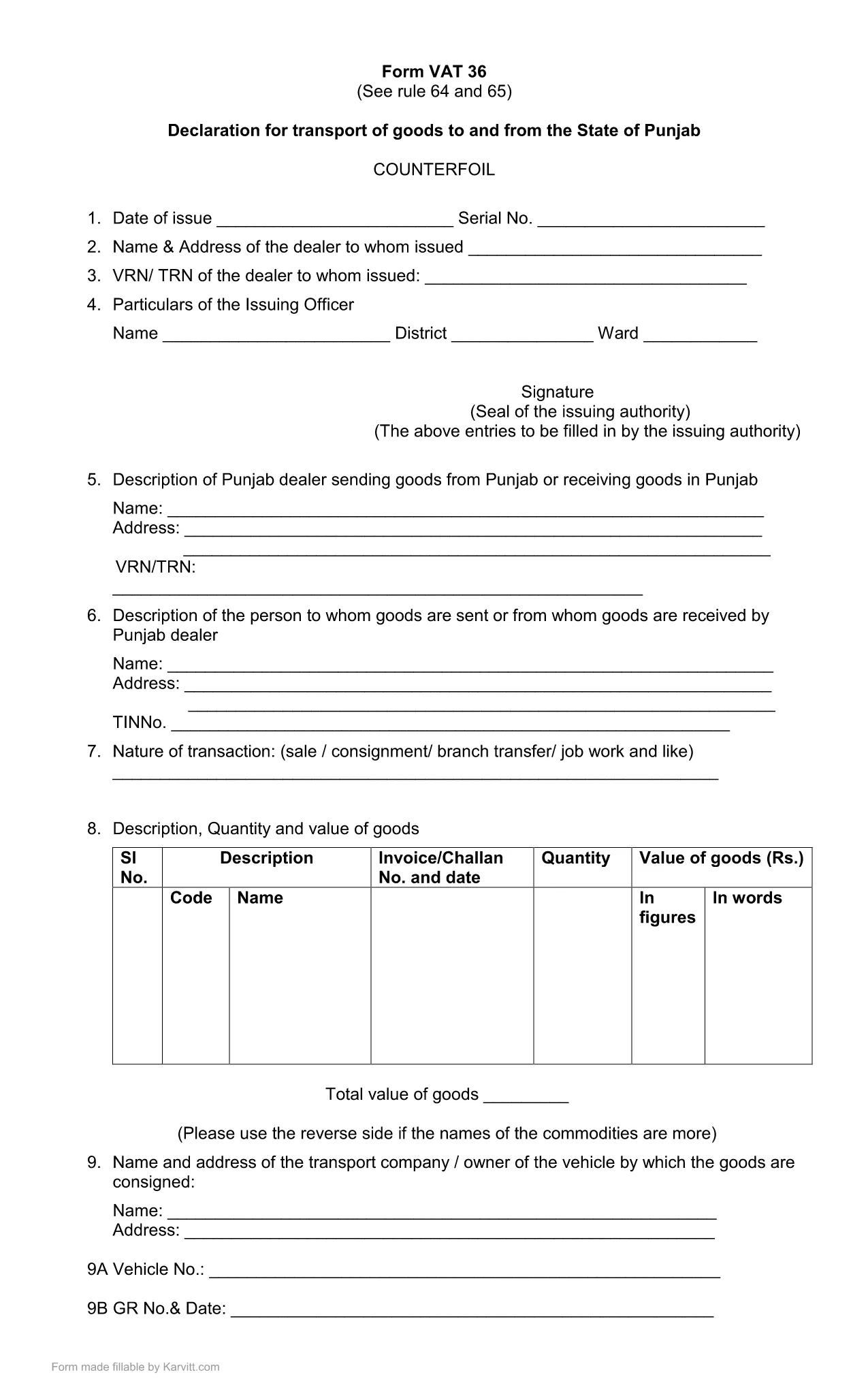

税务表格
Punjab Form 36 是一种税表,是用于向相关税务机关报告与税收相关的信息的文件。有多种类型的税表,包括联邦、州和地方税表,它们可能因纳税人的情况和地点而异。

Punjab Form No. 36 is the official declaration required for the transport of goods to and from the State of Punjab. The form is used by traders, logistics companies, and anyone moving taxable goods across state borders. Our fillable PDF keeps the original layout while allowing you to type, select, and calculate directly in the browser.
The form is part of the Punjab VAT (Value Added Tax) system. It captures details such as the consignor, consignee, vehicle number, goods description, and the tax amount payable for each shipment. Submitting a correctly completed Form 36 helps avoid penalties and ensures smooth clearance of goods.
Instead of downloading the PDF and opening a separate editor, simply click the "Fill out this form" button on this page. The Formize PDF Filler app will load in your browser, presenting the same fields you see in the official PDF. Follow the steps below to complete the form:
By following these guidelines, you can submit Punjab Form 36 quickly, accurately, and without the need for additional software.
Form 36 is a declaration for the transport of taxable goods to and from Punjab. It records details of the shipment and calculates the applicable VAT.
No. With Formize you can fill the form directly in your browser without installing any additional software.
The form must be printed and signed, then submitted to the Punjab Revenue Department as per their guidelines. The filled PDF can be saved for your records.
Open the saved PDF again in the Formize filler, correct the fields, and re‑save. Ensure the final version is the one you submit.
No, the fillable PDF is provided free of charge for personal and business use.
The PDF linked on this page is the most recent version (updated March 2021). Check the top of the form for the revision date.
A digital signature is optional in the filler. The final printed form must be signed by an authorized signatory before submission.
在线填写 PDF 表单的最简单方法
删除填充会话
删除编辑会话
