


RRB application form模板
借助用于查看和填写 PDF 文档的传统功能集,结合 Web 应用程序和响应式布局的优势,您可以在几分钟内完成 RRB application form。
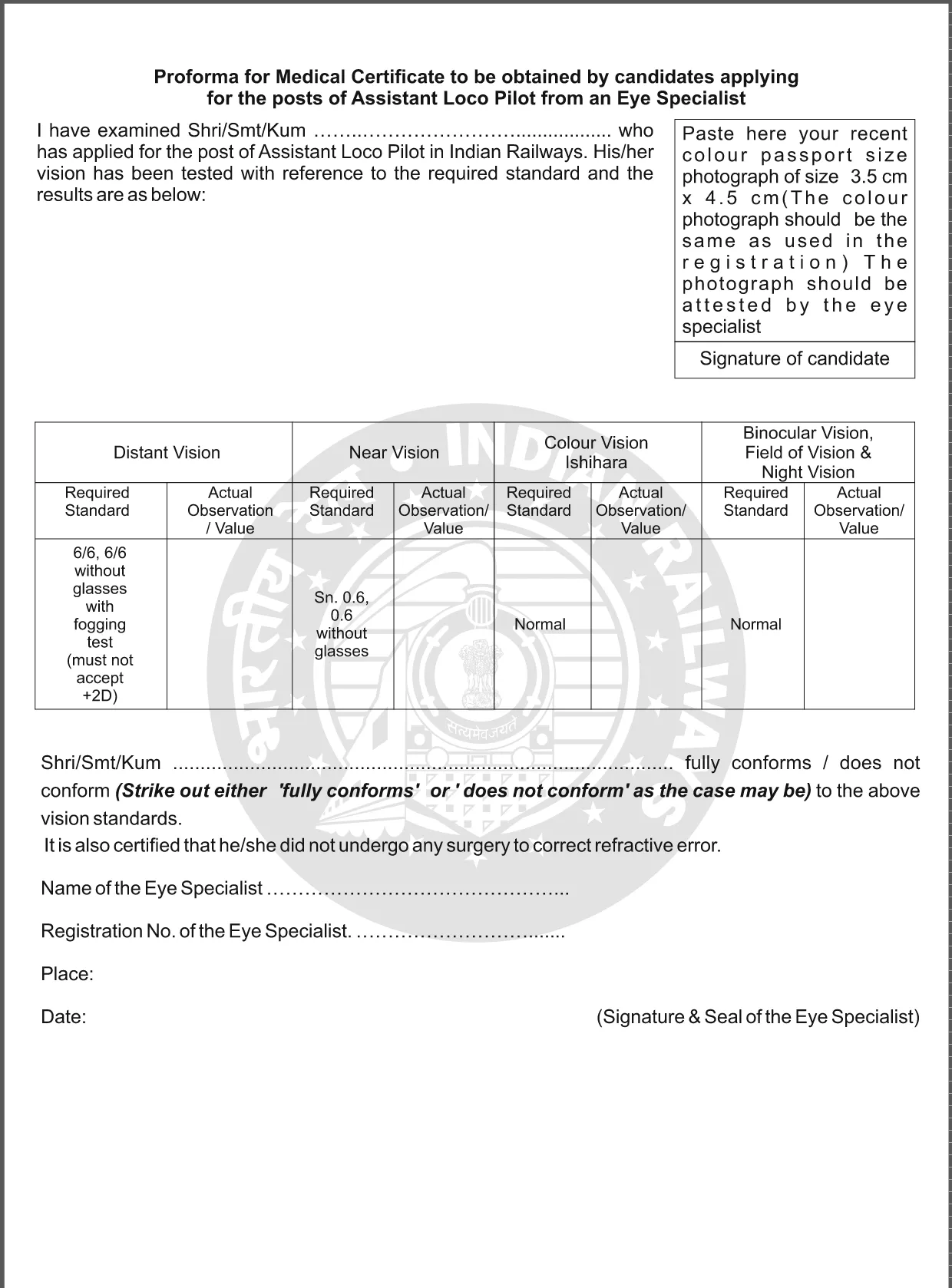
The Railway Recruitment Board (RRB) releases its application forms as downloadable PDFs. With Formize, you can fill the form directly in your browser—no extra software required. Our fillable PDF ensures a smooth, error‑free submission for all RRB recruitment cycles.
Whether you are applying for Assistant Loco Pilot, Technician, or any other railway position, the same online process applies. Simply click the button below, let the Formize PDF Filler load, and start entering your details. The form automatically validates entries, so you avoid common mistakes that lead to rejections.
After completing the form, download the finished PDF and submit it according to the RRB notice—usually via the online portal or at the designated document‑verification centre.
Need a quick reference? Use our step‑by‑step guide, FAQs, and downloadable PDF to stay on track.
Yes. Using Formize, the PDF becomes an interactive form that you can complete directly in your browser without installing Acrobat.
No. The Formize PDF Filler works in any modern browser (Chrome, Edge, Firefox, Safari).
You can reopen the downloaded PDF in any PDF editor, but it’s best to complete everything before downloading to avoid version conflicts.
The filler highlights required fields and format errors instantly. You can correct any mistake before saving the final PDF.
All data is processed locally in your browser; Formize does not store your personal information on its servers.
Only if the specific RRB notice asks for a hard copy. Otherwise, the electronic PDF can be uploaded directly.
Check the heading and notice number on the PDF (e.g., CEN‑01/2025). The form’s title matches the current recruitment advertisement.
Refresh the page, ensure your browser is up to date, and try again. If the issue persists, clear cache or try a different browser.
借助用于查看和填写 PDF 文档的传统功能集,结合 Web 应用程序和响应式布局的优势,您可以在几分钟内完成 RRB application form。
在线填写 PDF 表单的最简单方法
删除填充会话
删除编辑会话