


车辆登记表
如果您拥有或租用机动车辆、拖车或船只,您必须履行某些义务以确保您的车辆合法登记并确保其安全。
MVR-27AT 是一种车辆登记表,是用于在相关州或省当局登记机动车的文件。当一个人购买新车或二手车,或者当他们带着车辆搬到一个新的州或省时,通常需要这些表格。
车辆登记所需的确切要求和表格可能因地点而异,但一般来说,该过程涉及提供有关车辆、车主和车辆任何留置权的信息。
提交登记表和费用后,州或省当局将向车主颁发登记证或车牌。该注册允许车辆在公共道路和高速公路上合法运行。
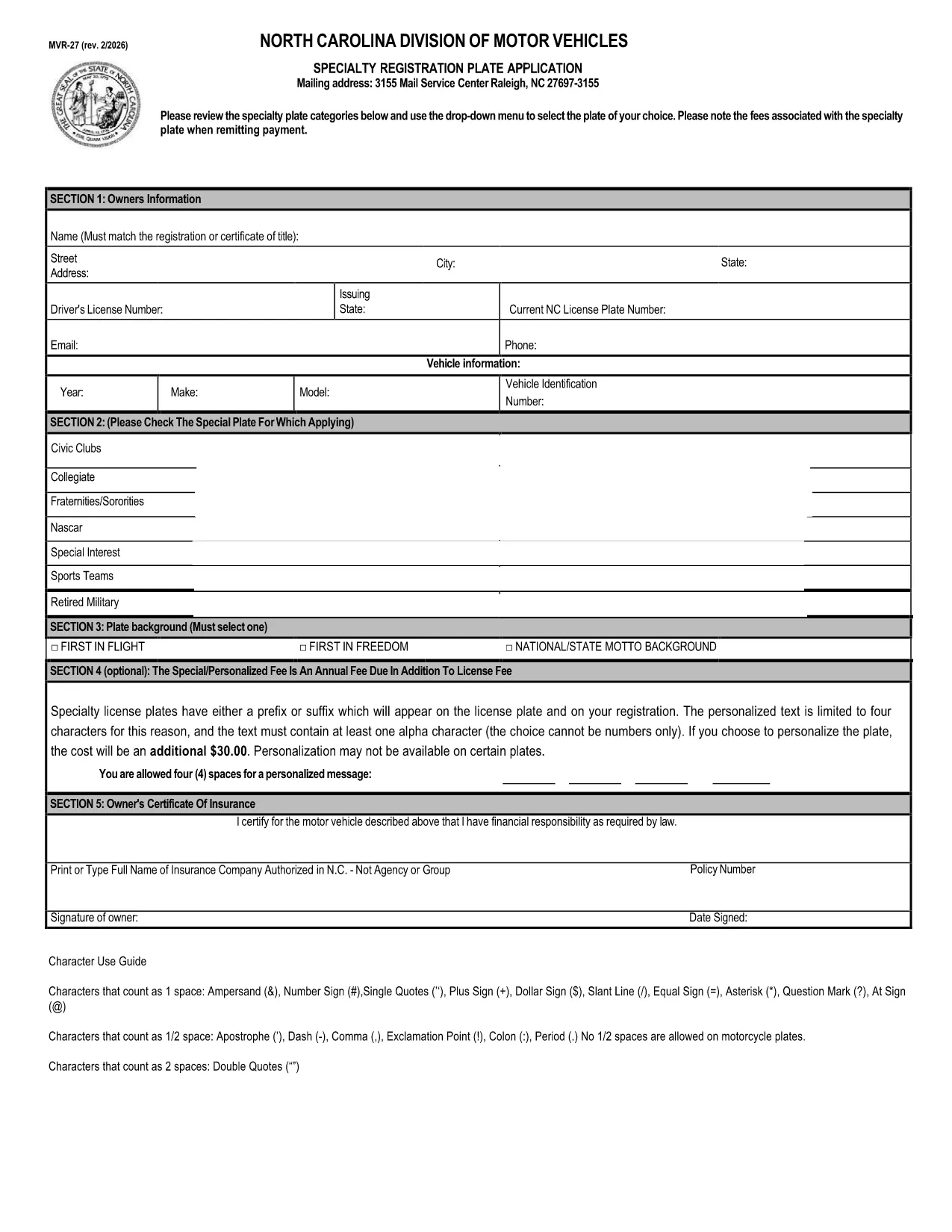
The MVR‑27AT is the North Carolina Department of Transportation (NCDOT) form used to register a vehicle, request specialty plates, or update ownership information. Instead of printing, printing‑and‑scanning, or hand‑writing, you can now complete the official form directly in your browser with our fillable PDF powered by Formize.
Form MVR‑27AT (also listed as MVR‑27) is a state‑issued vehicle‑registration document. It captures details such as the vehicle identification number (VIN), buyer/seller information, and any specialty‑plate selections. The form must be signed and submitted to the North Carolina DMV to finalize registration.
Follow the simple steps below – no Adobe Acrobat or other PDF editor required.
After you finish, download the completed PDF and mail it to your local NCDOT office, or bring a printed copy to any North Carolina DMV service center. Some counties also accept electronic submissions via email – check your local office’s guidelines.
Need help? Review our FAQs below or use the step‑by‑step guide.
Yes, the official PDF is provided by the North Carolina DMV at no cost. You only pay any applicable registration fees when you submit the form.
Some counties accept emailed PDFs, but most still require a printed, signed copy. Check the instructions on your local DMV website.
No. Our Formize PDF Filler works in any modern browser, so you can complete the form without installing additional software.
Contact your local NCDOT office immediately. In most cases you’ll need to submit a corrected form with a brief explanation.
Processing times vary by office, but standard registrations are typically completed within 7‑10 business days after receipt.
Yes. The Formize filler lets you save a draft PDF to your computer. Open the saved file later to continue filling out the remaining fields.
如果您拥有或租用机动车辆、拖车或船只,您必须履行某些义务以确保您的车辆合法登记并确保其安全。
MVR-27AT 是一种车辆登记表,是用于在相关州或省当局登记机动车的文件。当一个人购买新车或二手车,或者当他们带着车辆搬到一个新的州或省时,通常需要这些表格。
车辆登记所需的确切要求和表格可能因地点而异,但一般来说,该过程涉及提供有关车辆、车主和车辆任何留置权的信息。
提交登记表和费用后,州或省当局将向车主颁发登记证或车牌。该注册允许车辆在公共道路和高速公路上合法运行。
在线填写 PDF 表单的最简单方法
删除填充会话
删除编辑会话