


driver medical evaluation模板
借助用于查看和填写 PDF 文档的传统功能集,结合 Web 应用程序和响应式布局的优势,您可以在几分钟内完成 driver medical evaluation。
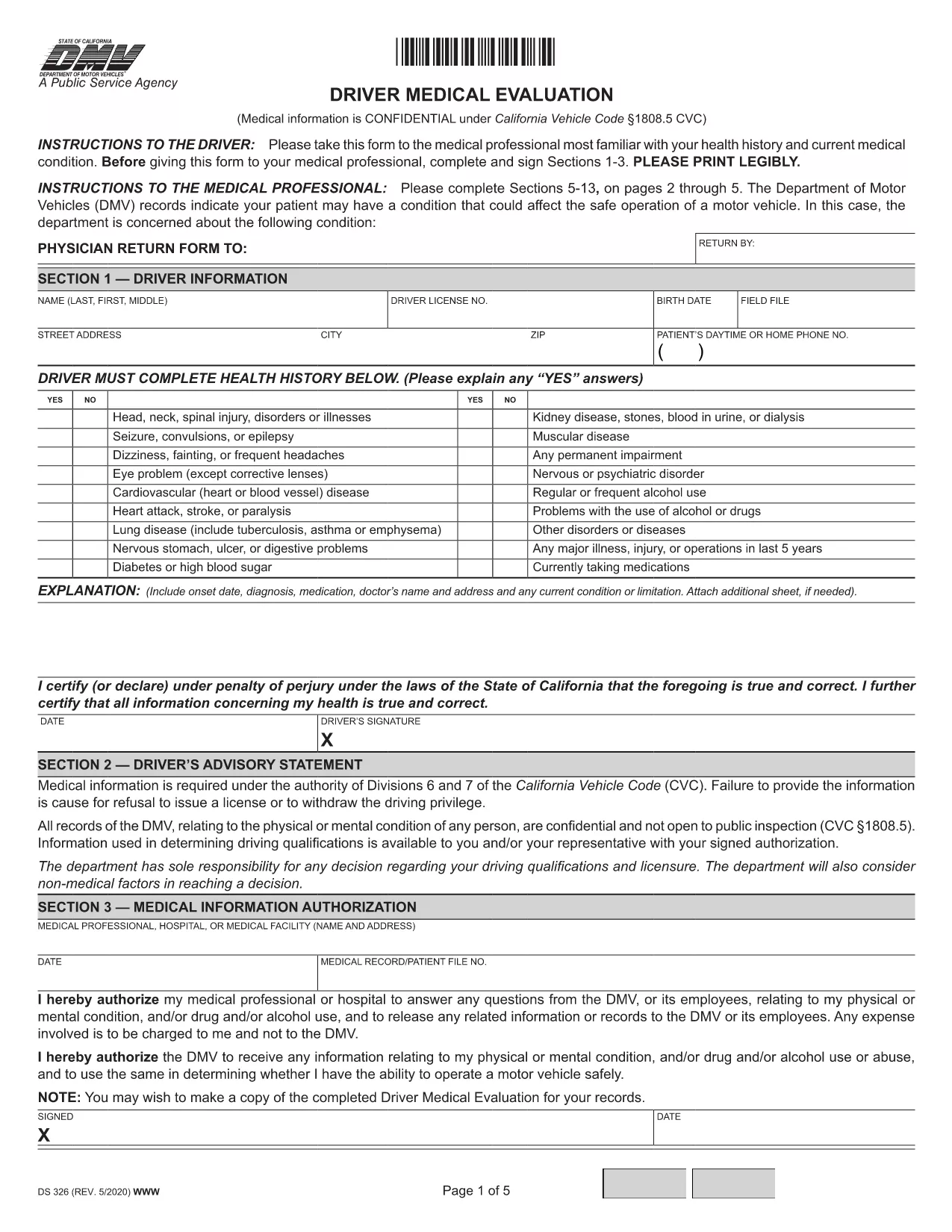
The Driver Medical Evaluation (form DS‑326) is required by the California Department of Motor Vehicles (DMV) for drivers who need to prove medical fitness for a license or permit. This fillable PDF lets you complete the health history, medical information authorization, and physician certification without printing or scanning.
DS‑326 collects critical data about a driver’s vision, cardiovascular health, neurological conditions, and any medication that may affect safe operation of a vehicle. The DMV uses this information to decide whether to issue, renew, or restrict a driver’s license.
Instead of downloading the file and opening it in a PDF editor, simply click the "Fill out this form" button on this page. The Formize PDF Filler app will load in your browser, allowing you to type directly into each field, add signatures, and save your progress.
After you finish, you can download the completed PDF and mail it to your local DMV office, or upload it through the DMV’s online portal if you have an account. Keep a copy for your records.
Need more help? Review the FAQs below or follow the step‑by‑step guide in the "How to" section.
Any driver applying for a commercial license, a medical waiver, or a license renewal where the DMV requires proof of medical fitness must complete DS‑326.
Yes. The Formize PDF Filler works on smartphones and tablets, but using a larger screen makes data entry easier.
The DMV requires a qualified medical professional’s certification. If a physician declines, you must find another licensed provider who can evaluate your fitness.
The evaluation is typically valid for one year from the date of the physician’s signature, unless the DMV issues a different validity period.
Attach any relevant test results or specialist reports that the physician references in the certification section.
There is no fee for the DS‑326 itself, but the DMV may charge processing fees for license issuance or renewal.
Yes. The Formize filler allows you to save a draft locally and reopen it later to complete the remaining fields.
Contact your local DMV office promptly. They may require a new, corrected DS‑326 or allow you to submit an amendment form.
借助用于查看和填写 PDF 文档的传统功能集,结合 Web 应用程序和响应式布局的优势,您可以在几分钟内完成 driver medical evaluation。
在线填写 PDF 表单的最简单方法
删除填充会话
删除编辑会话