

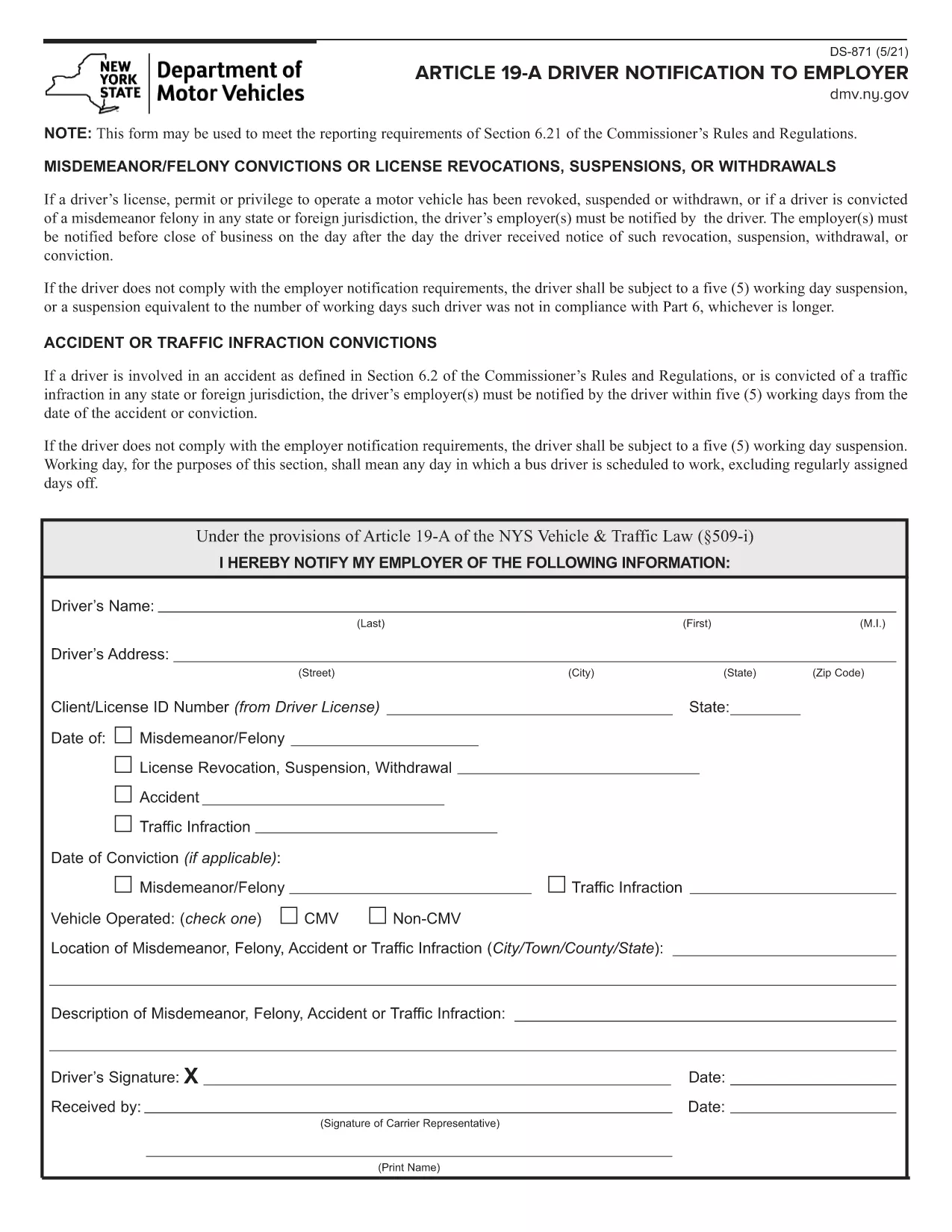

驾驶执照申请表格
在大多数国家/地区,必须先获得驾驶执照才能上路。获得驾驶执照对于任何想开车的人来说都是一个重要的里程碑。
DS-871 是驾驶执照申请表之一,是用于从想要申请驾驶执照的人那里收集信息的文件。它通常包含申请人的姓名、出生日期、身份证号码、联系信息以及他们的驾照历史和经验等字段。
The DS-871 is the New York State Department of Motor Vehicles (DMV) form used by drivers to notify their employer of a suspension, revocation, or restriction under Article 19‑A. Employers need this documentation to stay compliant with state regulations.
This page offers a fillable PDF version of the DS-871, so you can complete the form directly in your browser without printing, scanning, or using a separate PDF editor. The Formize PDF Filler loads instantly, preserves your data, and lets you download a clean, signed copy ready for submission.
Below you’ll find a quick overview of the form, step‑by‑step instructions for filling it out online, common pitfalls to watch for, and guidance on where to send the finished document.
DS‑871 satisfies the New York DMV’s requirement that drivers notify their employer of any license suspension, revocation, or restriction under Article 19‑A.
No. The form is fully editable online via the Formize PDF Filler. You only need to print a copy if your employer specifically requests a hard copy.
Yes. The Formize app lets you download a draft PDF that retains your entered data, so you can reopen it later and continue editing.
Most New York DMV employers accept an electronic signature created with the Formize signature tool. Check with your HR department if a wet‑ink signature is required.
Send the completed form to your employer’s HR or safety department. Keep a copy for your records in case the DMV requests proof of notification.
Download a new copy of the fillable PDF, correct the error, and resend the updated version. The DMV does not require a specific form revision number.
No. The DS‑871 is a free notification form; there is no charge to download or submit it.
Only attach supporting documents if your employer requests proof of the suspension (e.g., a copy of the DMV notice).
在大多数国家/地区,必须先获得驾驶执照才能上路。获得驾驶执照对于任何想开车的人来说都是一个重要的里程碑。
DS-871 是驾驶执照申请表之一,是用于从想要申请驾驶执照的人那里收集信息的文件。它通常包含申请人的姓名、出生日期、身份证号码、联系信息以及他们的驾照历史和经验等字段。
在线填写 PDF 表单的最简单方法
删除填充会话
删除编辑会话