

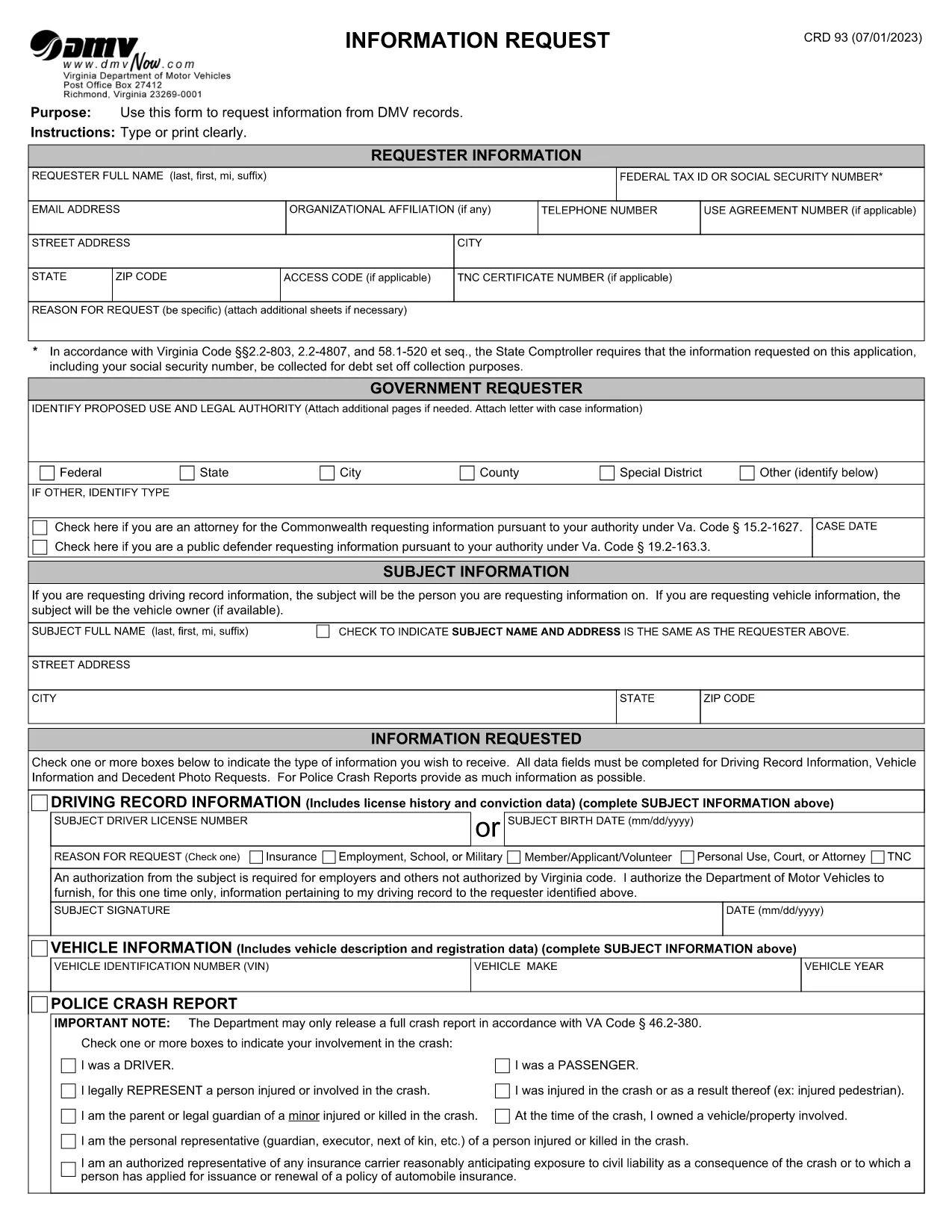

驾驶执照申请表格
在大多数国家/地区,必须先获得驾驶执照才能上路。获得驾驶执照对于任何想开车的人来说都是一个重要的里程碑。
CRD 93 是驾驶执照申请表之一,是用于从想要申请驾驶执照的人那里收集信息的文件。它通常包含申请人的姓名、出生日期、身份证号码、联系信息以及他们的驾照历史和经验等字段。
The CRD 93 is Virginia’s official Information Request form used to obtain driving records, vehicle data, crash reports, and other DMV‑maintained information. Traditionally you would print, fill, sign, and mail the form, but with Formize you can complete the same document entirely online – faster, error‑free, and fully fillable PDF ready.
Issued by the Virginia Department of Motor Vehicles (DMV), the CRD 93 allows individuals, businesses, and law‑enforcement agencies to request specific records such as:
Because the form contains sensitive personal data, the DMV requires a clear statement of purpose and, in many cases, a fee.
Instead of downloading, printing, and scanning, simply click the “Fill out this form” button below. Formize will load the official PDF into its secure PDF Filler app, letting you type, sign, and save directly in your browser.
After completing the form, download the signed PDF and mail it to:
Virginia Department of Motor VehiclesInclude any required fees (check or money order) as instructed on the last page of the form.
Ready to start? Click the button below to open the official CRD 93 PDF in Formize’s filler.
The CRD 93 is used to request specific DMV records in Virginia, such as driver histories, vehicle registrations, crash reports, and decedent photos.
Virginia DMV still requires a mailed PDF with any applicable fees, but you can complete the form electronically using Formize and then print or email the PDF to yourself for mailing.
No. The form can be used by anyone who has a lawful reason to request the records, regardless of residency, as long as the request complies with Virginia law.
Processing times vary. Standard requests typically take 10‑15 business days after the DMV receives your completed form and payment.
Fees depend on the type of record requested (e.g., driver history, crash report). The fee schedule is listed on the last page of the form.
No. An electronic signature created in the Formize PDF Filler satisfies the DMV’s signature requirement.
Yes, but you must provide a valid reason, proof of authority (e.g., power of attorney), and the subject’s identifying information.
Because the PDF is fillable, you can edit any field before saving. If you’ve already downloaded the PDF, simply open it again in Formize, correct the error, and re‑save.
在大多数国家/地区,必须先获得驾驶执照才能上路。获得驾驶执照对于任何想开车的人来说都是一个重要的里程碑。
CRD 93 是驾驶执照申请表之一,是用于从想要申请驾驶执照的人那里收集信息的文件。它通常包含申请人的姓名、出生日期、身份证号码、联系信息以及他们的驾照历史和经验等字段。
在线填写 PDF 表单的最简单方法
删除填充会话
删除编辑会话