


application form xxvii模板
借助用于查看和填写 PDF 文档的传统功能集,结合 Web 应用程序和响应式布局的优势,您可以在几分钟内完成 application form xxvii。
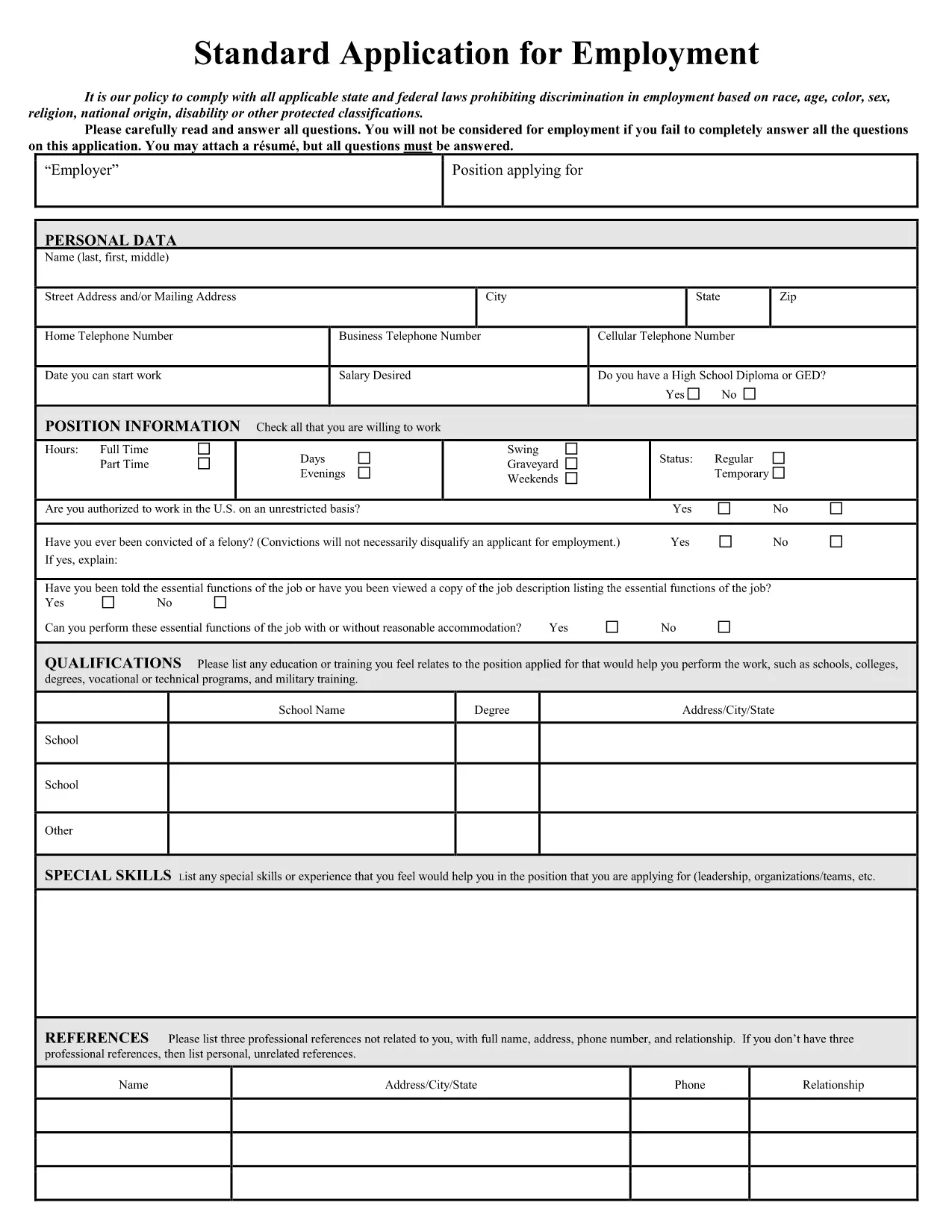
Looking for a quick, error‑free way to fill out Application Form XXVII? You’ve come to the right place. Our fillable PDF is hosted on Formize.com and works directly in your browser – no extra software, no printing, and no re‑typing.
Simply click the Fill out this form button below, and the Formize PDF Filler app will load the document instantly. All fields are interactive, allowing you to type, select dates, and upload signatures with just a few clicks.
Once you’ve entered your information, you can save the completed form, export it as a PDF, or submit it directly to the organization that requested the application. This saves time, reduces mistakes, and ensures your data is captured exactly as required.
Follow the step‑by‑step guide in the “How‑To” section below – it takes less than five minutes.
After you save the PDF, follow the submission instructions provided by the requesting agency (email, portal upload, or physical mail). The fillable version is accepted by most organizations because it retains the original formatting.
Ready to start? Click the button below and let Formize do the heavy lifting for you.
No. The Formize PDF Filler works entirely in your web browser, so Acrobat is not required.
Yes. Click the "Save" button at any time; the file will retain all data you have entered.
All data stays on your device unless you choose to download or transmit it. Formize does not store your information.
Open the saved PDF with the Formize filler again, edit the fields, and re‑save the document.
Absolutely. After saving, use the browser’s print function to produce a paper copy.
The completed form is saved as a standard PDF, compatible with any PDF viewer.
No. The download and online filler are completely free.
The Formize filler works with the latest versions of Chrome, Firefox, Edge, and Safari.
借助用于查看和填写 PDF 文档的传统功能集,结合 Web 应用程序和响应式布局的优势,您可以在几分钟内完成 application form xxvii。
在线填写 PDF 表单的最简单方法
删除填充会话
删除编辑会话