


UST application form模板
借助用于查看和填写 PDF 文档的传统功能集,结合 Web 应用程序和响应式布局的优势,您可以在几分钟内完成 UST application form。
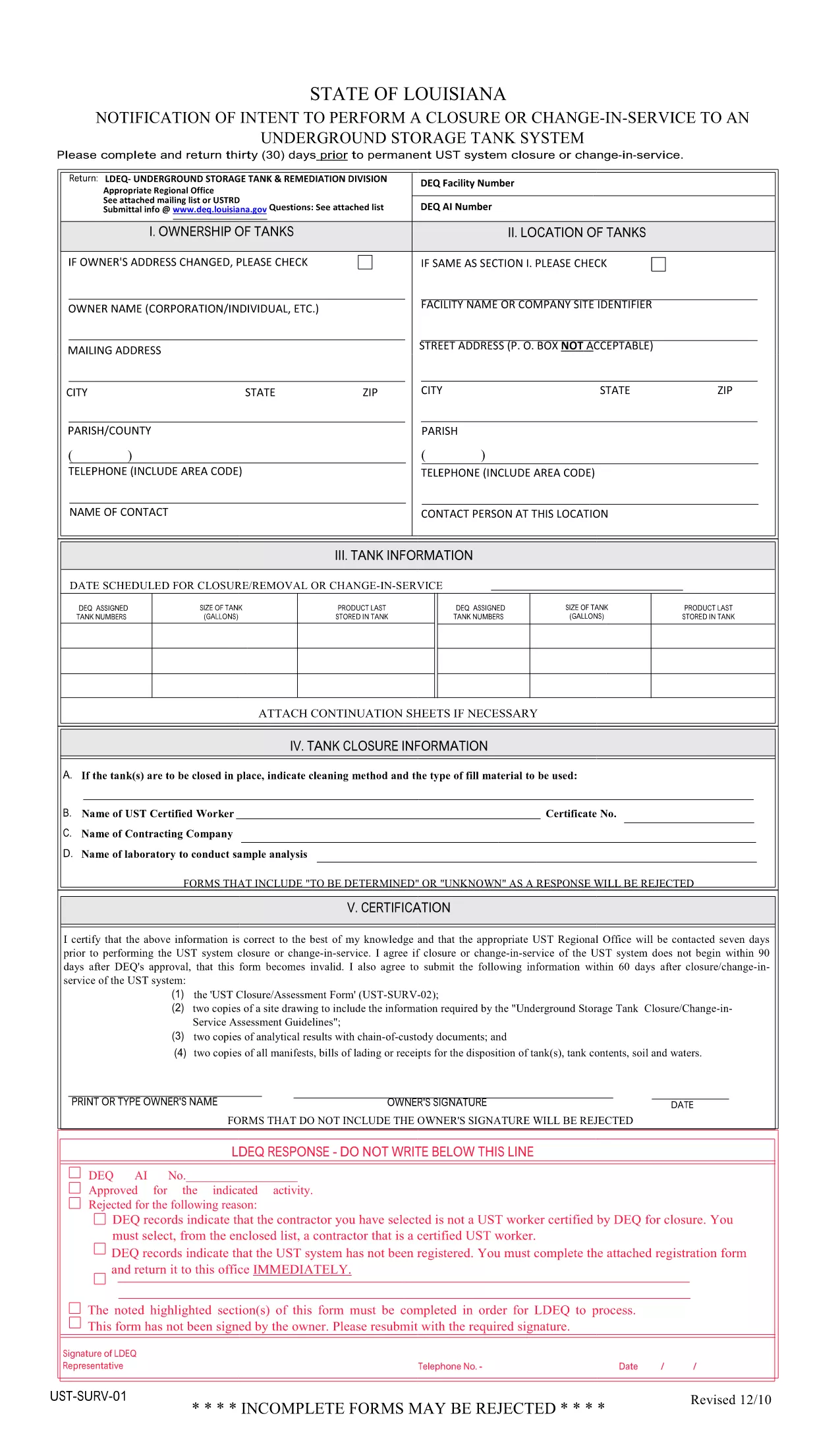
Regulated entities that install, modify, or close an underground storage tank (UST) must submit an official application to the state environmental agency. The UST Application Form is available as a fillable PDF, making it easy to complete on any device.
This form is the UST Notice of Intent to Perform Closure or Change‑In‑Service (PDF: UST‑SURV‑01). It is used to notify the Louisiana Department of Environmental Quality (or the equivalent state agency) 30 days before a permanent closure, significant renovation, or any change in service for an underground storage tank.
Instead of downloading the PDF and editing it in a separate editor, simply click the "Fill out this form" button on this page. The Formize PDF Filler will load instantly, allowing you to enter data, add signatures, and save your completed form directly in the browser.
Do not leave any required fields blank. The online filler highlights missing data before you can submit.
Use exact tank numbers. Mismatched numbers cause processing delays.
Attach supporting documents. Upload PDF copies of permits, engineering plans, or financial assurance documents using the attachment field.
Review before sending. The preview function lets you see the final layout exactly as the agency will receive it.
If you have questions about the form, consult the official PDF guide or contact your state environmental agency. The Formize help center provides step‑by‑step videos on using the PDF filler.
No. The Formize PDF Filler works in any modern browser, so you don’t need Adobe Acrobat or any other software.
Yes. Click the "Save" button to download a draft copy. Re‑upload the draft later to continue editing.
Contact your state environmental agency immediately. Most agencies allow a corrected form to be submitted within 10 business days.
Electronic signatures are accepted by most state agencies for UST applications, provided they meet the agency’s signing requirements.
Only if the agency requires a hard‑copy signature. Otherwise, the completed PDF can be submitted electronically.
The PDF linked on this page is the latest version released by the Louisiana DEQ. Check the agency’s website for any updates.
Yes. Open each form in a separate browser tab and use the same Formize account to manage all of them.
Formize offers a free tier for basic forms. Larger organizations may need a paid plan for advanced features, but filling this UST form is free.
借助用于查看和填写 PDF 文档的传统功能集,结合 Web 应用程序和响应式布局的优势,您可以在几分钟内完成 UST application form。
在线填写 PDF 表单的最简单方法
删除填充会话
删除编辑会话