
选择语言

RI 37‑26 – Information on Computing the Tax‑Free Portion of a Phased Retirement Annuity

  1. 国家 美国
  2. 语言 英语
  3. 部门 人事管理处
  4. 部门 退休和保险表格
RI 37‑26 – Information on Computing the Tax‑Free Portion of a Phased Retirement Annuity

The RI 37‑26 is the official Office of Personnel Management (OPM) form used to calculate the tax‑free portion of a phased retirement annuity and any subsequent composite retirement annuity. Federal employees who are transitioning to a phased retirement need this form to ensure accurate reporting and to avoid unexpected tax liabilities.

What Is the RI 37‑26 Form?

This form provides step‑by‑step instructions for:

  • Determining the taxable and tax‑free portions of a phased retirement annuity.
  • Calculating the composite annuity when a full retirement follows a phased period.
  • Submitting the computation to your agency’s payroll office.

It is a required attachment for any phased retirement request filed through the Federal Employees Retirement System (FERS) or Civil Service Retirement System (CSRS).

How to Fill Out RI 37‑26 with Formize

Our Formize PDF Filler turns the static PDF into an interactive, web‑based form. No software download is needed – just click, type, and submit.

Common Mistakes & Tips

  • Skipping the “Base Salary” field: The base salary determines the tax‑free calculation. Double‑check the figure from your most recent pay stub.
  • Using the wrong retirement date: Phased retirement dates must match the dates approved by your agency.
  • Leaving calculation boxes blank: Even if a value is zero, enter “0” to avoid validation errors.

Download the Fillable PDF

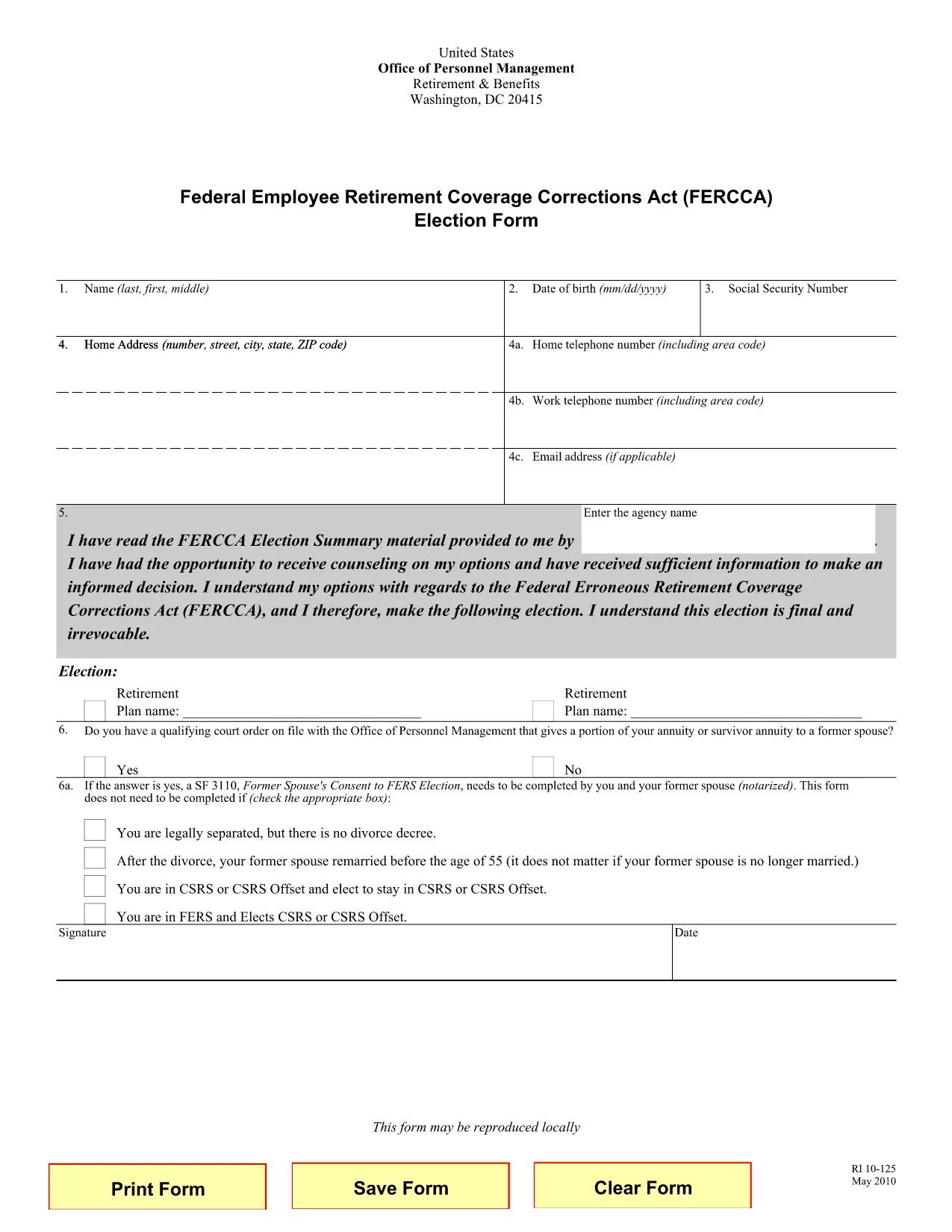
While the exact RI 37‑26 PDF is not publicly hosted, you can start with a similar OPM fillable retirement form (RI 10‑125) and use Formize to adapt it to RI 37‑26 requirements. Click the button below to open the fillable version instantly.

Open Fillable RI 10‑125 (use as template)

常问问题
  • What is the purpose of RI 37‑26?

    RI 37‑26 is used to compute the tax‑free portion of a phased retirement annuity and any subsequent composite retirement annuity for federal employees.

  • Can I fill out RI 37‑26 online?

    Yes. With Formize you can open a fillable PDF in your browser, enter data, and download the completed form without installing any software.

  • Do I need a PDF editor to use this form?

    No. Formize’s web‑based filler replaces traditional PDF editors – just click, type, and save.

  • What if I make a mistake after submitting?

    Correct the error in the fillable PDF, re‑download the updated version, and resend it to your payroll office.

  • Is the form free to use?

    Yes. Both the PDF download and Formize’s basic filling features are free of charge.

  • Do I need to print the form after filling it out?

    Printing is optional. Most agencies accept the completed PDF electronically, but you can print a hard copy if required.

如何

如何通过 4 个简单步骤在线免费填写 RI 37-26:

  1. 1
    Open the Fillable Form
    Click the “Open Fillable RI 10‑125” button above. The Formize PDF Filler loads the document directly in your browser.
  2. 2
    Enter Your Information
    Type your personal and employment details into the highlighted fields. The form automatically saves your entries.
  3. 3
    Calculate the Tax‑Free Portion
    Use the built‑in calculator to determine the tax‑free amount for your phased retirement annuity.
  4. 4
    Review & Submit
    Check all entries for accuracy, then download the completed PDF or email it to your agency’s payroll office.
Formize PDF Filler 应用程序
关于

人事管理办公室 (OPM) 表格

RI 37-26 是美国人事管理局使用的官方表格之一,该办公室是联邦政府的一个独立机构,负责管理公务员队伍和联邦雇员福利。 OPM 制定与联邦就业相关的政策和法规,管理各种人事计划,并为联邦雇员、退休人员和求职者提供服务。

以下是人事管理办公室表格的一些示例:

标准表格 86 (SF-86) :此表格用于申请安全许可的个人的背景调查过程。它收集全面的个人、就业、教育和财务信息,以及有关国外联系和活动的详细信息。

标准表格 2809 (SF-2809) :此表格用于参加联邦雇员健康福利 (FEHB) 计划,该计划为联邦雇员、退休人员及其符合条件的家庭成员提供健康保险。

标准表格 2817 (SF-2817):此表格用于申请在退休或从联邦服务机构离职后继续享受联邦雇员牙科和视力保险计划 (FEDVIP) 的保险。

标准表格 3107 (SF-3107) :此表格用于申请公务员退休制度(CSRS)下的退休福利。

标准表格 2801 (SF-2801) :此表格用于申请联邦雇员退休制度 (FERS) 下的退休福利。

标准表格 15 (SF-15) :此表格用于申请联邦就业中的退伍军人优先权。它由在联邦政府寻求就业机会的退伍军人或其符合条件的家庭成员提交。

这些示例代表了联邦就业和员工福利中使用的一些常见 OPM 表格。然而,OPM 还有一系列与各种人事计划、退休、保险和联邦就业其他方面相关的其他形式。所需的具体表格可能会有所不同,具体取决于交易、计划或所寻求的利益的性质。建议查阅美国人事管理局官方网站(www.opm.gov)或向OPM或相关人力资源人员寻求指导,以获得准确、最新的信息有关与您的联邦就业或福利相关需求相关的特定 OPM 表格的最新信息。

特征

PDF 填充器

在线填写 PDF 表单的最简单方法

  • 快速填写RI 37-26
    正在寻找一种在线快速填写 RI 37-26 的方法?使用我们的在线免费 PDF 填表工具,您将在不到一分钟的时间内了解如何编辑和填写此 pdf 文档。
  • 易于使用的在线 PDF 编辑器
    是否厌倦了打印 PDF 文件以便在重新扫描并发回之前对其进行编辑?免费在线编辑 PDF 文档。使用我们的在线 pdf 编辑器可以节省时间和纸张。
  • 伟大的工具,所有平台
    想知道如何在 Mac 上填写 RI 37-26,或者如何免费使用 PDF 填充程序?我们的在线 PDF 工具适用于所有平台。
  • 安全文件存储
    完成的“RI 37-26”文件存储在由亚马逊云托管管理的安全数据库中。您可以随时从我们的系统中删除您的文件。在任何情况下,这些文件都会在 24 小时后自动删除。
  • 与 RI 37-26 聊天
    Chatize 上与“RI 37-26”聊天,这是一个免费的 PDF 阅读器助手。提出问题并从“RI 37-26”获得答案。只需点击上面的与文档聊天按钮即可。

删除填充会话

删除选定的填充会话?在这种情况下,您填写表格的进度将丢失。

删除编辑会话

删除选定的编辑会话?在这种情况下,您创建和编辑表单的进度将会丢失。