
选择语言

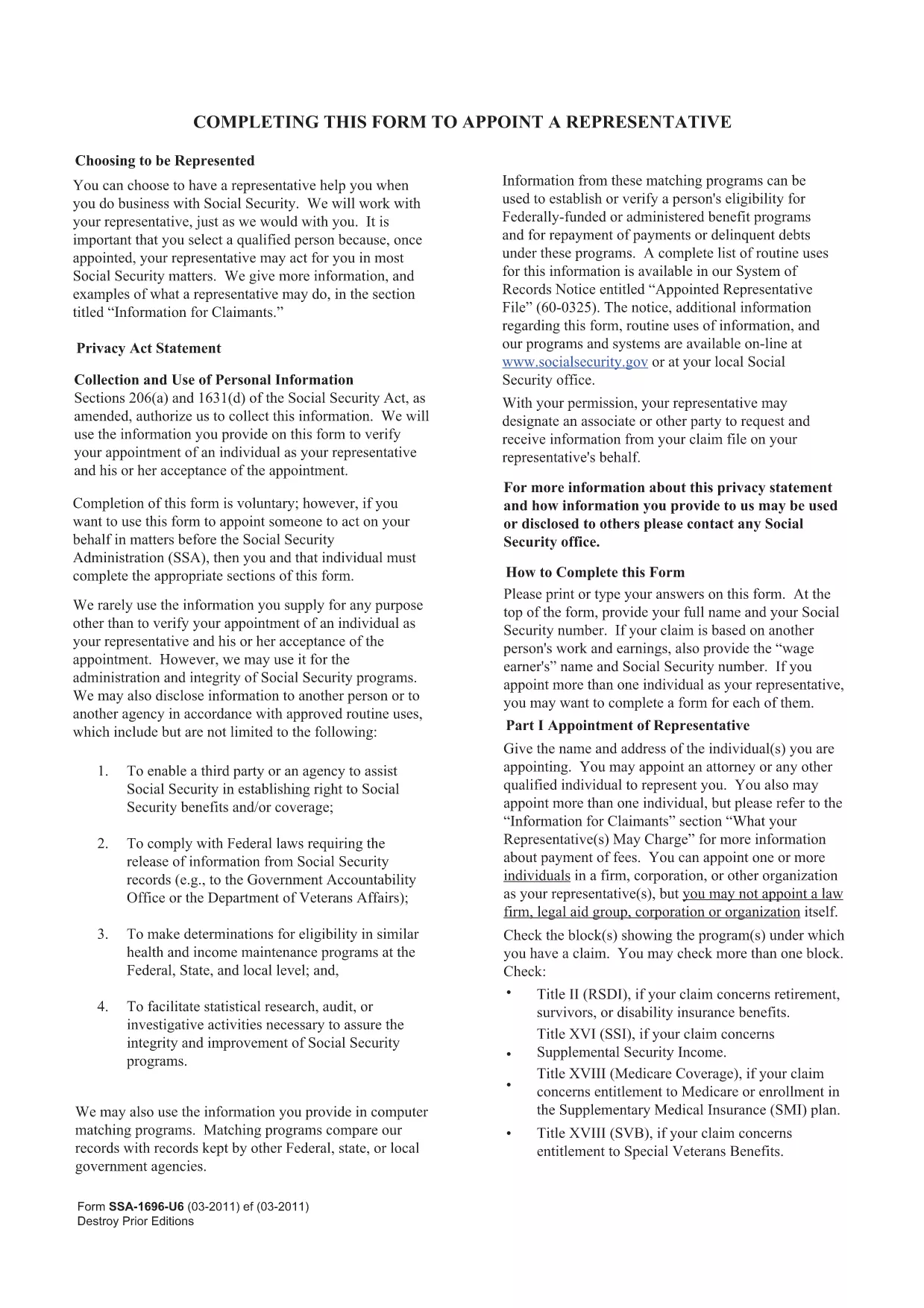
SSA-1696-SUP2 Appointment of Representative – Fillable PDF

  1. 语言 英语
  2. 国家 美国
  3. 活动 社会保障
SSA-1696-SUP2 Appointment of Representative – Fillable PDF

The SSA-1696-SUP2 is the official Appointment of Representative form used by the Social Security Administration (SSA). It authorizes a designated individual to act on your behalf for Social Security matters such as claims, appeals, and benefit inquiries.

What Is the SSA-1696-SUP2 Form?

This form lets you name a representative—an attorney, accredited organization, or trusted family member—to communicate with the SSA for you. The SSA requires a signed, legible copy for every case where a third party is involved.

How to Fill Out the Form Online

Instead of downloading the PDF and opening it in a separate editor, simply click the "Fill out this form" button on this page. The Formize PDF Filler app will load directly in your browser, allowing you to complete each field instantly.

  • All fields are interactive and auto‑save as you type.
  • Electronic signatures are accepted where applicable.
  • When finished, you can download the completed PDF for your records or submit it directly to the SSA.

Common Mistakes & Tips

  • Illegible handwriting: Using the online filler eliminates this risk.
  • Missing signatures: The Formize app prompts you to sign before allowing a download.
  • Incorrect representative information: Double‑check the name, address, and contact details before saving.

Download & Save Your Completed Form

After you submit, click the Download PDF button to store a copy on your device. Keep this file for future reference or to attach to any correspondence with the SSA.

Need help? Review the FAQs below or contact the Social Security Administration directly.

常问问题
  • Who can be appointed as a representative on SSA-1696-SUP2?

    Any attorney, accredited representative, or trusted individual (family member, friend) can be named, provided they have the necessary contact information.

  • Do I need to mail the completed form to the SSA?

    You can mail, fax, or upload the completed PDF through your SSA online account. Check the SSA’s instructions for your specific case.

  • Can I change my representative after submitting the form?

    Yes. Submit a new SSA-1696-SUP2 with the updated representative information. The SSA will process the change once received.

  • Is an electronic signature accepted on this form?

    The SSA accepts electronic signatures when the form is completed using an approved fillable PDF tool such as Formize.

  • What should I do if I make a mistake after downloading the PDF?

    Open the downloaded file in the Formize filler again, correct the error, and re‑download the updated version. No need to start over.

  • Where can I find additional help for filling out SSA forms?

    Visit the Social Security Administration’s official website or call their toll‑free number at 1‑800‑772‑1213 for assistance.

如何

如何通过 5 个简单步骤在线免费填写 SSA-1696-SUP2:

  1. 1
    Click the Fill Out Button
    Press the "Fill out this form" button on the page to launch the Formize PDF Filler in your browser.
  2. 2
    Wait for the Filler to Load
    The app loads in a few seconds. All fields become editable and ready for input.
  3. 3
    Enter the Required Information
    Complete each section: claimant details, representative’s contact info, and the signature area.
  4. 4
    Review and Save
    Use the built‑in review tool to ensure every field is filled correctly, then click "Save & Download".
  5. 5
    Store Your Copy
    Download the finished PDF and keep it for your records or attach it to any SSA correspondence.
Formize PDF Filler 应用程序
关于

社会保障表格

SSA-1696-SUP2 是一种社会保障表格,是用于申请美国社会保障局 (SSA) 提供的各种福利和服务的文件。 SSA 是一个联邦机构,负责管理旨在为符合条件的个人和家庭提供财务援助的计划,包括退休福利、伤残福利、遗属福利和补充保障收入 (SSI)。

一些常见的社会保障表格包括:

社会保障退休福利申请:此表格用于根据个人的工作经历和收入申请退休福利。

社会保障残疾福利申请:如果个人因身体或精神状况而无法工作,则可使用此表格申请残疾福利。

Social Security Survivor Benefits Application:如果个人的配偶或父母已经去世并且他们有资格获得遗属福利,则此表格用于申请遗属福利。

Medicare 注册申请:此表格用于注册 Medicare,即联邦健康保险计划,适用于 65 岁以上的个人以及有某些残疾或疾病的个人。

地址变更表:此表用于向 SSA 更新个人地址。

收入记录申请表:此表格用于申请个人收入记录的副本,用于计算社会保障福利。

这些表格可以在线、邮寄或亲自到当地社会保障办公室填写。重要的是仔细审查并填写所有必要的表格,以确保及时准确地处理社会保障福利。

特征

PDF 填充器

在线填写 PDF 表单的最简单方法

  • 快速填写SSA-1696-SUP2
    正在寻找一种在线快速填写 SSA-1696-SUP2 的方法?使用我们的在线免费 PDF 填表工具,您将在不到一分钟的时间内了解如何编辑和填写此 pdf 文档。
  • 易于使用的在线 PDF 编辑器
    是否厌倦了打印 PDF 文件以便在重新扫描并发回之前对其进行编辑?免费在线编辑 PDF 文档。使用我们的在线 pdf 编辑器可以节省时间和纸张。
  • 伟大的工具,所有平台
    想知道如何在 Mac 上填写 SSA-1696-SUP2,或者如何免费使用 PDF 填充程序?我们的在线 PDF 工具适用于所有平台。
  • 安全文件存储
    完成的“SSA-1696-SUP2”文件存储在由亚马逊云托管管理的安全数据库中。您可以随时从我们的系统中删除您的文件。在任何情况下,这些文件都会在 24 小时后自动删除。
  • 与 SSA-1696-SUP2 聊天
    Chatize 上与“SSA-1696-SUP2”聊天,这是一个免费的 PDF 阅读器助手。提出问题并从“SSA-1696-SUP2”获得答案。只需点击上面的与文档聊天按钮即可。

删除填充会话

删除选定的填充会话?在这种情况下,您填写表格的进度将丢失。

删除编辑会话

删除选定的编辑会话?在这种情况下,您创建和编辑表单的进度将会丢失。