


G-1041模板
借助用于查看和填写 PDF 文档的传统功能集,结合 Web 应用程序和响应式布局的优势,您可以在几分钟内完成 G-1041。
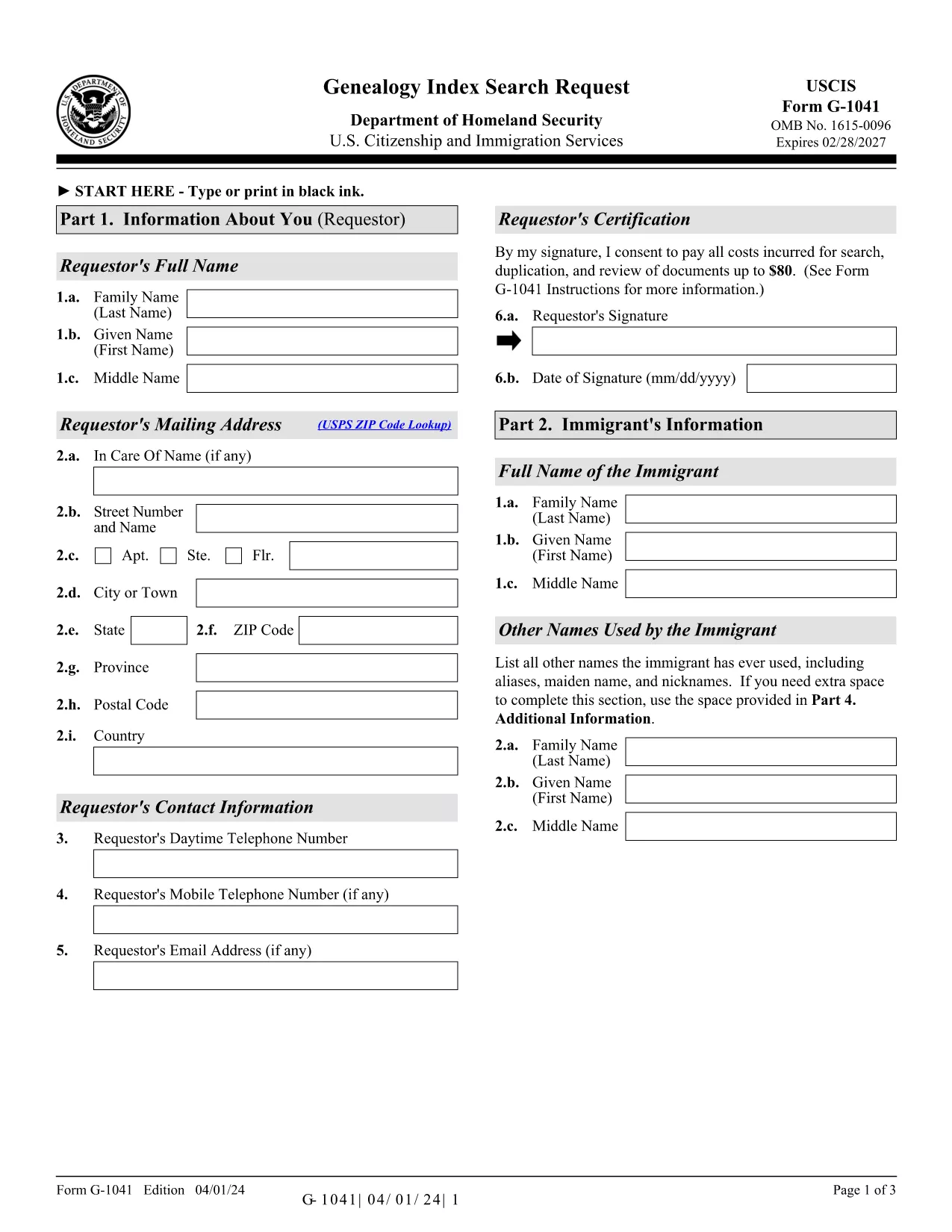
Form G-1041, the Genealogy Index Search Request, is the official USCIS form used to ask the agency to search its historical immigration records for a specific ancestor. This form is essential for anyone researching family history, preparing a citizenship application, or seeking proof of a relative’s immigration status.
The form is available as a fillable PDF that you can complete directly in your browser with Formize’s PDF Filler. No extra software is required – simply click the “Fill out this form” button, wait for the Formize app to load, and start entering your information.
Below you will find step‑by‑step instructions, helpful tips, and answers to the most common questions about Form G-1041.
Key features of the fillable G-1041 PDF:
Remember to review the edition date at the bottom of each page; USCIS may reject forms that mix different editions.
Form G‑1041 requests USCIS to search its historical immigration indices for a specific individual. It is used for genealogy research, citizenship applications, and proof of immigration status.
Yes. USCIS offers an online filing option through its Genealogy Program page. The fillable PDF on Formize can also be completed online and then submitted electronically if the online portal is available.
A filing fee is required for the search request. Check the USCIS Fee Schedule for the current amount and payment methods (credit/debit card, ACH, or prepaid card).
Include any evidence that helps identify the ancestor: death certificate (if under 100 years old), obituaries, gravestone photos, church records, or Social Security Death Index entries.
Response times vary, but USCIS typically replies within 30‑45 days after receiving a complete request and payment.
Yes, you may print, sign, and scan the form. However, the electronic signature option in Formize is faster and accepted by USCIS.
Always use the latest edition posted on the USCIS website. The current edition date is 04/01/24 and appears at the bottom of each page of the PDF.
Only submit originals if USCIS specifically requests them. Otherwise, provide clear photocopies or digital scans along with certified English translations if needed.
Mail the completed form, supporting documents, and payment to: USCIS Attn: Genealogy Program, P.O. Box 805925, Chicago, IL 60680‑4188.
Contact the USCIS Genealogy Program as soon as possible. You may need to submit a corrected form with a brief explanation of the error.
在线填写 PDF 表单的最简单方法
删除填充会话
删除编辑会话