

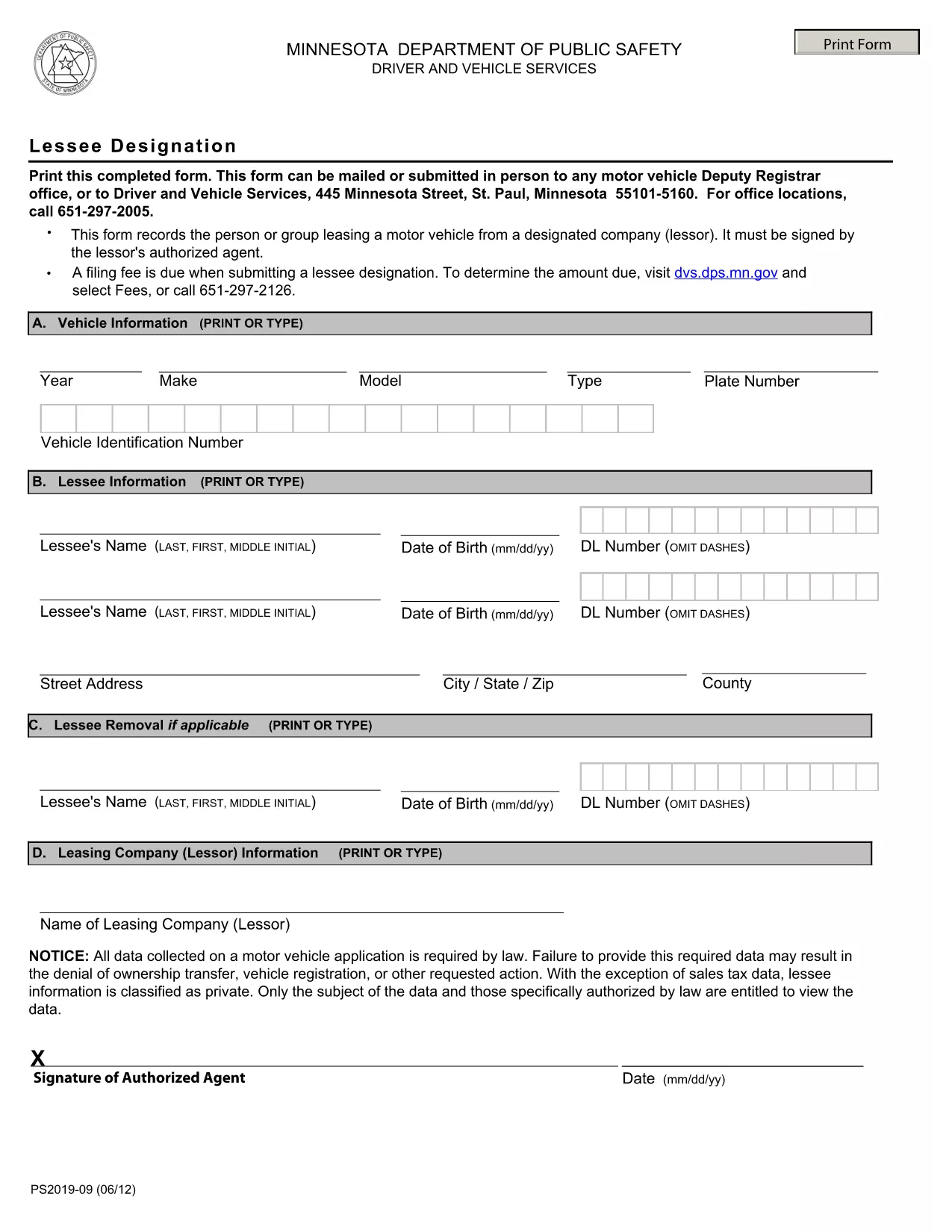

车辆登记表
如果您拥有或租用机动车辆、拖车或船只,您必须履行某些义务以确保您的车辆合法登记并确保其安全。
PS2019 是一种车辆登记表,是用于在相关州或省当局登记机动车的文件。当一个人购买新车或二手车,或者当他们带着车辆搬到一个新的州或省时,通常需要这些表格。
车辆登记所需的确切要求和表格可能因地点而异,但一般来说,该过程涉及提供有关车辆、车主和车辆任何留置权的信息。
提交登记表和费用后,州或省当局将向车主颁发登记证或车牌。该注册允许车辆在公共道路和高速公路上合法运行。
The PS2019 Lessee Designation form is required by the Minnesota Department of Public Safety when a vehicle lease is transferred to a new lessee. This official document authorizes the new lessee to register the vehicle and obtain plates.
Our fillable PDF version lets you complete the form quickly from any browser. No printing, scanning, or faxing is needed – just use the Formize PDF Filler app to enter the information and save a clean, printable copy.
Key benefits:
Below you’ll find a simple step‑by‑step guide, common pitfalls to watch for, and answers to the most frequently asked questions.
You need the current lessee’s name, the new lessee’s name, vehicle VIN, lease agreement details, and signatures from both parties.
Minnesota still requires a printed and signed copy for most lease transfers. Use the fillable PDF to print a clean version.
A notary is not required unless your lease agreement specifically mandates it. Both lessees must sign the form.
The Formize filler validates entries in real time. If you notice an error after saving, simply reopen the PDF in the filler, correct the field, and re‑save.
Processing time varies, but most offices complete the transfer within 7‑10 business days after receiving the signed form.
Yes, Minnesota charges a small processing fee. Check the latest fee schedule on the Minnesota DMV website.
The PS2019 Lessee Designation is specific to Minnesota. Out‑of‑state registrations require the corresponding state’s lease transfer form.
Keep a copy of the signed PDF for your records and follow up with the DMV if you do not receive confirmation within two weeks.
如果您拥有或租用机动车辆、拖车或船只,您必须履行某些义务以确保您的车辆合法登记并确保其安全。
PS2019 是一种车辆登记表,是用于在相关州或省当局登记机动车的文件。当一个人购买新车或二手车,或者当他们带着车辆搬到一个新的州或省时,通常需要这些表格。
车辆登记所需的确切要求和表格可能因地点而异,但一般来说,该过程涉及提供有关车辆、车主和车辆任何留置权的信息。
提交登记表和费用后,州或省当局将向车主颁发登记证或车牌。该注册允许车辆在公共道路和高速公路上合法运行。
在线填写 PDF 表单的最简单方法
删除填充会话
删除编辑会话