


车辆登记表
如果您拥有或租用机动车辆、拖车或船只,您必须履行某些义务以确保您的车辆合法登记并确保其安全。
MV2172 是一种车辆登记表,是用于在相关州或省当局登记机动车的文件。当一个人购买新车或二手车,或者当他们带着车辆搬到一个新的州或省时,通常需要这些表格。
车辆登记所需的确切要求和表格可能因地点而异,但一般来说,该过程涉及提供有关车辆、车主和车辆任何留置权的信息。
提交登记表和费用后,州或省当局将向车主颁发登记证或车牌。该注册允许车辆在公共道路和高速公路上合法运行。
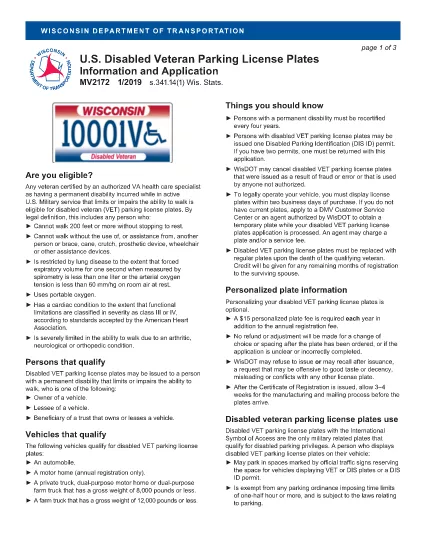
The MV2172 is the official Wisconsin application for a disabled veteran parking license plate (VET). This plate grants eligible veterans special parking privileges throughout the state. Instead of printing, downloading, and editing the PDF manually, you can complete the form directly on our site with Formize’s secure fillable PDF tool.
Why use the online filler? It saves time, eliminates formatting errors, and automatically validates required fields before you submit. Once finished, you can download the completed PDF, print it, and mail it to the Wisconsin Department of Transportation.
Below you will find everything you need to know about the MV2172 form, eligibility requirements, step‑by‑step filling instructions, and tips to avoid common pitfalls.
The MV2172 application collects veteran status information, vehicle details, and a signed authorization for the U.S. Department of Veterans Affairs to verify your disability rating. It is required for any Wisconsin resident who wants a disabled veteran parking plate.
Follow the simple steps in the "How to Fill the Form" section below. The process takes just a few minutes.
By using Formize’s fillable PDF, the system will highlight missing or incorrectly entered data before you can submit, reducing the chance of rejection.
Yes. After completing the form online, you must download the filled PDF, print it, and mail it (or bring it in person) to the Wisconsin Department of Transportation with any required attachments.
Wisconsin currently requires a hard‑copy submission. The online filler only helps you fill out the form accurately before printing.
You need a copy of your VA disability rating letter, proof of vehicle ownership or lease, and a valid Wisconsin driver's license or ID.
Processing typically takes 2–4 weeks after the department receives your complete application.
Yes. The annual registration fee for a veteran plate is reduced compared to standard plates, but you must still pay the listed fee on the form.
Yes, but you must also submit a title application (MV1 for private sale or MV11 for dealer sale) and the appropriate fees.
Correct the error on a new copy of the form. Do not submit a partially completed or altered printed form.
如果您拥有或租用机动车辆、拖车或船只,您必须履行某些义务以确保您的车辆合法登记并确保其安全。
MV2172 是一种车辆登记表,是用于在相关州或省当局登记机动车的文件。当一个人购买新车或二手车,或者当他们带着车辆搬到一个新的州或省时,通常需要这些表格。
车辆登记所需的确切要求和表格可能因地点而异,但一般来说,该过程涉及提供有关车辆、车主和车辆任何留置权的信息。
提交登记表和费用后,州或省当局将向车主颁发登记证或车牌。该注册允许车辆在公共道路和高速公路上合法运行。
在线填写 PDF 表单的最简单方法
删除填充会话
删除编辑会话