


车辆登记表
如果您拥有或租用机动车辆、拖车或船只,您必须履行某些义务以确保您的车辆合法登记并确保其安全。
MV2953 是一种车辆登记表,是用于在相关州或省当局登记机动车的文件。当一个人购买新车或二手车,或者当他们带着车辆搬到一个新的州或省时,通常需要这些表格。
车辆登记所需的确切要求和表格可能因地点而异,但一般来说,该过程涉及提供有关车辆、车主和车辆任何留置权的信息。
提交登记表和费用后,州或省当局将向车主颁发登记证或车牌。该注册允许车辆在公共道路和高速公路上合法运行。
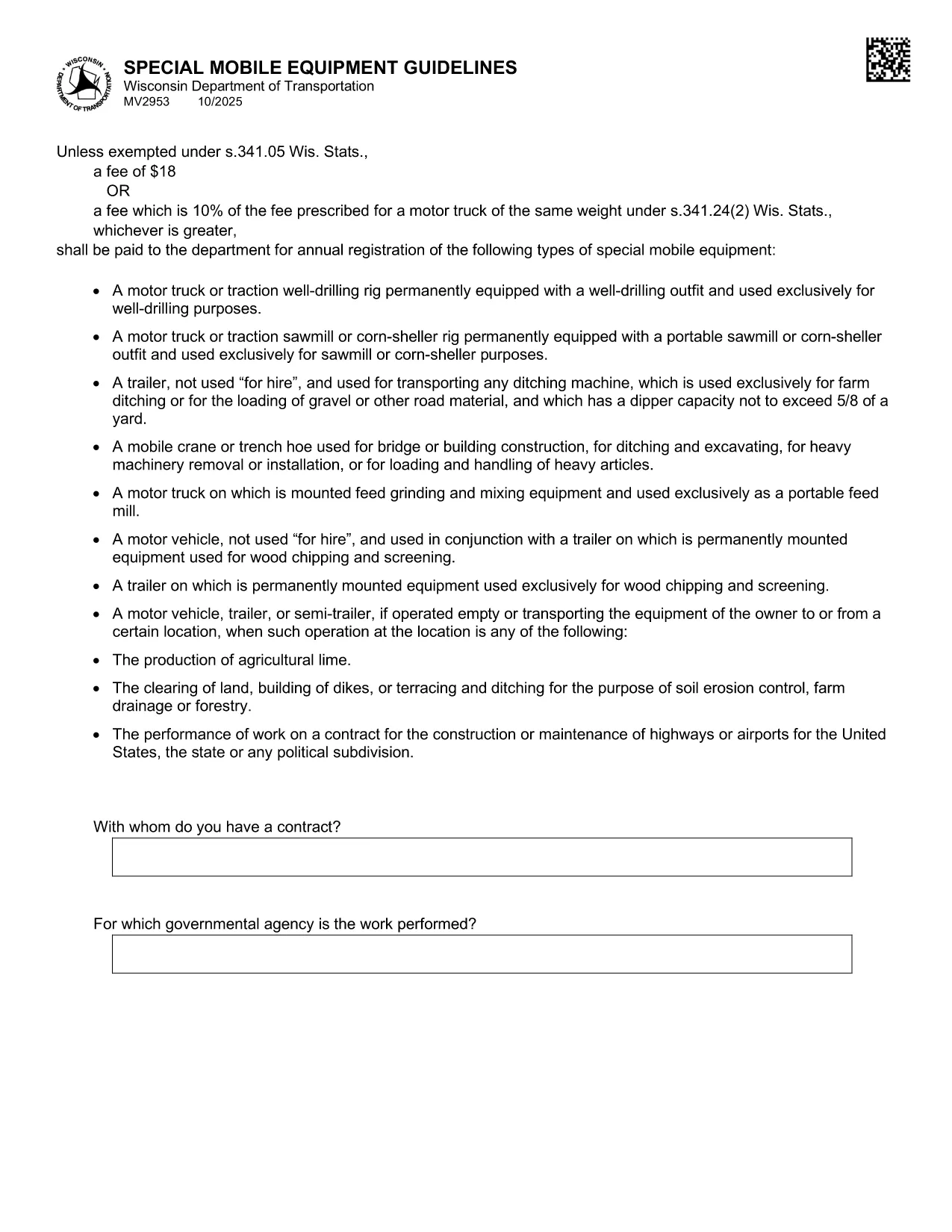
The MV2953 is the Wisconsin Department of Transportation (WisDOT) form used to register special mobile equipment such as cranes, snowplows, and other specialized vehicles. This form must be completed annually, and a fee is required unless an exemption applies.
The MV2953 collects details about the equipment, owner information, weight class, and intended use. It ensures that special mobile equipment complies with state safety standards and is properly taxed.
Instead of downloading a static PDF, simply click the "Fill out this form" button below. The Formize PDF Filler app will load instantly, allowing you to type directly into each field, add signatures, and save your progress.
The standard fee is $18, but if the equipment falls under a higher fee schedule (10% of the fee for a motor‑truck of the same weight), that amount applies. Exemptions are listed in Wis. Stat. §341.05.
After completing the MV2953 online, you can:
Using the Formize fillable PDF ensures a clean, legible submission that speeds up processing.
Any special mobile equipment such as cranes, snowplows, bulldozers, and other non‑standard vehicles used on public roads must be registered using MV2953.
Yes. After completing the fillable PDF with Formize, you can upload the saved file through the WisDOT online portal or email it if the county office permits.
The fee is $18 or 10% of the fee for a motor‑truck of the same weight, whichever is greater, unless an exemption under Wis. Stat. §341.05 applies.
A valid signature from the vehicle owner or authorized agent is required. Without it, the registration will be rejected.
The form must be filed annually. The renewal date aligns with your vehicle’s registration expiration.
Contact your local WisDOT office immediately. You may need to submit a corrected MV2953 form and possibly pay an additional processing fee.
Yes, certain government, nonprofit, or emergency service vehicles may be exempt under Wis. Stat. §341.05. Check the statute or contact WisDOT for details.
如果您拥有或租用机动车辆、拖车或船只,您必须履行某些义务以确保您的车辆合法登记并确保其安全。
MV2953 是一种车辆登记表,是用于在相关州或省当局登记机动车的文件。当一个人购买新车或二手车,或者当他们带着车辆搬到一个新的州或省时,通常需要这些表格。
车辆登记所需的确切要求和表格可能因地点而异,但一般来说,该过程涉及提供有关车辆、车主和车辆任何留置权的信息。
提交登记表和费用后,州或省当局将向车主颁发登记证或车牌。该注册允许车辆在公共道路和高速公路上合法运行。
在线填写 PDF 表单的最简单方法
删除填充会话
删除编辑会话