

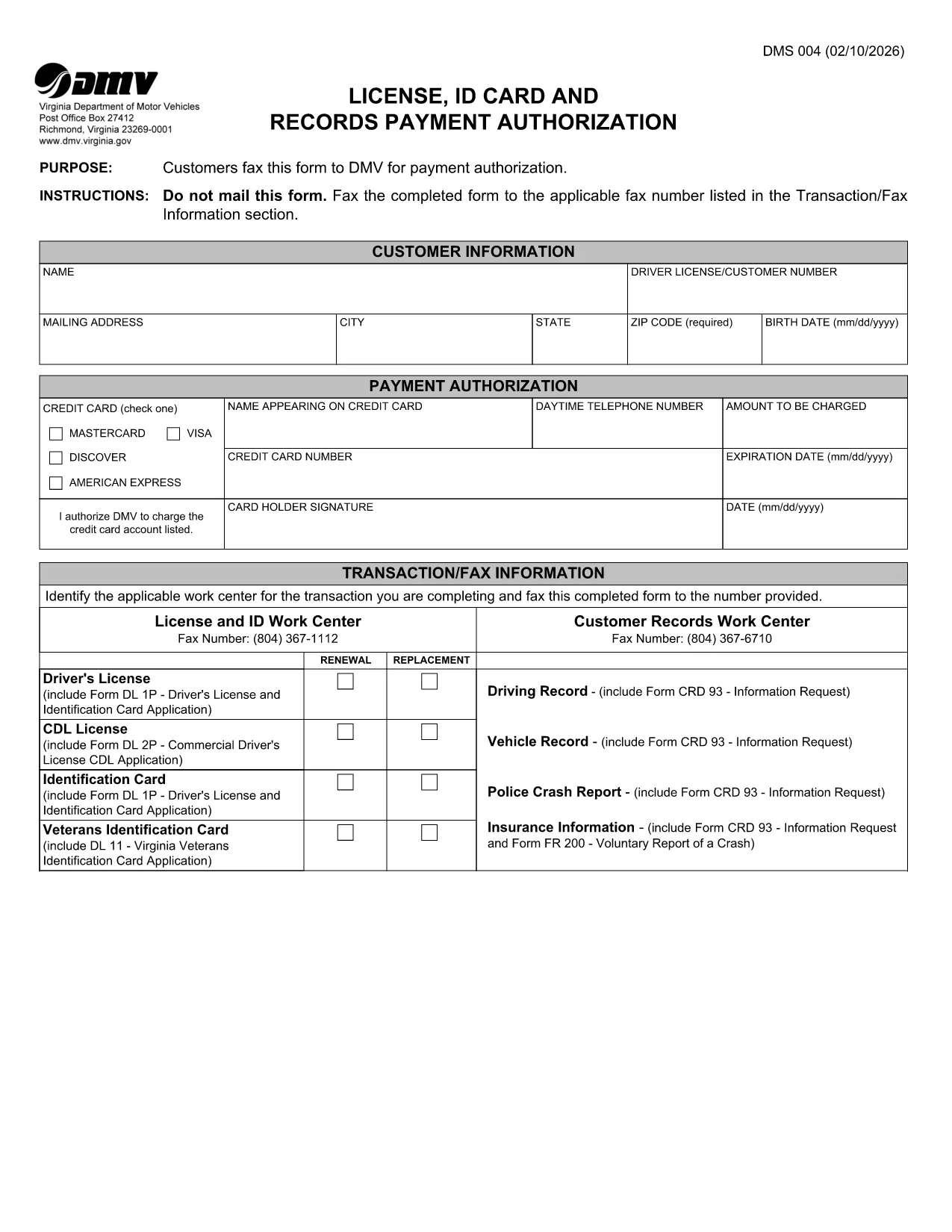

Aanvraagformulieren rijbewijs
DMS-004 is een van de rijbewijsformulieren. Dit zijn documenten die worden gebruikt om een rijbewijs aan te vragen of om verschillende diensten met betrekking tot rijbewijzen aan te vragen. Deze formulieren worden doorgaans verstrekt door de afdeling of instantie die verantwoordelijk is voor de afgifte van rijbewijzen in een specifiek rechtsgebied, zoals het Department of Motor Vehicles (DMV) in de Verenigde Staten.
Veel voorkomende rijbewijsformulieren zijn onder meer:
Aanvraag rijbewijs: Dit formulier wordt gebruikt om een nieuw rijbewijs aan te vragen of een bestaand rijbewijs te verlengen. Meestal zijn hiervoor persoonlijke gegevens nodig, zoals naam, adres, geboortedatum en burgerservicenummer.
Identificatiedocumenten: sommige rechtsgebieden vereisen specifieke identificatiedocumenten om de identiteit en het ingezetenschap van de aanvrager te verifiëren. Dit kunnen formulieren zijn zoals een geboorteakte, paspoort of socialezekerheidskaart.
Visusonderzoek: Voor veel rijbewijsaanvragen is een formulier voor gezichtsonderzoek vereist, waarbij een bevoegde medische professional of oogzorgspecialist verklaart dat de aanvrager voldoet aan de minimale zichtvereisten voor autorijden.
Formulieren voor rijopleiding: In sommige gevallen moeten personen mogelijk een bewijs overleggen dat ze een rijopleiding hebben gevolgd, zoals een certificaat voor voltooiing van de rijopleiding of een formulier dat is ondertekend door een instructeur.
Medische evaluatie: Voor bepaalde medische aandoeningen kunnen aanvullende formulieren nodig zijn die door een beroepsbeoefenaar in de gezondheidszorg moeten worden ingevuld. Deze formulieren verifiëren de fysieke en mentale geschiktheid van de aanvrager om te rijden.
Adreswijzigingsformulier: als een rijbewijshouder naar een nieuw adres verhuist, moet hij mogelijk een adreswijzigingsformulier invullen om de rijbewijsgegevens bij te werken.
Rijbewijsformulieren kunnen worden verkregen bij het plaatselijke DMV-kantoor of worden gedownload van hun website. Om een soepel aanvraag- of serviceproces te garanderen, is het belangrijk om de vereiste formulieren zorgvuldig in te vullen en samen met eventuele ondersteunende documenten in te dienen.