Selecteer taal

RUT-50 Private Party Vehicle Use Tax Form – Printable PDF

  1. Taal Engels
  2. Land VS
  3. Afdeling Illinois Department of Revenue
  4. Activiteit Vehicle Use Tax
RUT-50 Private Party Vehicle Use Tax Form – Printable PDF

The Illinois RUT-50 is the Private Party Vehicle Use Tax Transaction form required when you purchase a vehicle from a private seller. This form calculates the tax due based on the purchase price or fair market value and must be filed within 30 days of acquiring the vehicle.

Instead of printing, printing, filling in ink, and scanning, you can complete the RUT-50 instantly online with Formize’s secure PDF filler. The fillable version is fully compatible with the official Illinois Department of Revenue requirements.

Below you’ll find everything you need to know – from eligibility and required documents to step‑by‑step instructions for completing the form without ever leaving your browser.

FAQ
  • Who must file Form RUT-50?

    Anyone who buys a motor vehicle from a private party and will use the vehicle in Illinois must file Form RUT-50 within 30 days of acquisition.

  • Can I file the RUT-50 electronically?

    Yes. You can file the form electronically through MyTax Illinois, but you still need a printable copy of the completed form for the Secretary of State’s title and registration process.

  • What if I don’t know the purchase price?

    When the purchase price isn’t stated (e.g., a gift), use the fair market value of the vehicle, which you can obtain from a licensed dealer.

  • Are trade‑in allowances allowed on the RUT-50?

    No. Trade‑in allowances are not permitted on Form RUT-50; the full purchase price or fair market value must be reported.

  • How do I correct a mistake after filing?

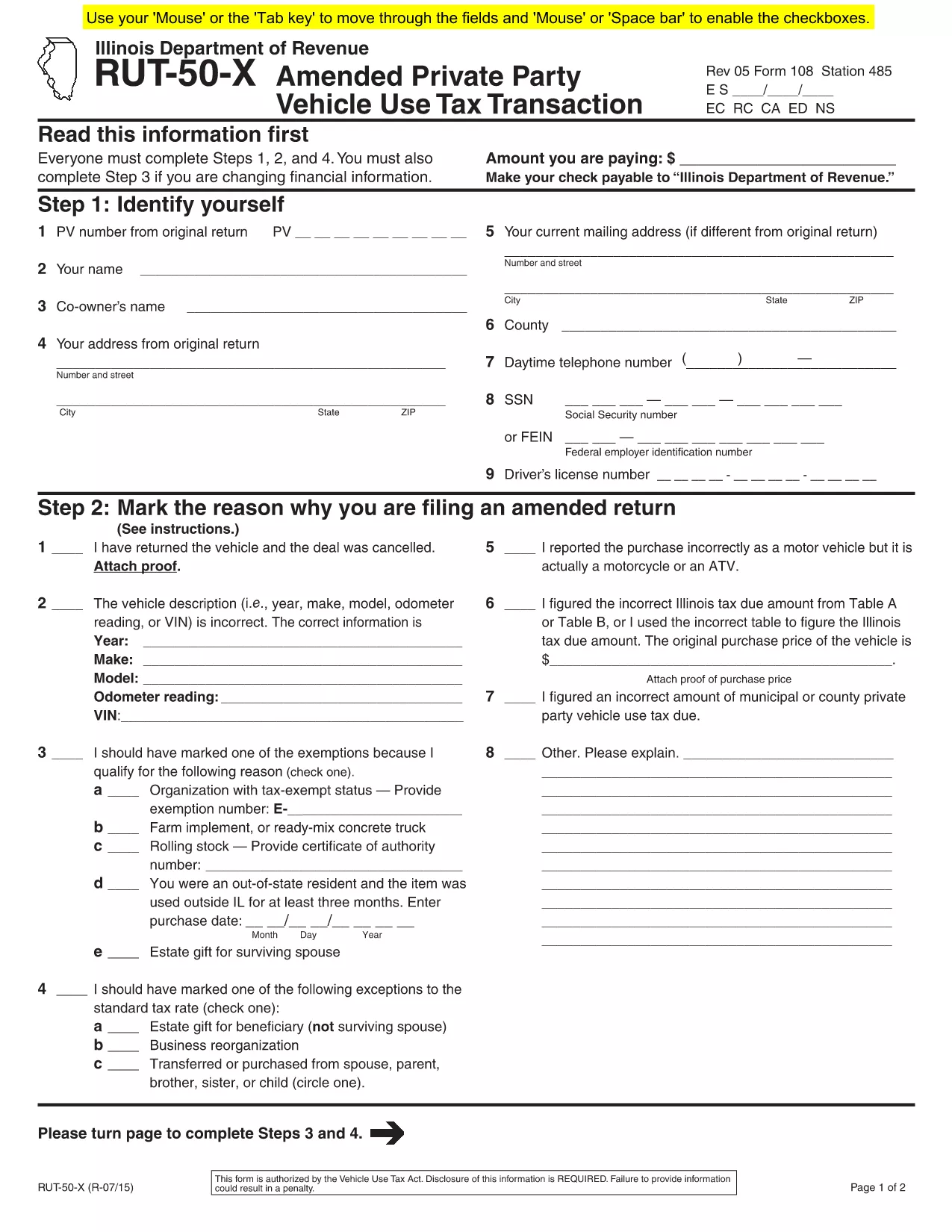
    If you need to amend the form, file Form RUT-50‑X (Amended Private Party Vehicle Use Tax Transaction) on paper; there is no electronic amendment process.

  • Do I need to attach a bill of sale?

    Attaching a copy of the bill of sale or proof of purchase is recommended to avoid future notices from the Department of Revenue.

  • Is there a fee to use Formize’s PDF filler?

    Formize offers a free fillable version for the RUT-50. No additional fees are charged for completing or downloading the PDF.

  • Where do I submit the completed RUT-50?

    Submit the printed copy to the Illinois Secretary of State when you apply for a title and license plates. Keep a copy for your records.

HOE

Zo vult u RUT-50 PDF gratis online in in 7 eenvoudige stappen:

  1. 1
    Open the Fillable Form
    Click the “Fill out this form” button on this page. The Formize PDF Filler app will load in a new tab.
  2. 2
    Enter Purchaser Information
    Type the buyer’s name, address, driver’s license number, and SSN or FEIN into the highlighted fields.
  3. 3
    Enter Seller Information
    Provide the seller’s name, phone number, and address exactly as they appear on the bill of sale.
  4. 4
    Describe the Vehicle
    Fill in the VIN, year, make, model, odometer reading, and purchase price (or fair market value for gifts).
  5. 5
    Select Exemptions or Exceptions (if any)
    Check the appropriate box for exemptions or special situations and enter the required dollar amount.
  6. 6
    Review & Submit
    Double‑check all entries, then click the “Submit” button. The completed PDF will be generated automatically.
  7. 7
    Print or Save
    Download the finished PDF, print a hard copy for the Illinois Secretary of State, or save it for your records.
Formize PDF Filler-app
WAT BETREFT

RUT-50 PDF-sjabloon

Met de traditionele set functies voor het bekijken en invullen van een PDF-document, gecombineerd met de voordelen van een webapplicatie en responsieve lay-out, kunt u RUT-50 PDF binnen enkele minuten voltooien.

FUNCTIES

PDF-vuller

De eenvoudigste manier om online PDF-formulieren in te vullen

  • Vul snel RUT-50 PDF in
    Op zoek naar een manier om RUT-50 PDF snel online in te vullen? Met onze online gratis PDF-formulierinvuller weet u hoe u dit pdf-document in minder dan een minuut kunt bewerken en invullen.
  • Gebruiksvriendelijke online PDF-editor
    Ben je het beu om PDF-bestanden uit te printen zodat je ze kunt bewerken, voordat je ze opnieuw scant en terugstuurt? Bewerk PDF-documenten gratis online. Gebruik onze online pdf-editor om tijd en papier te besparen.
  • Geweldige tools, alle platforms
    Vraagt ​​u zich af hoe u RUT-50 PDF op een Mac moet invullen, of misschien hoe u gratis een PDF-filler kunt gebruiken? Onze online pdf-tools werken op alle platformen.
  • Veilige bestandsopslag
    Voltooide "RUT-50 PDF"-bestanden worden opgeslagen in een beveiligde database die wordt beheerd door Amazon Cloud hosting. U kunt uw bestanden op elk moment uit ons systeem verwijderen. Deze bestanden worden in ieder geval na 24 uur automatisch verwijderd.
  • Chat met {trefwoord}
    Chat met "RUT-50 PDF" op Chatize, een gratis PDF-lezerassistent. Stel vragen en krijg antwoorden van "RUT-50 PDF". Klik gewoon op de knop Chatten met document hierboven.

De vulsessie verwijderen

De geselecteerde vulsessie verwijderen? In dat geval gaat uw voortgang bij het invullen van het formulier verloren.

Bewerkingssessie verwijderen

De geselecteerde bewerkingssessie verwijderen? In dit geval gaat uw voortgang bij het maken en bewerken van het formulier verloren.