
I-134 instructions-sjabloon
Met de traditionele set functies voor het bekijken en invullen van een PDF-document, gecombineerd met de voordelen van een webapplicatie en responsieve lay-out, kunt u I-134 instructions binnen enkele minuten voltooien.


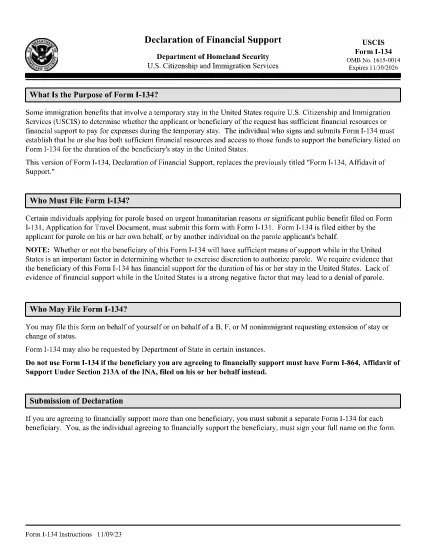
The Form I-134, Affidavit of Support is used by U.S. Citizenship and Immigration Services (USCIS) to prove that a visa applicant or beneficiary has adequate financial backing for a temporary stay in the United States. Whether you are sponsoring a visitor, a fiancé(e), or a student, the instructions must be followed precisely to avoid delays.
Form I-134 is an affidavit of support that demonstrates the sponsor’s ability to cover the applicant’s expenses, including housing, food, medical care, and transportation. It is typically required for:
Instead of downloading the PDF and editing it in a desktop program, you can complete the form directly in your browser with Formize’s Fillable PDF feature. Follow these simple steps:
After you download the completed I-134 PDF, attach it to your visa application packet or upload it through the online portal indicated on your specific visa category instructions. Always keep a copy for your records.
For the official, up‑to‑date instructions, you can view the PDF directly below or open it in the Formize filler.
No. The I-134 form is the same for all non‑immigrant categories that require financial support. Only the supporting documents differ.
Yes, but it’s easier to make changes before downloading by using the Formize filler, which saves every edit automatically.
You must provide your most recent federal tax return, current employment income, and any additional assets such as savings or investments.
USCIS does not require notarization for the I-134, but the signature must be legible and match the name on your supporting documents.
The affidavit is generally valid for the duration of the beneficiary’s stay, up to one year, unless the sponsor’s financial situation changes.
Yes. Most visa categories accept a scanned PDF of the completed I-134 uploaded through the online application portal.
Print a new version using the Formize filler, correct the error, and submit the updated PDF. Keep the old version for reference.
Met de traditionele set functies voor het bekijken en invullen van een PDF-document, gecombineerd met de voordelen van een webapplicatie en responsieve lay-out, kunt u I-134 instructions binnen enkele minuten voltooien.
De eenvoudigste manier om online PDF-formulieren in te vullen
De vulsessie verwijderen
Bewerkingssessie verwijderen