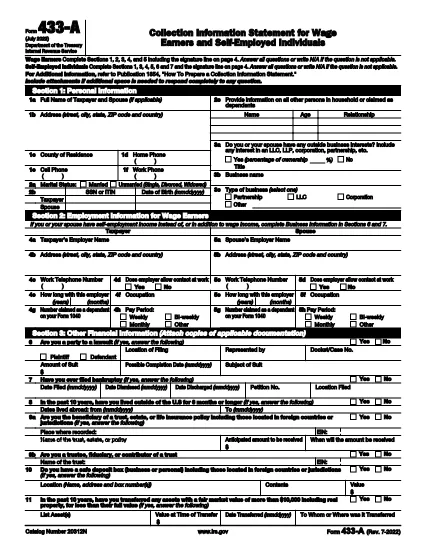

税务表格
IRS Form 433-A 是一种税表,是用于向相关税务机关报告与税收相关的信息的文件。有多种类型的税表,包括联邦、州和地方税表,它们可能因纳税人的情况和地点而异。
Form 433‑A is the IRS’s official financial statement used when you owe taxes, are negotiating an Offer in Compromise, or need to set up a payment plan. Traditionally it’s a static PDF you must print, fill out by hand, and mail back. With Formize’s fillable PDF solution you can complete the entire form directly in your browser – faster, cleaner, and error‑free.
Form 433‑A collects detailed information about your income, assets, expenses, and liabilities. The IRS uses this data to assess your ability to pay outstanding tax debts and to determine eligibility for compromise or installment agreements.
Follow the simple steps below – no PDF editor required.
Don’t leave fields blank. If a question does not apply, write “N/A” to avoid processing delays.
Round numbers to the nearest dollar. The IRS rejects entries with cents.
Double‑check asset values. Include bank accounts, retirement accounts, real estate, and personal property.
Using Formize’s fillable PDF eliminates most of these errors because the form highlights incomplete sections before you submit.
No. You can download the completed PDF and attach it to an electronic submission, or print it only if the IRS specifically requests a hard copy.
Yes. Formize provides a free, no‑charge fillable PDF for Form 433‑A. There is no hidden fee to use the online filler.
Absolutely. The Formize app lets you save a draft to your computer and reload it later to continue editing.
The fillable PDF lets you edit any field at any time before you save or print, so correcting errors is instant.
No special software is required. The final document is a standard PDF that can be opened with any free PDF viewer.
Only when the IRS asks for a detailed financial statement, such as for an Offer in Compromise or installment agreement.
Most users complete the form in 15‑30 minutes when using the fillable version, depending on the complexity of their finances.
在线填写 PDF 表单的最简单方法
删除填充会话
删除编辑会话
