

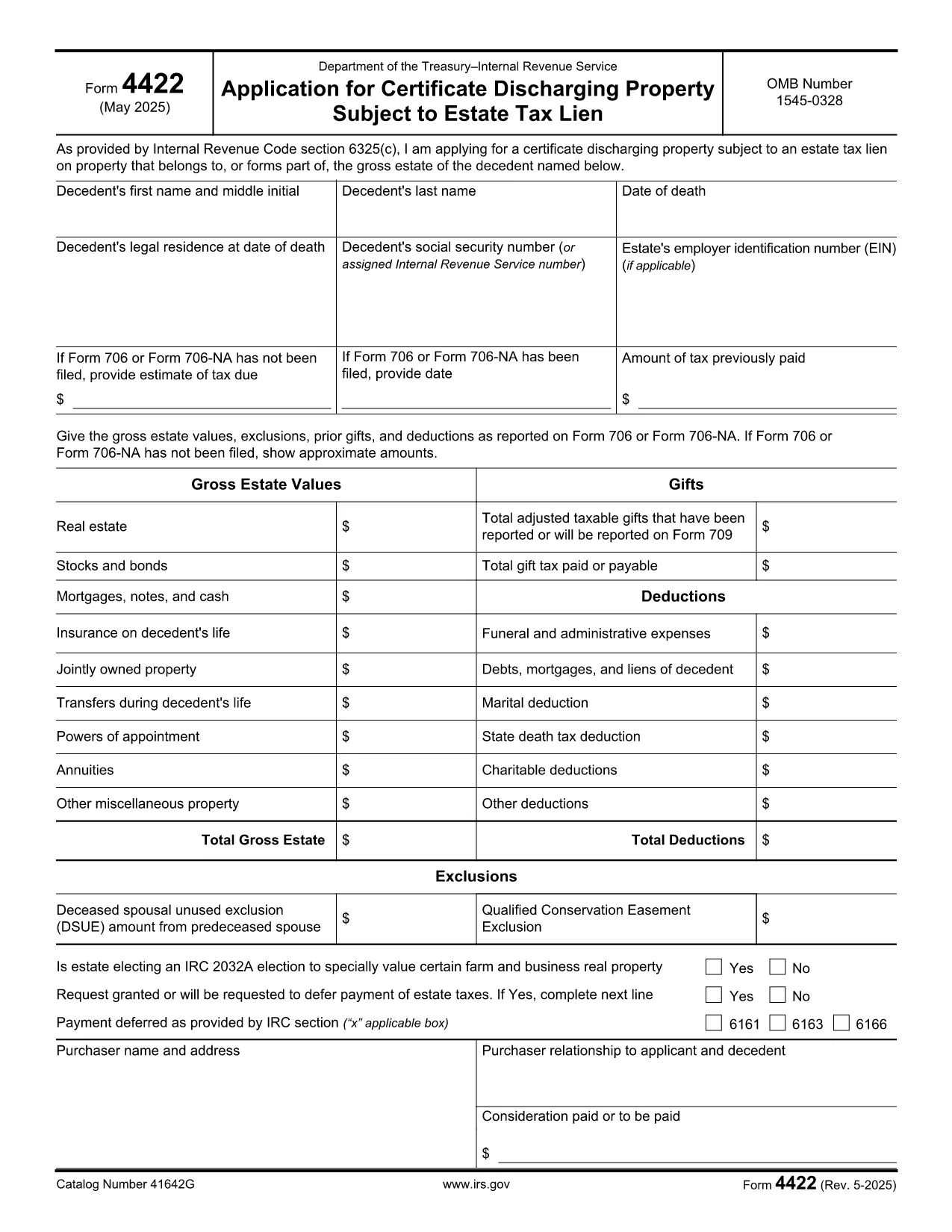

Borang cukai
IRS Form 4422 ialah salah satu daripada borang Cukai yang merupakan dokumen yang digunakan untuk melaporkan maklumat tentang pendapatan, potongan dan liabiliti cukai individu atau perniagaan kepada pihak berkuasa cukai yang berkaitan. Borang ini perlu untuk mematuhi undang-undang cukai dan memenuhi kewajipan cukai. Borang cukai berbeza-beza bergantung pada negara dan keperluan cukai khusus yang ditetapkan. Berikut ialah beberapa jenis borang cukai biasa:
Borang Cukai Individu: Borang ini digunakan oleh pembayar cukai individu untuk melaporkan pendapatan peribadi dan potongan tuntutan, kredit dan pengecualian mereka. Contohnya termasuk borang 1040 di Amerika Syarikat atau borang Nyata Cukai Taksiran Sendiri di United Kingdom.
Borang Cukai Perniagaan: Borang cukai perniagaan digunakan oleh syarikat, perkongsian atau individu yang bekerja sendiri untuk melaporkan pendapatan perniagaan, perbelanjaan dan maklumat berkaitan cukai mereka yang lain. Contohnya termasuk borang Jadual C (Untung atau Rugi daripada Perniagaan) di Amerika Syarikat atau borang CT600 (Pulangan Cukai Syarikat) di United Kingdom.
Borang Cukai Gaji: Borang ini digunakan oleh majikan untuk melaporkan gaji, gaji dan cukai yang ditahan daripada gaji pekerja mereka. Contohnya termasuk borang W-2 di Amerika Syarikat atau borang P60 di United Kingdom.
Borang Cukai Jualan: Borang cukai jualan digunakan oleh perniagaan untuk melaporkan dan menghantar cukai jualan yang dikutip ke atas barangan atau perkhidmatan yang boleh dikenakan cukai. Borang cukai jualan khusus berbeza mengikut bidang kuasa.
Borang Cukai Nilai Ditambah (VAT): Borang VAT digunakan di negara yang mengenakan cukai nilai tambah untuk melaporkan dan menghantar VAT yang dikutip ke atas jualan dan menuntut kredit VAT untuk pembelian. Contohnya termasuk borang penyata VAT yang digunakan di banyak negara.
Borang Cukai Anggaran: Borang cukai anggaran digunakan untuk melaporkan dan membayar anggaran cukai ke atas pendapatan yang tidak tertakluk kepada penahanan, seperti pendapatan bekerja sendiri atau pendapatan pelaburan.
Ini hanyalah beberapa contoh daripada pelbagai bentuk cukai yang mungkin wujud. Borang khusus yang diperlukan bergantung pada undang-undang dan peraturan cukai di negara atau bidang kuasa anda. Adalah penting untuk merujuk garis panduan pihak berkuasa cukai atau mendapatkan nasihat profesional untuk menentukan borang yang boleh digunakan untuk situasi anda.