


Հարկային ձևեր
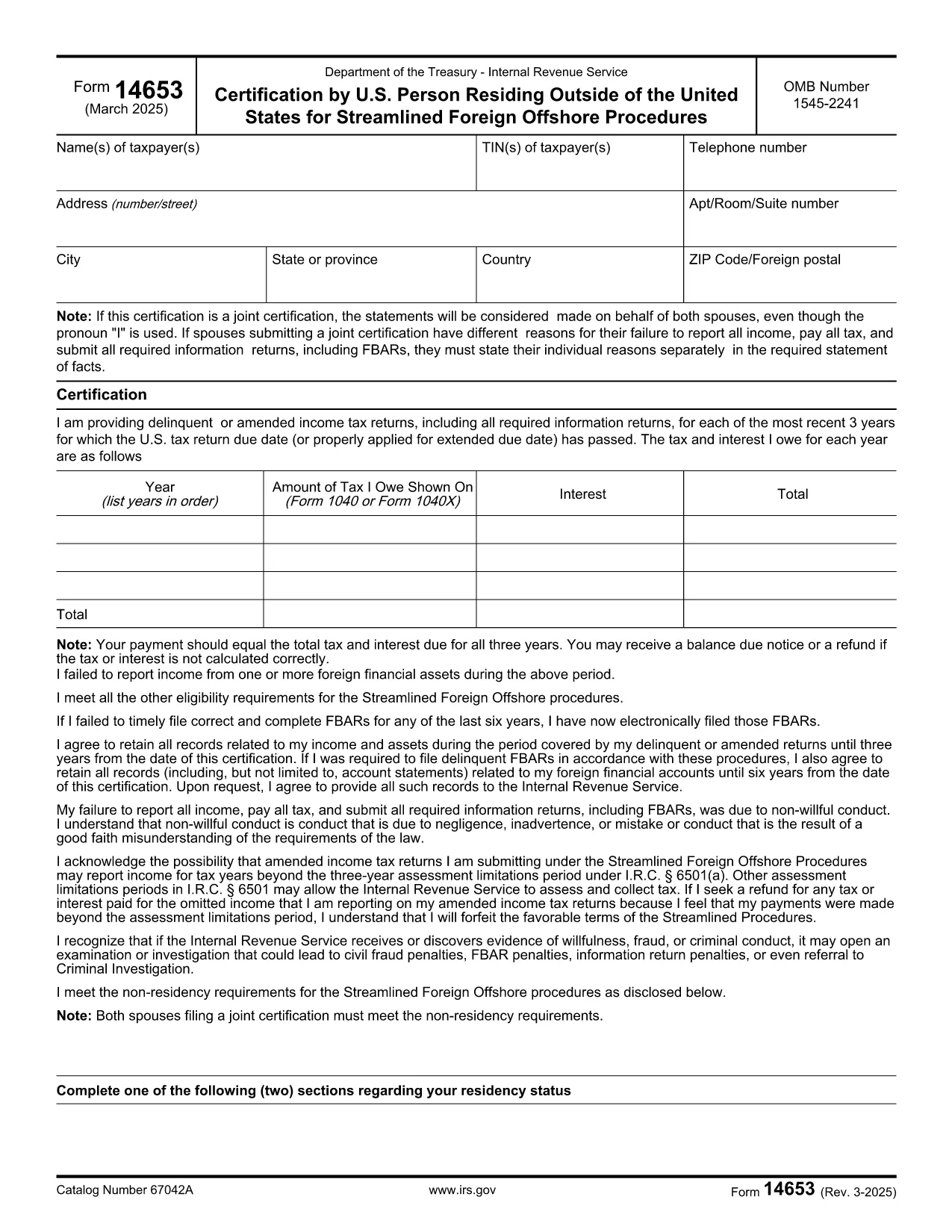
Form 14653-ը Հարկային ձևերից մեկն է, որն օգտագործվում է համապատասխան հարկային մարմնին անհատի կամ ձեռնարկության եկամուտների, նվազեցումների և հարկային պարտավորությունների մասին տեղեկություններ հաղորդելու համար: Այս ձևերն անհրաժեշտ են հարկային օրենսդրությանը համապատասխանելու և հարկային պարտավորությունները կատարելու համար: Հարկային ձևերը տարբերվում են՝ կախված երկրից և առկա հատուկ հարկային պահանջներից: Ահա հարկային ձևերի մի քանի սովորական տեսակներ.
Անհատական հարկային ձևեր. այս ձևերն օգտագործվում են անհատ հարկատուների կողմից՝ իրենց անձնական եկամուտը հայտնելու և պահումներ, վարկեր և ազատումներ պահանջելու համար: Օրինակները ներառում են 1040 ձևը Միացյալ Նահանգներում կամ Ինքնագնահատման հարկի վերադարձի ձևը Միացյալ Թագավորությունում:
Բիզնեսի հարկային ձևեր. Բիզնեսի հարկային ձևերն օգտագործվում են ընկերությունների, գործընկերությունների կամ ինքնազբաղված անհատների կողմից՝ իրենց բիզնեսի եկամուտները, ծախսերը և հարկային այլ տեղեկություններ հաղորդելու համար: Օրինակները ներառում են ժամանակացույց C ձևը (շահույթ կամ վնաս բիզնեսից) Միացյալ Նահանգներում կամ CT600 ձևը (Ընկերության հարկային վերադարձ) Միացյալ Թագավորությունում:
Աշխատավարձի հարկի ձևեր. այս ձևերն օգտագործվում են գործատուների կողմից՝ իրենց աշխատողների աշխատավարձից պահված աշխատավարձերի, աշխատավարձերի և հարկերի մասին զեկուցելու համար: Օրինակները ներառում են W-2 ձևը Միացյալ Նահանգներում կամ P60 ձևը Միացյալ Թագավորությունում:
Վաճառքի հարկի ձևեր. վաճառքի հարկի ձևերն օգտագործվում են ձեռնարկությունների կողմից` հարկվող ապրանքների կամ ծառայությունների դիմաց գանձված վաճառքի հարկը զեկուցելու և փոխանցելու համար: Հատուկ վաճառքի հարկի ձևերը տարբերվում են ըստ իրավասության:
Ավելացված արժեքի հարկի (ԱԱՀ) ձևեր. ԱԱՀ-ի ձևերն օգտագործվում են այն երկրներում, որոնք ավելացված արժեքի հարկ են սահմանում՝ վաճառքից գանձված ԱԱՀ-ն զեկուցելու և վճարելու և գնումների համար ԱԱՀ-ի վարկեր պահանջելու համար: Օրինակները ներառում են ԱԱՀ-ի վերադարձի ձևերը, որոնք օգտագործվում են շատ երկրներում:
Մոտավոր հարկային ձևեր. գնահատված հարկային ձևերն օգտագործվում են հաշվետվության և վճարելու գնահատված հարկերը եկամտի վրա, որոնք ենթակա չեն պահումների, օրինակ՝ ինքնազբաղվածությունից եկամուտը կամ ներդրումներից եկամուտը:
Սրանք ընդամենը մի քանի օրինակներ են բազմաթիվ հարկային ձևերի, որոնք կարող են գոյություն ունենալ: Պահանջվող հատուկ ձևերը կախված են ձեր երկրի կամ իրավասության հարկային օրենքներից և կանոնակարգերից: Կարևոր է խորհրդակցել հարկային մարմնի ուղեցույցների հետ կամ դիմել մասնագիտական խորհրդատվություն՝ որոշելու, թե որ ձևերն են կիրառելի ձեր իրավիճակի համար: