

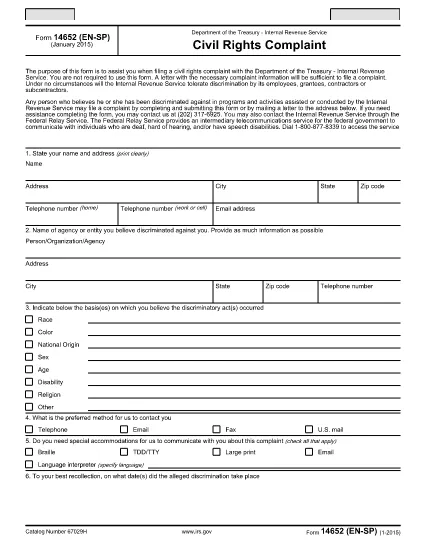

Formularze Urzędu Skarbowego (IRS).
Form 14652 to jeden z oficjalnych formularzy podatkowych używanych w Stanach Zjednoczonych do zgłaszania dochodów, ubiegania się o odliczenia i ulgi, obliczania zobowiązania podatkowego oraz wypełniania innych obowiązków podatkowych. IRS to agencja federalna odpowiedzialna za administrowanie i egzekwowanie przepisów dotyczących dochodów wewnętrznych w Stanach Zjednoczonych.
Oto kilka przykładów formularzy Urzędu Skarbowego:
Formularz 1040: jest to podstawowy formularz deklaracji podatku dochodowego od osób fizycznych używany przez większość podatników. Służy do raportowania różnego rodzaju dochodów, wnioskowania o odliczenia i ulgi, obliczania zobowiązania podatkowego oraz ustalania, czy podatnikowi przysługuje dodatkowy podatek lub czy przysługuje mu zwrot podatku.
Formularz 1099: istnieją różne odmiany formularza 1099, takie jak 1099-MISC, 1099-INT, 1099-DIV itd. Formularze te służą do zgłaszania dochodów uzyskiwanych przez osoby fizyczne lub firmy z różnych źródeł innych niż zatrudnienie, np. samozatrudnienie dochód, dochód z odsetek, dochód z dywidend i dochód z wynajmu.
Formularz W-2: Ten formularz jest używany przez pracodawców do zgłaszania wynagrodzeń wypłacanych pracownikom i podatków potrącane z ich wynagrodzenia. Pracownicy korzystają z informacji zawartych na formularzu W-2 w celu wypełnienia indywidualnych zeznań podatkowych.
Formularz 941: pracodawcy używają tego formularza do zgłaszania podatków związanych z zatrudnieniem, w tym potrąconego federalnego podatku dochodowego, podatku na ubezpieczenie społeczne i podatku Medicare dla swoich pracowników.
Formularz 1065: ten formularz jest używany przez spółki osobowe do zgłaszania swoich dochodów, odliczeń i zobowiązań podatkowych. Same spółki osobowe nie płacą podatku dochodowego; zamiast tego wspólnicy zgłaszają swój udział w dochodach spółki w swoich indywidualnych zeznaniach podatkowych.
Formularz 1120: Jest to formularz deklaracji podatku dochodowego od osób prawnych używany przez korporacje klasy C do zgłaszania swoich dochodów, odliczeń i zobowiązań podatkowych.
Formularz 990: ten formularz jest używany przez organizacje zwolnione z podatku, takie jak organizacje non-profit i organizacje charytatywne, w celu zgłaszać swoje informacje finansowe, działalność i zgodność z przepisami podatkowymi.
Formularz 8862: z tego formularza korzystają podatnicy, którzy wcześniej ubiegali się o ulgę podatkową od dochodu wypracowanego (EITC) ale został odrzucony, a teraz chce go ponownie zażądać.
To tylko kilka przykładów z licznych formularzy IRS, które istnieją w celu wypełnienia różnych obowiązków podatkowych. Konkretne formularze wymagane dla osoby fizycznej lub firmy zależą od jej wyjątkowej sytuacji, źródeł dochodów i odliczeń. Zaleca się sprawdzenie oficjalnej strony internetowej Urzędu Skarbowego (www.irs.gov) lub zasięgnięcie profesjonalnej porady podatkowej w celu uzyskania dokładnych i aktualnych informacji na temat konkretnego urzędu skarbowego formularze odpowiednie do Twojej sytuacji podatkowej.