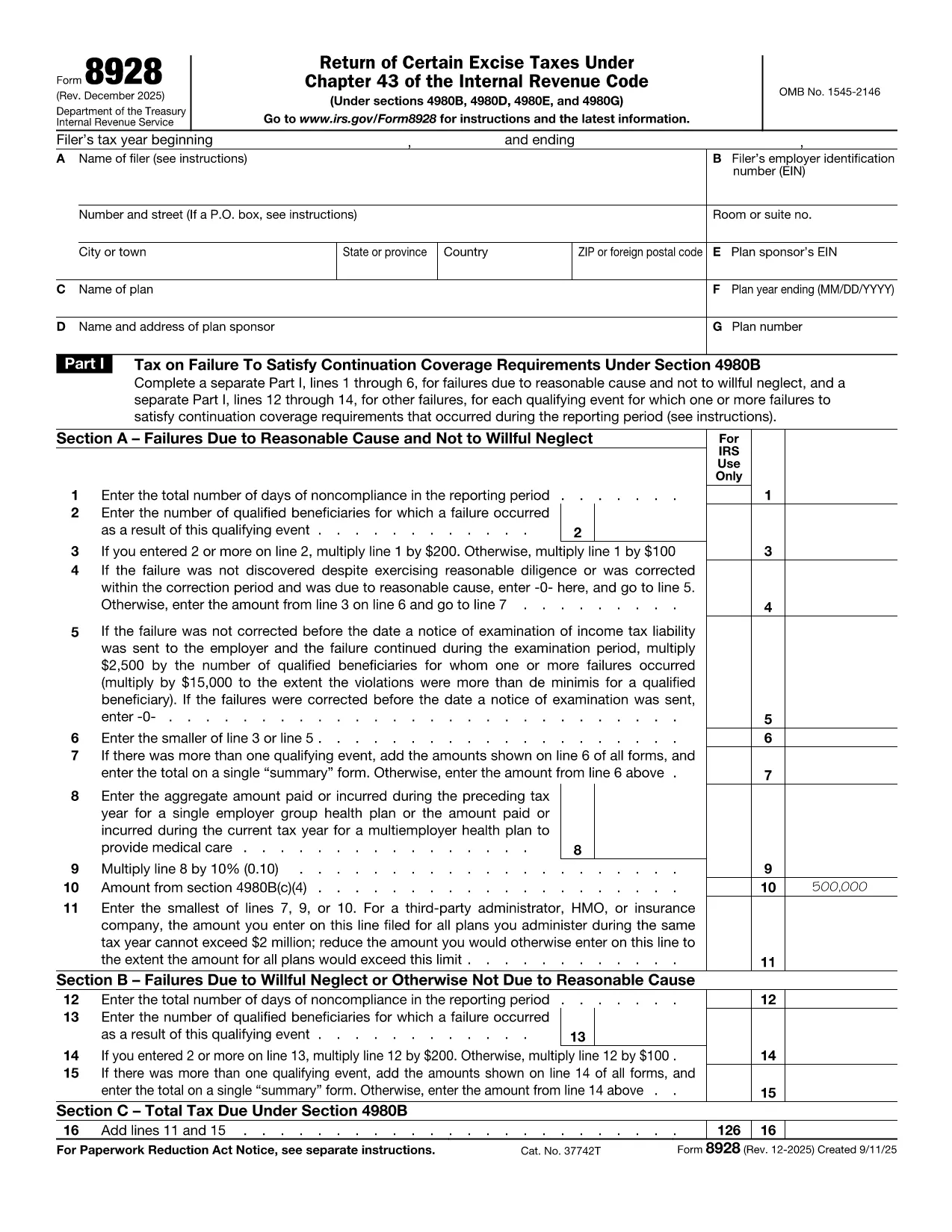

Form 8928, Return of Certain Excise Taxes Under Chapter 43 of the Internal Revenue Code, is used by businesses to report and pay excise taxes on specific fuels, chemicals, and other taxable items. The form must be filed annually and signed under penalties of perjury.
What Is Form 8928?
The IRS requires Form 8928 when you owe excise taxes that fall under Chapter 43, such as taxes on gasoline, diesel fuel, and certain chemicals. The form collects information about the taxpayer, the type of tax, and the amount due.
How to Complete Form 8928 Using Formize
Instead of downloading, printing, and manually filling the PDF, you can complete the form directly in your browser with the Formize PDF Filler:
- Click the "Fill out this form" button on this page.
- Wait a few seconds while the Formize app loads the fillable PDF.
- Enter your information in each field – the interface highlights required sections.
- When you’re done, click Save & Download to get a completed PDF ready for e‑filing or printing.
Common Mistakes to Avoid
- Incorrect EIN: Double‑check the Employer Identification Number; a typo can delay processing.
- Missing signatures: The form must be signed under penalties of perjury; use the electronic signature option in Formize.
- Wrong tax code: Verify that the excise tax you’re reporting falls under Chapter 43; other excise taxes use different forms.
- Incomplete schedules: Attach all required schedules (e.g., Schedule A for fuel taxes) before submitting.
Where to Submit the Completed Form
After you download the filled PDF, mail it to the IRS address listed in the form’s instructions, or submit it electronically through the IRS Modernized e‑File (MeF) system if you have an authorized e‑file provider.
Need a quick start? Click the button below and let Formize do the heavy lifting.
指示
- 表格8928 说明 - 关于根据《国内税收法》第43章退还某些货物税的第8928号表格的说明